

Hubspot Review
HubSpot is a strong choice for businesses, marketers, sales teams, and customer service teams because it offers an all-in-one CRM with marketing automation, sales management, customer support, content tools, and AI-powered features. However, users who need a lightweight CRM with fewer features or a lower-cost solution may want to consider HubSpot alternatives instead.
Our Rating
| Category | Our Rating |
|---|---|
| Ease of use | 8/10 |
| Features | 9/10 |
| AI Quality | 8.5/10 |
| Pricing | 8/10 |
| Customer Support | 9/10 |
| Overall | 8.7/10 |
Table of Contents
About HubSpot
HubSpot is an all-in-one customer platform designed to help businesses attract leads, manage customer relationships, close sales, provide customer support, and grow their business more efficiently. The company was founded in 2006 in Cambridge, Massachusetts, by Brian Halligan and Dharmesh Shah. HubSpot initially focused on inbound marketing, helping businesses attract customers through useful content rather than traditional outbound marketing. Over time, it expanded beyond marketing to include CRM, sales, customer service, content management, operations, automation, and AI-powered tools, evolving into the broader customer platform it offers today.
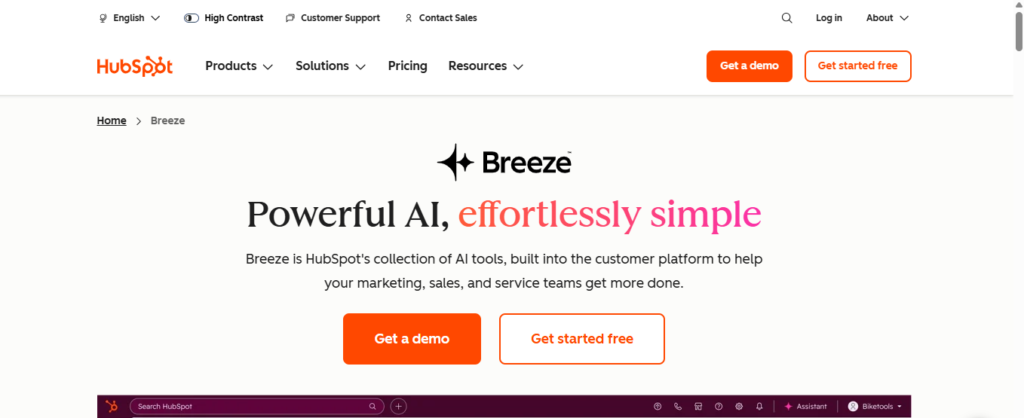
The main purpose of HubSpot is to help businesses manage their customer relationships and streamline marketing, sales, customer service, and other business processes from a single platform. By bringing CRM data, marketing campaigns, sales activities, customer support, content management, automation, and AI-powered tools together, HubSpot aims to reduce the need for businesses to rely on multiple disconnected systems.
HubSpot primarily targets small businesses, growing companies, marketing teams, sales teams, customer service teams, agencies, and larger organizations that need a centralized platform to manage their customer interactions. It can assist with tasks such as managing contacts and leads, creating marketing campaigns, automating repetitive tasks, tracking sales pipelines, providing customer support, creating content, and analyzing business performance.
The core problem HubSpot aims to solve is the challenge of managing customer data and business processes across multiple tools while keeping teams and customer interactions connected. For businesses managing a growing number of leads and customers, HubSpot can help centralize information, automate repetitive work, and improve collaboration between marketing, sales, and customer service teams. This allows employees to spend less time managing disconnected processes and more time focusing on building relationships, closing deals, and growing the business.
How we tested HubSpot
We evaluated Hubspot based on the following:
- Ease of setup
- User interface
- Core features
- AI output quality
- Speed
- Accuracy
- Integrations
- Pricing/Value
- Business use Cases
- Limitations
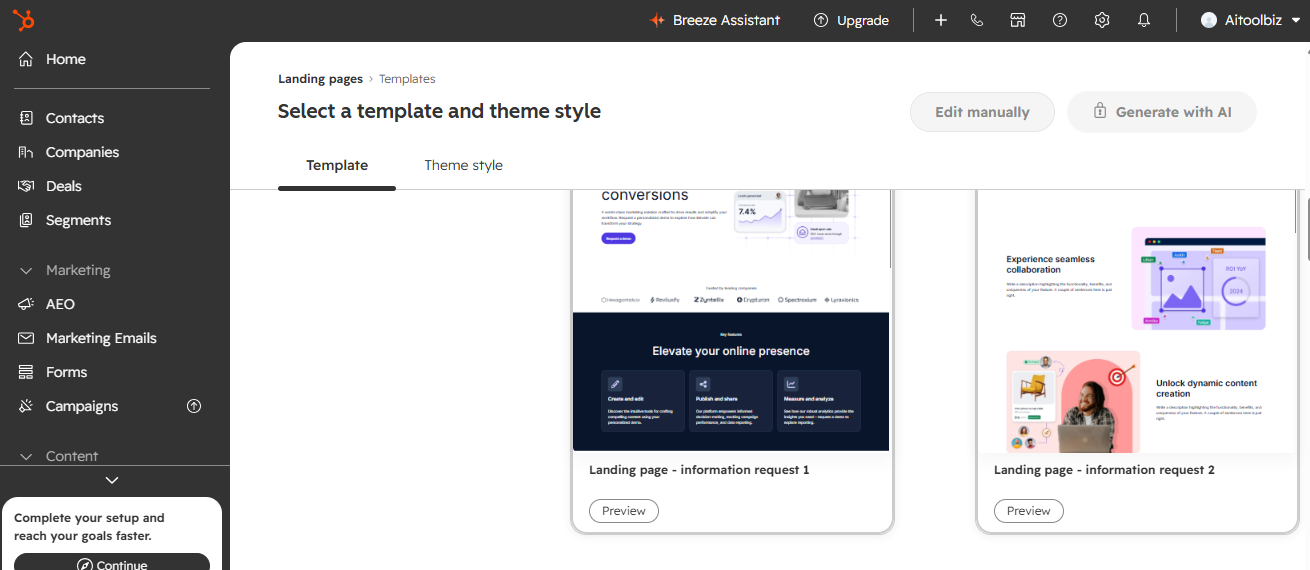
What We Tested: We tested HubSpot across its CRM, marketing, sales, customer service, automation, AI, reporting, integrations, ease of use, and pricing. We also looked at how well its different tools work together and whether HubSpot provides enough value for small businesses, growing teams, and larger organizations.
HubSpot Features
1. Smart CRM
Customer information, discussions, activities, and business procedures are all consolidated into a single system by HubSpot’s Smart CRM. It can integrate contact and business information with HubSpot’s marketing, sales, support, and other capabilities while storing and organizing that data.
2. Marketing Automation
For activities like email campaigns, lead nurturing, personalization, campaign management, and customer journeys, HubSpot provides marketing automation. While utilizing CRM data to tailor interactions, its automation technologies are made to minimize tedious marketing tasks.
3. Sales Pipeline Management
Sales Hub offers capabilities for tracking prospects, managing deals and sales funnels, setting up meetings, automating sales tasks, and predicting performance. From a single workspace, teams can monitor the status of deals and oversee sales efforts.
4. AI-Powered Tools
AI assistants, content production, customer research, CRM summaries, data analytics, and AI agents are just a few of the AI elements integrated throughout HubSpot’s platform. These tools can assist in automating repetitive tasks and provide teams with quicker access to business and consumer data.
5. Workflow Automation
Businesses may automate marketing, sales, and customer care procedures with HubSpot’s workflow automation. Automating tasks, notifications, follow-ups, lead management, and other repetitive procedures is possible with triggers and conditions.
6. Customer Service & Support
Help desk and ticketing, live chat, omnichannel communication, knowledge bases, customer feedback, service analytics, and AI-powered customer support technologies are all included in the Service Hub. Support personnel may access customer data along with past encounters because it is connected to the CRM.
Quick Summary
| Feature | Best for |
|---|---|
| Smart CRM | Customer & contact management |
| Marketing Automation | Lead generation & nurturing |
| Sales Pipeline | Managing deals & prospects |
| AI Tools | Productivity & intelligent assistance |
| Workflow Automation | Reducing repetitive tasks |
| Customer Service | Support & customer retention |
HubSpot Pricing
| Plan | Starting price | Best for |
|---|---|---|
| Free | $0 | Individuals and small teams |
| Starter | From $7/month per seat | Small businesses and growing teams |
| Professional | From $800/month per 3 seat | Established teams needing advanced features |
| Enterprise | From $3,600/month per 5 seat | Larger organizations with complex needs |
Pricing checked: 04 September 2026
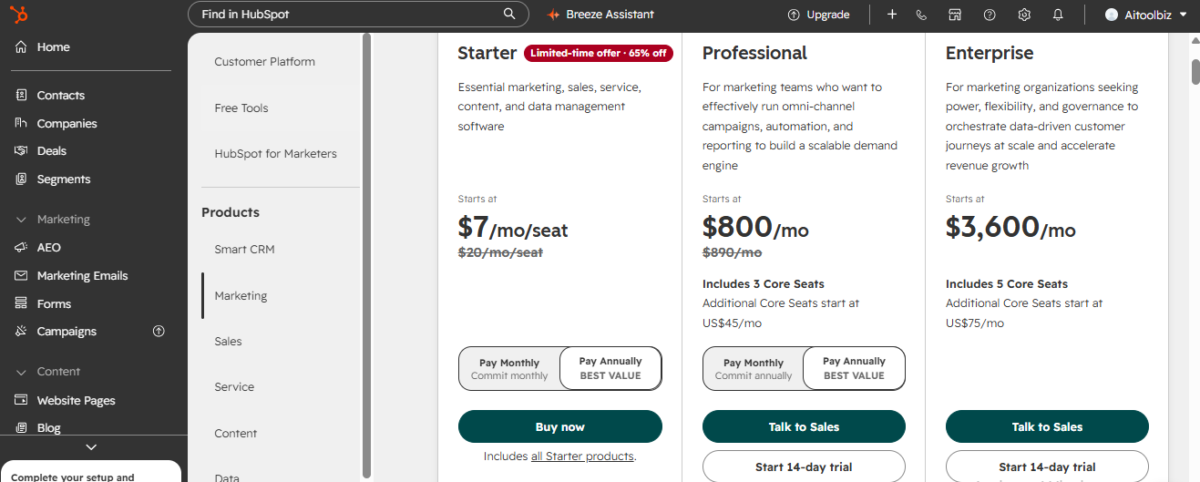
Free Plan: Users have unlimited access to basic CRM capabilities with HubSpot’s free CRM. Contact, deal, and task management, email tracking, live chat, meeting scheduling, reporting dashboards, and other fundamental tools are all included. According to HubSpot, the free CRM can handle up to 1,000 contacts and two users.
Starter Plan: More sophisticated CRM features, such as required fields, permission sets, different currencies, and the elimination of HubSpot branding, are added to the Starter tier. Although new customers may be eligible for promotional pricing, HubSpot presently rates it as $7 per seat per month.
Professional Plan: More sophisticated features like AI customer representatives, duplication management, contact scoring, computed properties, and custom reporting are included in the Professional plan, which starts at $800 per 3 seat per month.
Enterprise Plan:
The Enterprise package, which is intended for businesses that require more advanced CRM controls, starts at $3600 per 5 seat per month. Custom objects, team organization, single sign-on, and field-level permissions are some of its features.
Pros & Cons
| Pros | Cons |
|---|---|
| All-in-one platform – Combines CRM, marketing, sales, service, content, automation, and AI tools. | Can become expensive – Costs can increase as you add advanced features, users, and Hubs. |
| Powerful CRM – Makes it easy to manage contacts, leads, deals, and customer interactions. | Can feel complex – The large number of features may overwhelm beginners. |
| Strong automation – Automates repetitive marketing, sales, and customer service tasks. | Advanced features require paid plans – Many powerful features are limited to higher-tier plans. |
| AI-powered tools – Includes AI features for content, CRM insights, customer support, and productivity. | Pricing can be complicated – Total costs depend on products, seats, features, and usage. |
| Free CRM available – Users can access core CRM features without paying. | May be overkill for small teams – Basic CRM users may not need such a large platform. |
| Easy to scale – Provides tools for businesses as their teams and customer operations grow. | Limited for specialized needs – Some businesses may need more customization than HubSpot provides. |
Who Should Use HubSpot?
HubSpot is best suited for small and growing businesses, marketing teams, sales teams, agencies, and organizations that want to manage customer relationships, marketing, sales, and customer support from one platform. It is particularly useful for businesses that need tools for lead generation, email marketing, sales pipeline management, customer service, automation, and reporting while keeping all customer data connected in one CRM.
HubSpot can also be a good choice for teams that want to reduce the number of separate software tools they use and streamline their workflows. However, businesses that only need a simple CRM for basic contact and deal management may find HubSpot’s wide range of features unnecessary.
Also Read:
Jasper AI Review 2026: Features, Pricing, Pros, Cons & Alternatives
6 Free ai marketing tools for small business
HubSpot AI vs Surfer SEO: Which AI Marketing Tool Is Better in 2026?
24 Best AI Tools for Business to Marketing, & Customer help
HubSpot Use Cases
From drawing in new clients to handling sales and offering continuing assistance, HubSpot might be utilized at various phases of the customer journey. Companies can use it for lead generation and nurturing, customer relationship management, sales pipeline tracking, marketing and sales job automation, content creation and management, customer support, and performance analysis.
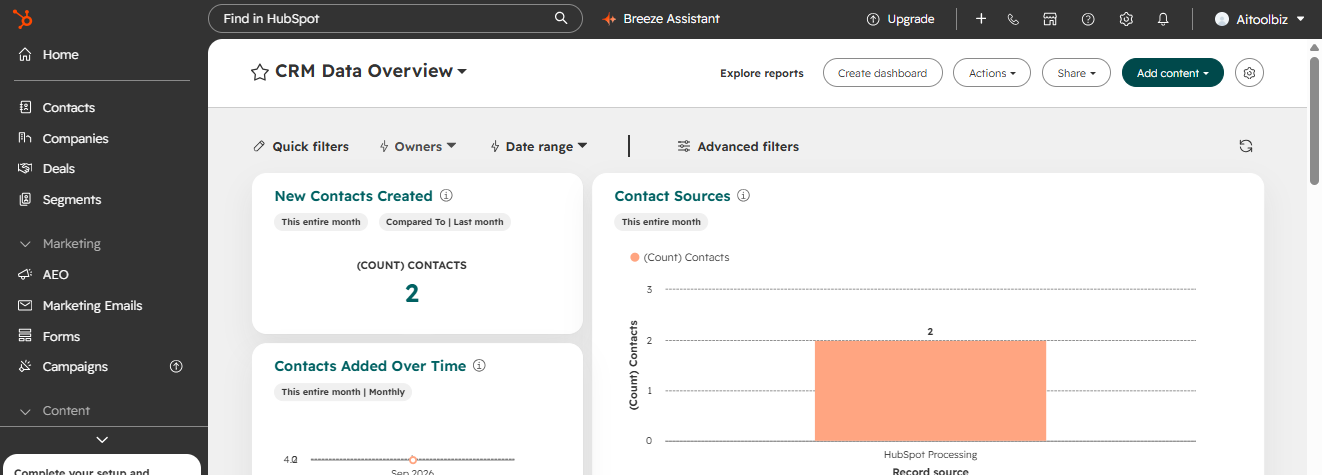
While sales teams can utilize the CRM to handle deals, follow-ups, and customer contacts, marketing teams can use HubSpot to automate lead nurturing and perform email campaigns. Its help desk, ticketing, live chat, and knowledge base resources are available for customer service teams to employ. Agencies and expanding companies that need to manage various processes from a single, integrated platform instead of depending on a number of different technologies can also benefit from HubSpot.
HubSpot Alternatives
If HubSpot feels too expensive or offers more features than you need, there are several CRM alternatives worth considering. Here are five strong options, along with what each is best for and its starting price:
| HubSpot Alternative | Best For | Starting Price |
|---|---|---|
| Zoho CRM | Budget-friendly CRM with broad features | $14/user/month |
| Pipedrive | Sales teams and visual pipeline management | $14/user/month |
| Freshsales | Small businesses wanting AI and built-in calling | $9/user/month |
| monday CRM | Visual workflows and project-focused teams | $12/seat/month |
| Salesforce | Large businesses and enterprise CRM | $25/user/month |
HubSpot Review Conclusion
HubSpot is a powerful all-in-one customer platform that brings CRM, marketing, sales, customer service, automation, content management, and AI tools together in one place. Its wide range of features makes it a strong choice for businesses that want to centralize their customer data and streamline multiple business processes without relying on many separate tools.
Who shouldn’t buy it: HubSpot may not be the best choice for individuals, very small businesses, or teams that only need a simple CRM for managing contacts and basic sales activities. Its extensive features can also make the platform more complex, while costs can increase as you add more advanced tools, users, and paid Hubs.
Biggest advantage: HubSpot’s biggest advantage is its all-in-one ecosystem. Marketing, sales, customer service, CRM, automation, content, and AI tools can work together using the same customer data, making it easier for teams to manage the entire customer journey from one platform.
Do we recommend it? Yes, for businesses that need more than a basic CRM. HubSpot is especially worth considering for growing businesses, marketing and sales teams, agencies, and organizations that want a connected platform for managing customer relationships and business operations. However, if you only need basic CRM functionality or want the lowest possible cost, a simpler HubSpot alternative may offer better value.
FAQ
What is HubSpot used for?
HubSpot is an all-in-one customer platform used for managing CRM, marketing, sales, customer service, content, automation, and customer data from one place.
Is HubSpot free?
Yes. HubSpot offers free CRM and foundational tools with no expiration date. The free tools have usage limits, including up to two users and 1,000 contacts according to HubSpot’s current pricing information.
How much does HubSpot cost?
HubSpot offers free and paid plans. Its current CRM pricing starts with a free plan, while paid CRM tiers include Starter, Professional, and Enterprise. Pricing can vary depending on the products, seats, and features you choose.
Is HubSpot good for small businesses?
Yes. HubSpot offers a free CRM designed for startups and small businesses, with tools for managing contacts, deals, tasks, emails, meetings, and customer interactions.
What are the main features of HubSpot?
The main HubSpot features include Smart CRM, marketing automation, sales pipeline management, customer service tools, workflow automation, AI-powered tools, reporting, and content management.
Is HubSpot worth it?
HubSpot can be worth it for businesses that want CRM, marketing, sales, customer service, automation, and AI tools connected on one platform. However, businesses that only need a basic CRM may find simpler and less expensive alternatives better suited to their needs.

1 Comment