

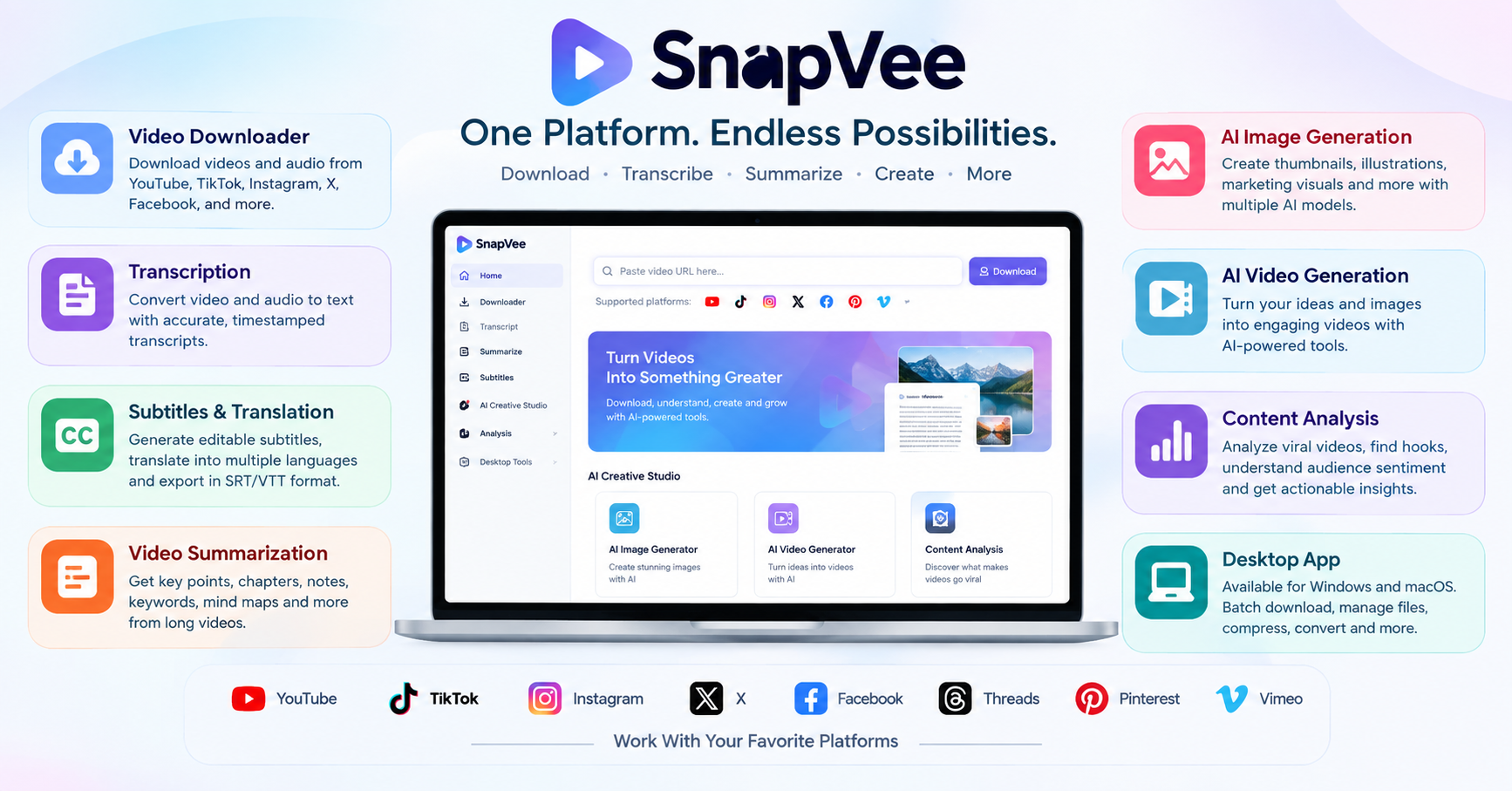
Snapvee Review
Creating content today often means jumping between several different tools. You may need one website to download a video, another to convert it to audio, another to transcribe it, another to create subtitles, and yet another AI platform to summarize or turn the content into new creative assets.
SnapVee takes a different approach. It brings many of these tasks together in one AI-powered content workspace, allowing users to work with public videos, transcribe and summarize content, create subtitles, generate images and videos with AI, and manage content workflows from a single account.
According to SnapVee, the platform is designed for creators, social media managers, video editors, educators, students, and other users who regularly work with digital video content. Its ecosystem includes a web application as well as desktop software for Windows and macOS.
But what exactly is SnapVee, how does it work, and is it useful for content creators?
Let’s take a closer look.
Table of Contents
What Is SnapVee?
Video downloading, video comprehension, transcription, subtitles, summary, AI picture creation, AI video production, and content formatting are all combined in SnapVee, an AI content workspace.
SnapVee integrates AI content creation and video downloads into a more comprehensive process rather than considering them as entirely distinct operations.
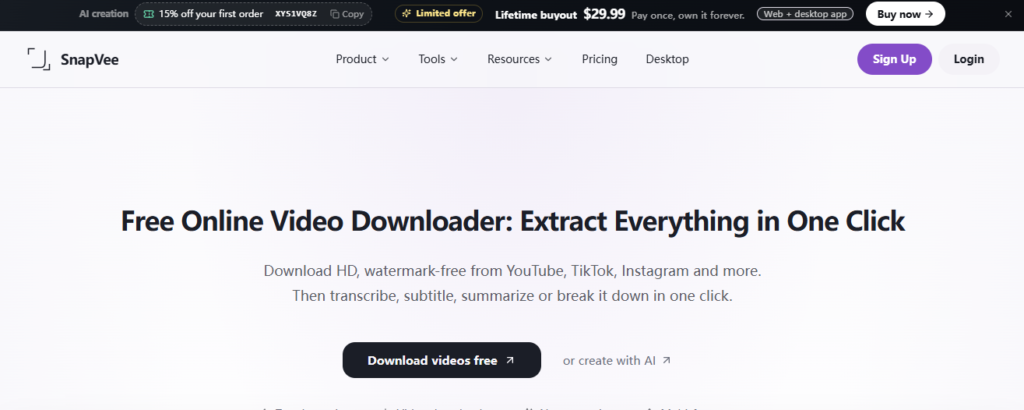
A creator might, for instance, begin with a publicly available video, download it, extract or study its content, make a transcript, add subtitles, summarize the key points, determine why the video was successful, and then use the information to produce new written or visual material.
The website allows users to download public content from a number of popular platforms, such as YouTube, TikTok, Instagram, X, Facebook, Threads, Pinterest, and Vimeo. The list of supported sources for its AI processing functions is more limited and includes local uploads as well as websites like YouTube, TikTok, and Apple Podcasts.
Because of this, SnapVee is more than just a conventional video downloader. It makes more sense to think of it as a tool for content workflow.
Key Features of SnapVee
SnapVee offers a relatively broad collection of tools. The most important ones include video downloading, transcription, subtitles, AI summaries, content analysis, AI image generation, AI video generation, and desktop media utilities.
1. Video Downloader
One of SnapVee’s core features is its online video downloader.
Users can paste a supported public video URL and select available download options. SnapVee says its downloader supports services including YouTube, TikTok, Instagram, X, Facebook, Threads, Pinterest, and Vimeo. Depending on the source and available media, users can download video, audio, or related content.
The platform also promotes HD and 4K downloading where the original source makes those qualities available.
For creators, this can be useful when collecting reference material, organizing research clips, preparing content for editing, or saving material that they have the legal right to use.
However, users should remember that being able to download a public video does not automatically mean they have permission to republish or commercially reuse it. Copyright, licensing, platform rules, and local laws still apply.
2. Video-To Text trasnsription
Another major SnapVee feature is video transcription.
Instead of manually watching a video and typing everything that is said, users can provide a supported video or upload a local file and use SnapVee to generate text.
This can be especially useful for:
- YouTube research
- Podcast transcription
- Interviews
- Educational lectures
- Social media videos
- Content repurposing
- Quote extraction
- Video editing
- Accessibility workflows
SnapVee also supports timestamped transcription and subtitle-related workflows, making the output more practical for editors than plain text alone.
For content creators who frequently turn videos into articles, social posts, newsletters, or scripts, transcription can eliminate a considerable amount of manual work.
3. Subtitle Generation and Translation
SnapVee can also convert video or audio into editable subtitles and transcripts.
The platform supports subtitle exports such as SRT and VTT, while also offering bilingual subtitle and translation workflows.
This can be useful when publishing content to audiences who speak different languages.
For example, a creator could take an English-language interview, generate a transcript, translate the dialogue, review the translated lines alongside the original text, and then export subtitles for a video.
This makes the platform particularly interesting for multilingual creators and international social media teams.
4. AI Video Summarization
Long videos can contain a lot of useful information, but watching an hour-long video simply to find a few important points is inefficient.
SnapVee’s video summary feature is designed to solve this problem.
The platform can turn supported videos into structured summaries containing information such as:
- Main points
- Chapters
- Key ideas
- Structured notes
- Keywords
- Action items
- Mind maps
It also provides follow-up functionality for some summary workflows.
This could be valuable for students, researchers, marketers, journalists, educators, and creators who need to understand a video quickly.
For example, instead of watching a 45-minute educational presentation from beginning to end, a user could first generate a summary and identify the sections that deserve closer attention.
5. AI Image Generator
SnapVee is not limited to video processing.
Its AI creative studio also includes image-generation capabilities. The platform currently promotes multiple AI models, including GPT Image 2, Nano Banana, and Seedream, depending on the available workflow.
These tools can be used to create:
- YouTube thumbnails
- Social media covers
- Blog illustrations
- Product visuals
- Creative concepts
- Marketing graphics
- Character images
- Other visual assets
One advantage of integrating image generation with a content workspace is that users can move from research to creation without necessarily switching to another platform.
6. AI video Generation
SnapVee’s AI creative studio also extends into video generation.
The workflow is designed around an “image first, video next” approach. A creator can generate an image or visual concept and then use that asset as part of an AI video workflow.
This can be helpful for creators who want more control over the visual direction of generated videos.
Instead of starting with a completely blank video prompt, users can first establish a character, product, scene, or visual style and then continue that idea into video.
7. Viral Video and Review Analysis
SnapVee also includes content-analysis functionality.
The platform describes tools for analyzing successful videos, identifying structures and hooks, and examining social sentiment or reviews.
This is potentially useful for social media marketers and creators who want to understand not just what a popular piece of content says, but why audiences responded to it.
For example, a creator studying viral videos could look for patterns involving:
- Opening hooks
- Video structure
- Storytelling
- Audience reactions
- Selling points
- Common objections
- Positive and negative feedback
This kind of analysis can provide ideas for developing original content rather than simply copying another creator.
SnapVee for Content Creators
Content creators are one of the clearest audiences for SnapVee.
A typical creator workflow might involve researching a topic, collecting reference material, downloading permitted source media, transcribing interviews, extracting important quotes, generating a script, creating visuals, and preparing social posts.
Traditionally, these tasks could require several applications.
SnapVee attempts to combine many of them into one ecosystem.
For YouTube creators, for example, the workflow could look like this:
Research → Download permitted source material → Transcribe → Summarize → Analyze → Write → Generate visuals → Create video → Publish
This does not mean every creator will use every feature, but having the tools connected can reduce the amount of switching between services.
SnapVee for Social Media Managers
Social media teams can also benefit from a centralized workflow.
A marketer may need to analyze videos from different platforms, understand customer comments, identify trends, prepare social posts, and produce supporting images.
SnapVee’s tools are designed around these repetitive content tasks.
The platform also offers social formatting functionality intended to adapt content for different platforms, helping creators transform one piece of writing into formats suitable for multiple social channels.
For teams working across several social networks, this can make content repurposing more efficient.
SnapVee for Students and Educators
Another interesting use case is education.
Students regularly encounter long lectures, interviews, podcasts, tutorials, and educational videos.
Instead of taking notes manually throughout an entire video, students can use AI transcription and summarization to create structured notes.
For example, a student could:
- Provide a supported lecture or educational video.
- Generate a transcript.
- Create a summary.
- Identify important chapters.
- Review key points.
- Use the resulting notes for further study.
Educators can also use transcription and summarization to organize teaching material or prepare supplementary resources.
Of course, AI-generated summaries should be reviewed against the original material, especially when accuracy is important.
SnapVee Desktop App
SnapVee is also available as a desktop application for macOS and Windows.
The desktop version is designed for local media workflows and supports batch downloading, file management, conversion, compression, clipping, merging, and other utilities.
According to SnapVee’s desktop page, current builds are available for Apple Silicon and Intel Macs, as well as Windows systems, including Windows 10 64-bit/ARM64 or later.
The desktop approach can be particularly useful for people who work with large numbers of files.
Instead of repeatedly downloading individual files through a browser, users can queue multiple links and organize completed downloads locally.
SnapVee Video and Image Compression
Media files can become very large, particularly when working with high-resolution video.
SnapVee Desktop includes compression functionality for both video and images.
Users can adjust compression settings and resize media when necessary. The platform describes workflows for exporting compressed MP4 video as well as converting or compressing images into formats such as JPG, PNG, WEBP, and AVIF.
This can be useful when preparing content for websites, social networks, messaging platforms, or storage.
How Much Does SnapVee Cost?
SnapVee employs a mix of add-on purchases, use limits, and subscriptions.
The platform now offers a free starting option in addition to a number of premium tiers, such as Lite, Pro, and Studio. Lite costs $7.99 per month when billed annually, Pro costs $13.99 per month, and Studio costs $32.99 per month when billed annually, according to its public price page.
The included media minutes, AI credits, trend-search allowances, and other features are the main areas where the plans diverge.
For instance, the advertised Pro plan offers unlimited downloads, the complete downloader, and 1,200 media minutes and 1,200 AI credits per month.
It’s crucial to realize that SnapVee distinguishes between various usage categories.
While AI generation and some analytical operations use AI credits, media-related AI processing can use media minutes. As a result, downloads and AI processing don’t always use the same budget.
Before buying a membership, consumers should check SnapVee’s current pricing page because prices and allowances are subject to change.
Is SnapVee Free?
Although the precise allowance structure is dependent on the platform’s current terms and product configuration, SnapVee gives a free way to test the service.
In addition to its main product page, SnapVee’s FAQ details a free trial that includes media minutes, AI credits, and first downloads.
The crucial issue is that free users should anticipate use restrictions rather than unrestricted access to all features.
The free option might be sufficient to assess the service if you only sometimes require downloading, transcription, or AI construction.
One of the premium plans can be necessary for users with frequent production needs.
Is SnapVee Safe to Use?
Although SnapVee offers a genuine content-processing workflow, users must still exercise caution when downloading and processing files.
Users should only download, transcribe, summarize, rewrite, or otherwise process content that they are legally permitted to use, according to the platform’s terms and FAQ.
This is especially crucial for videos that are protected by copyright.
A public video may be technically accessible to downloaders, but this does not always mean that they have authority to alter, distribute, upload, or utilize the film for commercial purposes.
Therefore, rather than being a means of getting around platform or copyright constraints, SnapVee should be seen as a tool for processing content that you are permitted to use.
Pros and Cons of SnapVee
Pros and Cons of SnapVee
| Pros of SnapVee | Cons of SnapVee |
|---|---|
| Supports downloading videos from multiple popular platforms | Some advanced features require a paid subscription |
| Offers AI-powered video transcription | AI usage is limited by media minutes and credits |
| Can generate video summaries and key points | Supported platforms can vary depending on the feature |
| Provides subtitle generation and translation tools | New users may need time to understand all the available tools |
| Supports SRT and VTT subtitle exports | Heavy AI usage may require additional credits |
| Includes AI image-generation capabilities | Downloading copyrighted content without permission can create legal issues |
| Offers AI video-generation tools | Some features may depend on the source video’s availability and quality |
| Provides content analysis and viral-video insights | The large number of features can make the platform feel complex |
| Available as a desktop app for Windows and macOS | Users should verify current pricing and plan limits before subscribing |
| Supports batch downloading and local media management | Internet access is required for most online and AI-powered features |
Who Should Use SnapVee?
SnapVee may be a good fit if you regularly work with online video and need more than simple downloading.
It is particularly relevant to:
- YouTube creators
- TikTok creators
- Social media managers
- Video editors
- Marketing teams
- Students
- Educators
- Researchers
- Podcasters
- Content agencies
- Multilingual content teams
Someone who only needs to download an occasional video may not need such a broad platform.
However, users who repeatedly move between downloading, transcription, subtitles, summarization, analysis, and content creation may find the integrated workflow more valuable.
SnapVee vs. Traditional Video Downloaders
The main purpose of traditional video downloaders is typically to store web videos on a device.
SnapVee goes much beyond.
The platform integrates AI-powered capabilities for content comprehension and transformation with the downloader. A new value proposition is produced as a result.
A conventional downloader could respond as follows:
“How can I save this video?”
SnapVee aims to address a more general query:
“What can I do with this content after I find it?”
That distinction is crucial.
Downloading can be just the beginning for a creator. Transcription, translation, summary, editing, repurposing, analysis, and creation might all be part of the actual task.
SnapVee presents itself as a more comprehensive content workspace than just a downloader by tying these operations together.
Also Read:
- Leonardo AI Review 2026: Features, Pricing, Pros, Cons & Alternatives
- Jasper AI Review 2026: Features, Pricing, Pros, Cons & Alternatives
Conclusion
SnapVee is an intriguing choice for anyone wishing to integrate AI-powered content production and processing with video downloading.
The scope of its process is its greatest advantage. SnapVee links source collection with transcription, subtitles, summaries, analysis, AI pictures, AI video, and desktop media management rather than just downloading.
This may result in fewer tools and fewer disruptions to workflow for marketers and creative.
Transcription and summarizing can help educators and students better comprehend and arrange long-form videos.
The integration of content analysis, AI development, and formatting technologies can facilitate a more extensive repurposing workflow for social media workers.
Usage restrictions, variations in supported platforms, and content rights are the primary factors to take into account. Because online services can alter their plans and supported sources over time, users should confirm current pricing and feature availability before enrolling.
Overall, rather than just being a video downloader, SnapVee is best understood as an AI-powered content workspace. SnapVee provides a wide range of tools intended to keep those jobs within a single workflow if your work frequently entails collecting approved public media, turning video into text, providing subtitles, summarizing content, evaluating videos, and producing new visual assets.
FAQ
What is SnapVee?
SnapVee is an AI-powered content workspace that combines public video downloading, transcription, subtitle generation, video summarization, content analysis, AI image generation, AI video creation, and desktop media tools.
Is SnapVee a video downloader?
Yes. SnapVee includes a video downloader supporting several public platforms, including YouTube, TikTok, Instagram, X, Facebook, Threads, Pinterest, and Vimeo. Supported platforms can vary by individual feature.
Can SnapVee download YouTube videos?
Yes. YouTube is among the platforms supported by SnapVee’s public video downloader. Users should only download and reuse videos when they have the necessary rights or permission.
Can SnapVee convert videos to text?
Yes. SnapVee provides video and audio transcription that can produce timestamped text. It also supports subtitle-related workflows and SRT/VTT export.
Can SnapVee summarize videos?
Yes. SnapVee can summarize supported videos and provide structured information such as chapters, key points, notes, and mind-map-style organization.


1 Comment