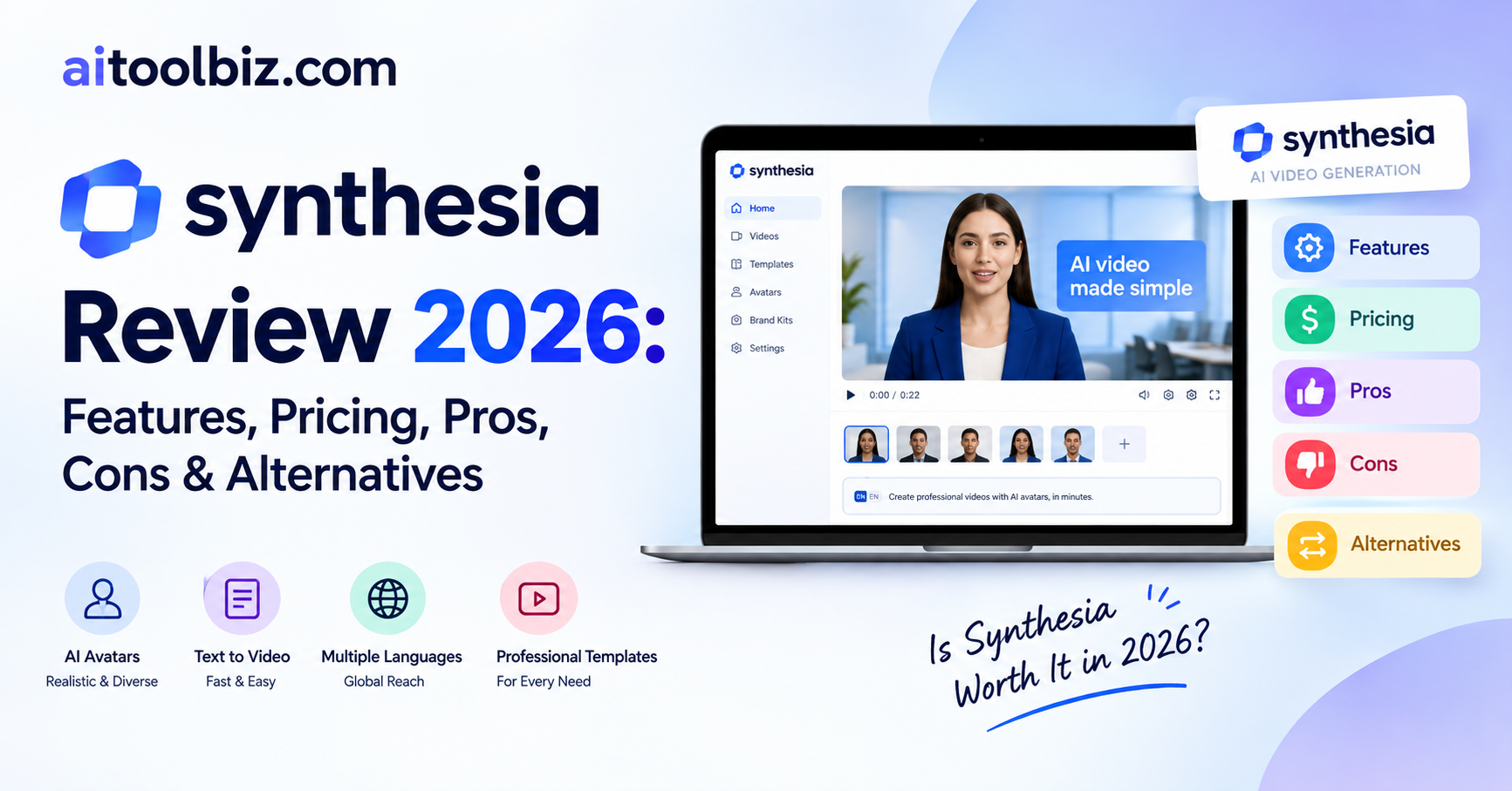
Synthesia Review 2026
Synthesia is an AI-powered video creation platform designed to help businesses create professional videos without cameras, actors, studios, or traditional video-editing software. It combines AI avatars, voiceovers, templates, translation, dubbing, and AI-assisted video creation in one platform.
In this Synthesia review, we’ll look at its features, pricing, use cases, pros and cons, and alternatives to help you understand whether it fits your video creation needs.
Table of Contents
What Is Synthesia?
Synthesia is an AI video communications platform primarily designed for businesses, learning and development teams, HR departments, sales teams, marketing teams, and corporate communications.
Instead of recording yourself on camera, you can provide a script, document, presentation, link, or prompt and create a video featuring an AI avatar and AI-generated voice. Synthesia supports video creation and localization across 160+ languages.
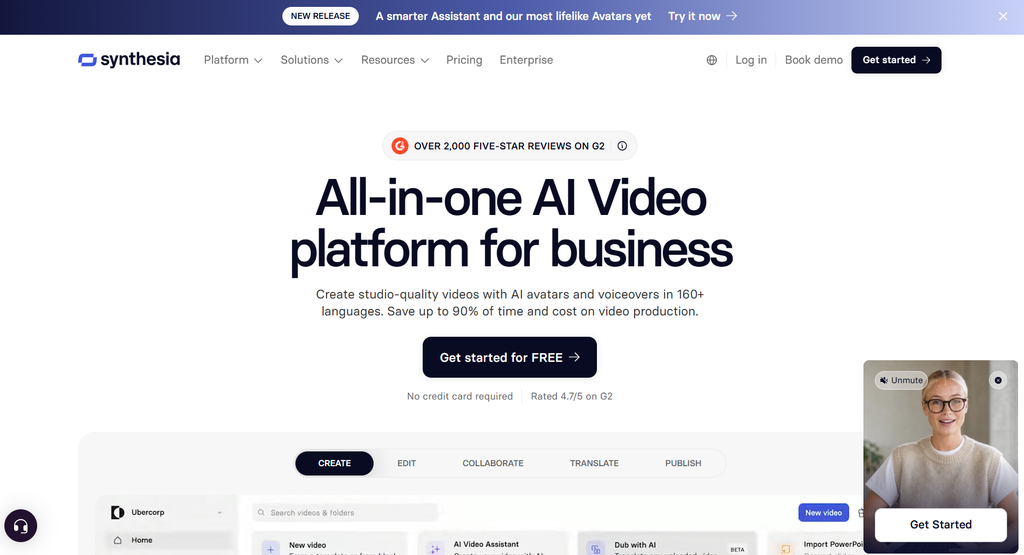
The platform is particularly focused on professional and educational videos rather than traditional cinematic video editing.
What We Tested on Synthesia?
For this Synthesia review, we looked at the platform from the perspective of someone who wants to create professional AI videos quickly.
We focused on:
- AI avatar video creation
- AI voiceovers
- Script and video generation
- Video templates
- AI dubbing and translation
- Custom avatars
- Video editing and customization
- Collaboration features
- Interactive videos
- Pricing and usage limits
Synthesia’s platform also includes an AI assistant that can create and refine videos from prompts, scripts, and supporting files.
6 Best Synthesia Features
1. AI Avatars
One of Synthesia’s main features is its collection of AI avatars. You can choose an avatar to present your script instead of recording yourself.
Depending on the plan, Synthesia provides access to a large collection of AI avatars, while Enterprise customers can access additional avatar options.
This makes the platform useful for training, onboarding, tutorials, presentations, and business communications.
2. AI Video Assistant
Synthesia’s AI Assistant works like a conversational video-production assistant. You can give it a prompt or supporting material and ask it to create or refine a video.
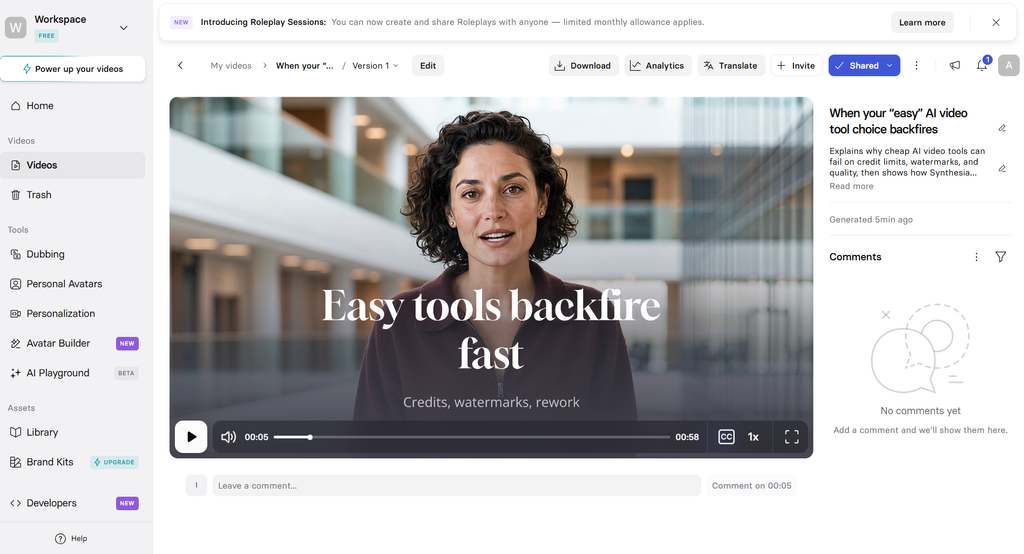
It can help with scripts, visuals, delivery style, and other parts of the video creation process.
This can reduce the amount of manual work required to build a presentation-style video.
3. AI Voiceovers and Multilingual Videos
Synthesia supports AI voices and multilingual video creation, making it useful for companies producing content for international audiences.
The platform supports more than 160 languages and provides AI dubbing and translation capabilities.
4. Custom AI Avatars
If you don’t want to use a standard avatar, Synthesia allows eligible users to create personal or custom avatars.
This can be useful when a company wants videos to consistently feature a particular presenter or brand representative.
5. AI Dubbing and Translation
Synthesia can help businesses localize existing videos for different languages.
Its translation and dubbing capabilities are particularly useful for companies that need to distribute training, product, customer-support, or internal communication videos across different markets.
6. Interactive Videos
Synthesia isn’t limited to simple linear videos. Depending on the plan, you can create interactive experiences using features such as calls-to-action, quizzes, and branching.
These features can be useful for employee training, education, onboarding, and other learning experiences.
Synthesia Pricing
Synthesia offers different plans designed for individuals, creators, and businesses. The platform also provides a free option for users who want to test its AI video creation capabilities.
| Plan | Price | Key Features |
|---|---|---|
| Basic | $0/month | Limited video creation, AI avatars and basic features |
| Starter | $18/month | AI video creation, downloads, AI Assistant, AI dubbing and more |
| Creator | $64/month | More credits, API access, interactive videos and additional features |
| Enterprise | Custom | Advanced collaboration, security, branding and enterprise features |
Price updated Date: 29/09/2026
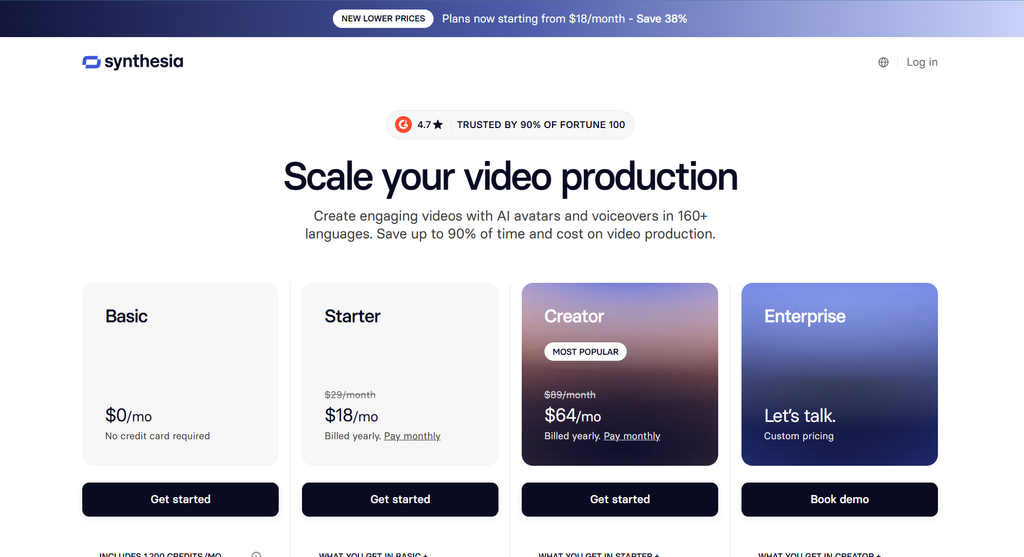
Synthesia also offers annual billing at lower effective monthly prices for some plans.
The platform uses a credit-based system for self-serve plans, so users should consider their expected video production volume when choosing a subscription.
Who Should Use Synthesia?
Synthesia is mainly designed for people and organizations that need to produce professional videos regularly without traditional filming.
It can be useful for:
- Businesses
- HR teams
- Learning and development teams
- Marketing teams
- Sales teams
- Online educators
- Course creators
- Customer-support teams
- Product teams
- Corporate communication departments
- Global companies creating multilingual content
For example, a company could turn an employee onboarding document into a presenter-led video instead of organizing a recording session.
Synthesia Use Cases
Employee Training
Companies can create training and onboarding videos using AI presenters.
Educational Content
Teachers, trainers, and course creators can turn scripts and educational material into presentation-style videos.
Marketing Videos
Marketing teams can create product explainers, promotional presentations, and website videos.
Product Tutorials
Businesses can use AI presenters to explain software features and product workflows.
Internal Communications
Companies can create announcements and updates without requiring executives or employees to record every video themselves.
Multilingual Content
Organizations operating internationally can translate and dub videos for different audiences.
Synthesia Pros and Cons
| Pros | Cons |
|---|---|
| Easy AI video creation | Paid plans can become expensive |
| Large AI avatar library | Credit limits can restrict heavy usage |
| Supports 160+ languages | AI avatars may not suit every video style |
| AI dubbing and translation | Mainly focused on professional/business videos |
| Custom avatar options | Some advanced features require higher plans |
| Useful for training and business communication | Commercial advertising has specific licensing restrictions |
One important consideration is licensing. Synthesia’s licensing documentation includes restrictions on certain paid advertising uses of stock and synthetic avatar or voice content, so businesses should check the applicable license before using generated videos commercially.
Synthesia Alternatives
| Alternative | Best For | Pricing |
|---|---|---|
| HeyGen | AI avatars and social/business videos | Free and paid plans |
| Colossyan | Training and educational videos | Free trial and paid plans |
| D-ID | Talking-avatar videos | Free and paid plans |
| VEED | AI video creation plus traditional editing | Free and paid plans |
| Canva | Design, presentations and simple AI videos | Free and paid plans |
The main distinction is that Synthesia is heavily oriented toward professional business communication, training, learning, and scalable video production, rather than being primarily a general-purpose video editor.
Also Read: AI tool for Videos
Is Synthesia Easy to Use?
Yes, Synthesia is designed to simplify the video-production process.
Instead of setting up a camera, microphone, lighting, teleprompter, and editing software, you can start with a script or prompt and build the video inside the platform.
Its AI Assistant can also help generate and modify scripts and visuals, which can make the process easier for beginners.
However, creating a polished video still requires reviewing the script, selecting an appropriate avatar and voice, adjusting scenes, and checking pronunciation and visuals.
Is Synthesia Worth It?
Synthesia is built around a specific problem: producing professional presenter-led videos at scale without traditional filming.
Its combination of AI avatars, multilingual voices, AI dubbing, templates, interactive content, and business-focused collaboration makes it suitable for organizations that create training, onboarding, educational, and corporate videos regularly.
For occasional personal video creation, its subscription and credit-based model may be more than you need. For businesses producing large volumes of professional video content, the workflow can be considerably more practical than recording every video manually.
Conclusion
Who shouldn’t buy it: People who only need occasional simple videos or want a traditional creative video editor may find Synthesia’s business-focused workflow and subscription model unnecessary.
Biggest advantage: Synthesia can turn scripts, documents, presentations, and prompts into professional presenter-led videos using AI avatars and voices without requiring a camera or studio.
Do we recommend it? Synthesia is worth considering if your main goal is scalable AI video production for training, education, internal communication, product explanation, or multilingual business content.
Synthesia FAQs
Is Synthesia free?
Yes. Synthesia offers a free Basic plan that allows users to explore its AI video creation capabilities. The free plan has limitations compared with paid subscriptions.
How much does Synthesia cost?
Synthesia’s paid plans include Starter and Creator options, while Enterprise uses custom pricing. The exact cost can vary depending on billing frequency and plan features.
Can Synthesia create videos from text?
Yes. You can provide a script or prompt and use Synthesia’s AI video creation tools to create a video with AI avatars, voices, visuals, and other media.
How many languages does Synthesia support?
Synthesia supports more than 160 languages, making it useful for companies and creators producing multilingual video content.
Can I create my own AI avatar in Synthesia?
Yes. Synthesia offers personal and custom avatar options, although availability and the number of avatars depend on the subscription plan.
Is Synthesia good for business?
Synthesia is specifically designed for business video communication and can be used for learning and development, HR, corporate communications, training, product education, and multilingual content production.