Leonardo AI vs Adobe Firefly
AI image generators have transformed how creators design blog graphics, marketing visuals, product images, and digital artwork. Two popular options are Leonardo AI and Adobe Firefly. Both help users turn text prompts into visuals, but they offer different creative workflows, editing tools, and pricing structures.
Leonardo AI focuses on AI-powered image creation, artistic control, and generating a wide range of visual styles. Adobe Firefly combines generative AI with Adobe’s creative ecosystem, making it useful for generating, editing, and refining content within established design workflows.
In this comparison, we’ll examine Leonardo AI vs Adobe Firefly across features, image quality, ease of use, pricing, commercial use, and limitations to help you decide which tool fits your needs.
Updated: September 2026 | AI image generator comparison
Table of Contents
Leonardo AI vs Adobe Firefly: Quick Comparison
| Feature | Leonardo AI | Adobe Firefly |
|---|---|---|
| Main focus | AI image and visual asset generation | AI generation and creative editing |
| Image creation | Text-to-image and image-guided generation | Text-to-image and generative editing |
| Creative control | Models, presets, guidance, and settings | Prompts, editing tools, and Adobe workflows |
| Video generation | Available | Available |
| Editing workflow | Leonardo’s built-in creative tools | Firefly, Photoshop, and other Adobe apps |
| Free plan | Yes, with daily tokens | Yes, with limited daily generations |
| Paid plans | From $12/month | From $9.99/month on the US Standard plan |
| Ideal audience | AI artists, illustrators, and visual creators | Designers, marketers, and Adobe users |
Pricing and features can vary by region, billing term, and plan.
1. What Is Leonardo AI?
Leonardo AI is a generative AI platform designed for creating images, illustrations, concept art, and other visual assets. It provides a range of AI models, image-generation settings, presets, and tools that give creators flexibility over their results.
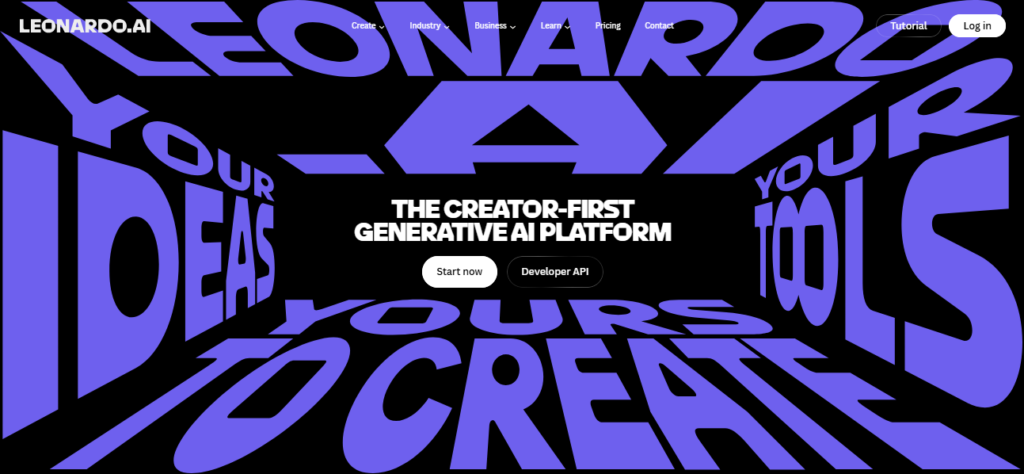
Rather than relying on a single image-generation model, Leonardo offers multiple models for different creative needs. Users can also train personal AI models to reproduce a particular style or visual theme.
Key Features of Leonardo AI
- Text-to-image generation: Turn written prompts into illustrations, realistic images, and creative artwork.
- Multiple AI models: Choose from different models suited to different visual styles and tasks.
- Image guidance: Use reference images to help guide the output.
- Custom AI models: Train personal models to maintain a recognizable visual style.
- Image editing and enhancement: Refine generated images using available editing and upscaling tools.
- Video generation: Create AI videos using supported models and plan allowances.
- Creative control: Adjust settings, presets, and generation parameters to shape the final result.
Leonardo’s combination of model variety and customization makes it relevant to AI artists, game designers, illustrators, and content creators who want to experiment with different visual directions.
Read our full review: Leonardo AI Review
2. What Is Adobe Firefly?
Adobe Firefly is Adobe’s generative AI platform for creating and editing images, video, audio, and design assets. It combines AI generation with creative tools and integrates with Adobe’s wider ecosystem.
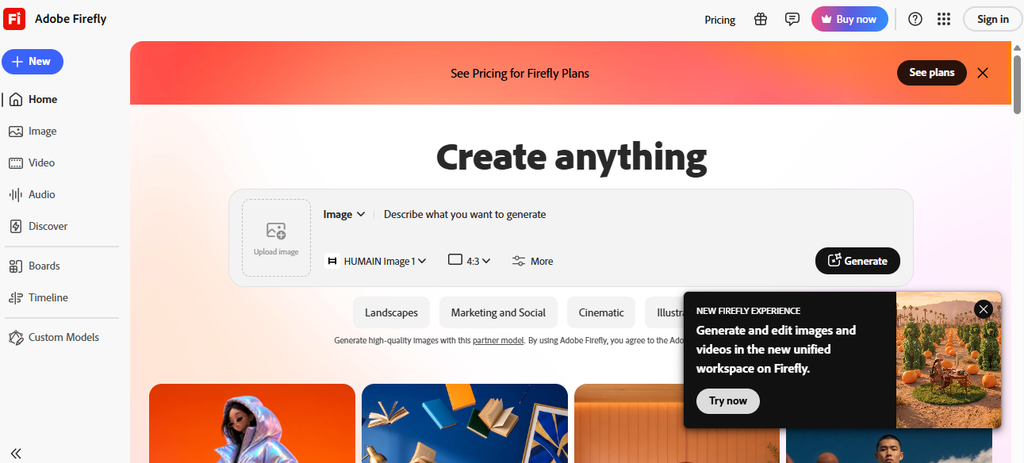
Firefly is particularly relevant to designers and marketing teams who need to generate new visuals or modify existing images as part of a larger production workflow. Its features include text-to-image generation, Generative Fill, and tools for exploring visual concepts.
Key Features of Adobe Firefly
- Text-to-image generation: Create visuals from natural-language prompts.
- Generative Fill: Add, remove, or replace elements in images.
- Generative editing: Modify existing visuals instead of starting from scratch.
- Adobe integration: Work with creative applications such as Photoshop and Adobe Express, depending on the plan and workflow.
- Video and audio generation: Access supported generative media features.
- Creative exploration: Develop mood boards, storyboards, mockups, and design concepts.
- Partner models: Access selected third-party AI models through Firefly.
Adobe Firefly brings image generation and editing into a broader creative environment, which can be useful when AI-generated assets need further refinement before publication.
Read our full review: Adope Firefly Review
3. Leonardo AI vs Adobe Firefly: Features Compared
Both tools can generate images from prompts, but their approaches to creative production differ.
Image Generation and Artistic Control
Leonardo AI offers multiple models, presets, and image-guidance options. Users can experiment with different styles and settings, making it suitable for workflows that involve producing numerous variations of a concept.
Adobe Firefly also supports prompt-based image generation, but its wider emphasis is on combining generation with editing and design. It is especially useful when the goal is to create an image and then refine it for a particular project.
The practical difference: Leonardo emphasizes flexible image creation, while Firefly emphasizes image creation alongside a broader editing workflow. The actual quality of the output depends on the selected model, prompt, and task.
Image Editing
Leonardo includes creative tools for refining and enhancing generated assets. Its workflow is useful for creators who want to generate artwork and make adjustments within the same platform.
Firefly’s Generative Fill and related editing features are useful for modifying existing images. For example, a designer can extend a background, replace an object, or explore alternative visual elements without recreating the entire image.
For users already working in Photoshop, Firefly’s integration can reduce the need to move between separate applications.
Customization and Consistency
Leonardo supports personal AI model training, allowing users to create models based on a collection of images. This can help maintain a particular aesthetic across a series of generations.
Firefly supports a different kind of consistency through its editing tools and Adobe-centered workflows. It can be a natural fit for teams that already have established brand assets, design files, and production processes.
Neither approach guarantees perfectly consistent characters, products, or branding in every generation. Results still require review and, in some cases, manual editing.
Video Generation
Both platforms extend beyond still images.
Leonardo provides access to supported video-generation models, with availability and generation limits depending on the subscription and model selected.
Adobe Firefly also offers video-generation capabilities, alongside its image and audio tools. Some premium features consume generative credits, so users creating video regularly should check the credit requirements before choosing a plan.
4. Leonardo AI vs Adobe Firefly: Pricing
Pricing is an important factor, especially for bloggers, freelancers, and businesses generating images regularly.
Leonardo AI Pricing
Leonardo’s individual plans have included the following prices:
| Plan | Listed Price | Key Details |
|---|---|---|
| Free | $0/month | 150 daily tokens |
| Essential | $12/month | 8,500 monthly tokens |
| Premium | $30/month | 25,000 monthly tokens |
| Ultimate | $60/month | 60,000 monthly tokens |
Paid plans include private generations and larger token allowances. Premium and Ultimate also offer relaxed generation for selected models after the standard token allowance is used, subject to usage and queue limitations.
Leonardo’s free plan is useful for testing the platform, but free creations are public and have different ownership terms from paid creations. Check the current terms if you’re producing assets for a client or commercial project.
Adobe Firefly Pricing
Adobe offers a free tier with limited daily generations and paid plans that provide monthly generative credits and additional features. Its US individual plans have included:
| Plan | Listed US Price | Key Details |
|---|---|---|
| Free | $0 | Limited daily generations |
| Standard | $9.99/month | 2,000 monthly credits |
| Pro | $19.99/month | 4,000 monthly credits and additional Adobe benefits |
Adobe’s plans and promotions can change, and pricing may differ by country. In Saudi Arabia, check Adobe’s local pricing and checkout page rather than assuming the US amount applies.
Which Pricing Model Fits Your Workflow?
Leonardo uses tokens, with the cost of each generation depending on the model and settings. Adobe Firefly uses generative credits for many premium features, while some standard image features are included with unlimited access on eligible plans.
The monthly subscription price alone does not tell the whole story. Consider how many images you create, whether you generate video, and whether you need private generations or Adobe applications.
5. Image Quality: Which Tool Produces Better Results?
Image quality is not a single measurable feature. It depends on the subject, visual style, prompt, model, and amount of editing required.
Leonardo AI Image Quality
Leonardo is suited to a wide range of visual styles, from stylized illustrations and fantasy artwork to realistic imagery and concept art. Its model selection and image-guidance options provide ways to explore different interpretations of a prompt.
For creators producing game assets, character concepts, imaginative scenes, or artwork with a distinctive aesthetic, this flexibility can be valuable.
Adobe Firefly Image Quality
Firefly can produce polished images for design and marketing tasks, and its editing capabilities are useful when an image needs to fit into an existing composition.
Its workflow is particularly relevant for product visuals, promotional graphics, social media content, and other assets that need to be adjusted for a specific layout.
The Takeaway
There is no universal winner for image quality. A fair comparison should use the same prompt, aspect ratio, and intended use, then assess details such as composition, text rendering, anatomy, realism, and how much editing each image needs.
For professional work, test both platforms using the kinds of images you actually publish.
6. Ease of Use
Leonardo AI
Leonardo’s interface provides a variety of generation controls, models, and creative options. Beginners can start with prompts and presets, while experienced users can explore more advanced settings.
The trade-off is that the number of options may take time to learn. Users who simply want a quick image may need to experiment before finding a repeatable workflow.
Adobe Firefly
Firefly offers a prompt-based creative interface and editing features that are accessible to users who are new to generative AI.
For existing Adobe users, the learning curve may be smaller because Firefly can fit into familiar tools and workflows. Users who have never used Adobe products can still use Firefly, but some of its wider benefits depend on the applications and subscriptions they choose.
7. Commercial Use and Copyright
Commercial usage is an important consideration for businesses, publishers, and freelance designers.
Leonardo AI
Leonardo’s terms distinguish between free and paid users. Paid subscribers have different ownership and privacy provisions from free users. Free-tier creations are public, and the applicable terms should be reviewed before using generated assets in commercial projects.
Adobe Firefly
Adobe positions Firefly for creative and commercial workflows, but users should review the applicable terms for the specific product, model, and plan. Commercial-use permission does not automatically guarantee that every generated image is free from third-party intellectual-property concerns.
For either platform, check the current terms before using generated content in high-value campaigns, trademarks, or other sensitive commercial projects. Also review any applicable restrictions on uploaded reference images.
8. Pros and Cons
Leonardo AI
| Pros | Cons |
|---|---|
| Multiple models and visual styles. | Token usage requires some planning. |
| Flexible generation settings and image guidance. | The range of settings can feel complex for beginners. |
| Personal AI model training. | Free-tier creations are public and have different ownership terms. |
| Useful for concept art, illustration, and creative experimentation. | Generation speed and costs vary by model and settings. |
| Free tier available. | Some advanced features require a paid plan. |
| Paid plans offer private generations and token rollover. |
Adobe Firefly
| Pros | Cons |
|---|---|
| Image generation and editing in one creative environment. | Premium features may consume generative credits. |
| Generative Fill for modifying existing images. | Some benefits depend on having compatible Adobe subscriptions. |
| Integration with Adobe creative applications. | Advanced workflows may be less appealing to users outside the Adobe ecosystem. |
| Supports image, video, and audio workflows. | Features and pricing vary by plan and region. |
| Free tier available. | Generated results may still need manual refinement. |
| Useful for marketing and design production. |
9. Leonardo AI vs Adobe Firefly: Which Should You Choose?
The right choice depends on the work you need to accomplish, rather than a single overall ranking.
Choose Leonardo AI If:
- You want to explore different artistic styles and AI models.
- You create illustrations, characters, or concept art.
- You want to train a personal AI model.
- You prefer a dedicated AI image-generation workspace.
Full review: Leonardo Review
Choose Adobe Firefly If:
- You frequently edit or extend existing images.
- You use Photoshop or Adobe Express.
- You create marketing assets and branded content.
- You want generative AI within a broader design workflow.
Full review: Adope Firefly Review
10. Final Verdict: Leonardo AI vs Adobe Firefly
Leonardo AI and Adobe Firefly serve overlapping but distinct creative needs.
Leonardo AI is worth exploring if your work revolves around generating original artwork, experimenting with different AI models, and developing a recognizable visual style. Its customization options make it suitable for creators who want more control over the image-generation process.
Adobe Firefly is worth exploring if your work involves creating and editing images as part of a broader design workflow. Its generative editing features and Adobe integration can be useful for designers, marketers, and teams producing finished creative assets.
Our recommendation: Start with the free tier of each tool and test them on the same three to five real projects. Compare the output quality, editing time, usage limits, and total cost. That will give you a more meaningful answer than choosing based on feature lists alone.
For a deeper look at each platform, visit the full reviews:
Frequently Asked Questions
Is Leonardo AI better than Adobe Firefly?
Neither tool is universally better. Leonardo offers a variety of image-generation models and customization options, while Firefly combines generative AI with editing tools and Adobe integrations. The right choice depends on your creative workflow.
Is Leonardo AI free?
Yes. Leonardo offers a free plan with daily tokens. Free-tier creations are public, and ownership terms differ from those of paid subscriptions.
Is Adobe Firefly free?
Yes. Adobe offers a free plan with limited daily generations. Paid plans provide additional generative credits and features.
Which is better for graphic design?
Adobe Firefly may fit naturally into graphic-design workflows, particularly for people using Photoshop or Adobe Express. Leonardo can also produce graphics and illustrations, especially when the project calls for a distinctive AI-generated visual style.
Can I use Leonardo AI and Adobe Firefly for commercial projects?
Both platforms offer ways to use generated content commercially, subject to their terms. Leonardo’s rights vary by subscription status. For Firefly, review the terms that apply to the specific model and plan. Always check the current licensing conditions before using images commercially.
Which is better for beginners?
Both provide ways to start with text prompts. Firefly may feel familiar to existing Adobe users, while Leonardo’s presets can help newcomers generate images. The best starting point is the tool whose workflow feels more intuitive for your needs.