

Grammarly Review 2026
Grammarly is an AI-powered writing assistant that helps users improve grammar, spelling, punctuation, clarity, tone, and overall communication. It is designed for students, bloggers, professionals, marketers, and businesses that want to write more clearly and confidently. Its free version provides essential writing corrections, while Grammarly Pro offers advanced rewriting, tone adjustments, plagiarism detection, AI writing assistance, and additional features.
Grammarly is particularly useful for people who write emails, blog posts, business documents, academic assignments, and social media content regularly. However, some advanced features require a paid subscription, and its suggestions may occasionally change the intended meaning of a sentence.
Our verdict: Grammarly is worth considering if you want a convenient AI writing assistant that works across different applications and websites. The free plan is a good starting point for everyday writing, while Grammarly Pro is more suitable for users who need advanced editing and rewriting capabilities.
Best for: Bloggers, students, freelancers, content writers, professionals, and businesses.
Starting price: Free plan available; paid plans are available with pricing and billing options that depend on the selected subscription.
Official website: Grammarly
Table of Contents
What Is Grammarly?
Grammarly is an AI-powered writing assistant designed to help people communicate more effectively. It checks written text for grammar mistakes, spelling errors, punctuation problems, unclear sentences, and other writing issues.
Instead of manually proofreading every sentence, users can rely on Grammarly to identify potential problems and suggest improvements. You can review the suggestions and decide which changes make sense for your writing.
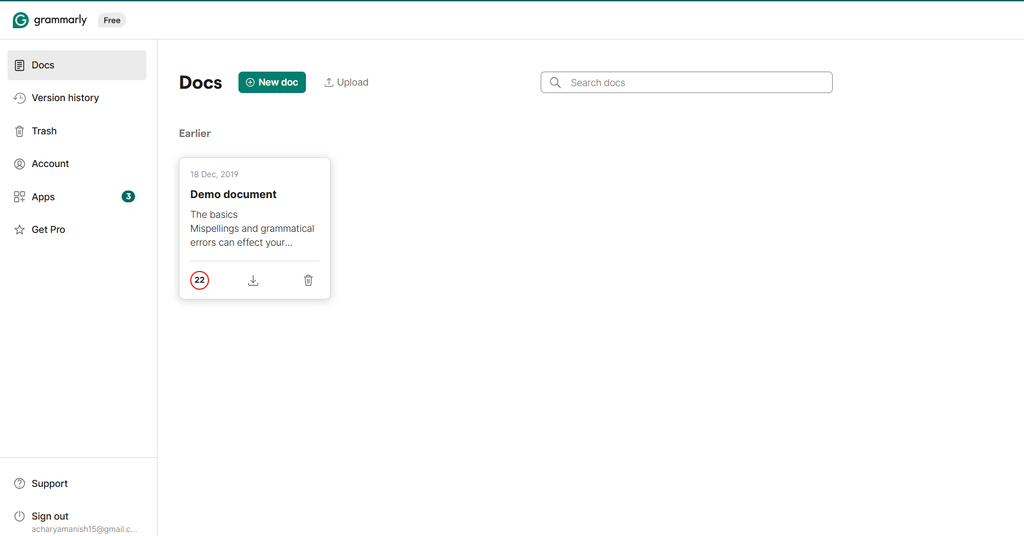
Grammarly also provides generative AI tools that can help users rewrite sentences, adjust their tone, generate text, brainstorm ideas, and improve existing content. Its availability across browsers, desktop applications, mobile devices, and supported writing environments makes it useful for people who write in different places throughout the day.
For example, a blogger can use Grammarly to proofread an article before publishing it. A student can check an assignment for grammar mistakes, while a business professional can make an email sound clearer and more professional.
Grammarly is not simply a spell checker. It combines proofreading, writing suggestions, and AI-assisted editing to help users produce more polished content.
However, it should be treated as a writing assistant rather than a replacement for human judgment. Users still need to verify factual claims, check context, and make sure suggested edits preserve their intended meaning.
Also read: 15 best AI writing tools for 2026
Grammarly Features in 2026
Grammarly offers several writing and AI features designed to make editing easier. The features available to you depend on your plan, device, and the application you use.
1. Grammar and Spelling Checker
Grammarly’s core feature is its grammar and spelling checker. It identifies common writing mistakes and suggests corrections while you work.
The tool can help detect:
- Misspelled words
- Incorrect verb tenses
- Subject-verb agreement problems
- Punctuation mistakes
- Missing or unnecessary words
- Common grammatical errors
- Incorrect word usage
For example, if you write a sentence with an incorrect verb form, Grammarly may suggest a grammatically correct alternative. You can review the recommendation and accept or dismiss it.
This feature is particularly helpful for people who write long articles, professional emails, reports, and academic assignments.
However, grammar suggestions are not always perfect. A sentence may be correct in a particular context even when Grammarly flags it, so reviewing the explanation before accepting a change is important.
2. AI Writing Assistant
Grammarly includes generative AI assistance that can help users create, revise, and improve written content.
Depending on the available tools and plan, you can use AI prompts to:
- Draft emails and messages
- Generate ideas for articles
- Rewrite existing paragraphs
- Improve sentence structure
- Summarize or refine information
- Adjust the tone of a message
- Make writing more concise
For instance, if you have written a rough introduction for a blog post, you can ask the AI assistant to make it clearer and more engaging.
This can save time during editing, especially when you are struggling to express an idea naturally.
Nevertheless, AI-generated text should always be reviewed before publication. It may include generic language, inaccurate information, or wording that does not match your brand’s voice.
3. Clarity and Conciseness Suggestions
Grammarly helps users identify sentences that may be difficult to understand or unnecessarily complicated.
Long sentences, excessive wording, and awkward expressions can make content harder to read. Grammarly may suggest simpler alternatives that communicate the same idea more directly.
This feature is useful for bloggers who want to improve readability, professionals who write reports, and businesses that need clear customer communication.
For example, a sentence that contains several unnecessary phrases may be shortened without losing its main point.
Clear writing is especially important for online content because readers often scan articles instead of reading every word.
Still, shortening every sentence is not always the best choice. Detailed explanations and technical articles sometimes need longer sentences to communicate complex ideas accurately.
4. Tone Detection and Adjustments
The way a message sounds can be just as important as its grammar.
Grammarly can help users understand the tone of their writing and, with eligible paid features, adjust it to suit a particular audience.
Possible writing goals include making a message sound more:
- Professional
- Friendly
- Confident
- Formal
- Polite
- Direct
For example, a freelancer writing to a potential client may want a message that sounds professional without appearing overly formal.
Similarly, a customer support representative may want to make a response more empathetic and helpful.
Tone suggestions are useful when communicating with different audiences, but they cannot always understand every relationship, cultural difference, or business situation. Review the final message before sending it.
5. Sentence Rewriting
Grammarly’s advanced rewriting tools can help users improve entire sentences rather than correcting individual words.
This is useful when a sentence is grammatically correct but still sounds awkward, repetitive, or difficult to read.
Depending on the available plan, users can receive suggestions that improve flow, simplify wording, or change how a sentence communicates an idea.
For example, you can rewrite a lengthy sentence into a more direct version or adjust a paragraph to make it sound more natural.
Content writers can use this feature during editing, while professionals can improve emails and reports without rewriting every sentence manually.
However, rewriting is not the same as independent fact-checking. Always check that the revised sentence preserves your original meaning and does not introduce unsupported claims.
6. Plagiarism Detection
Grammarly Pro includes plagiarism detection designed to help users identify text that may match existing sources.
This feature can be useful for writers, publishers, students, and professionals who want to review their work before submitting or publishing it.
Plagiarism checking can help identify passages that may need quotation marks, citations, or more original wording.
However, no plagiarism checker can guarantee that a document is completely free from plagiarism. Results depend on the sources and material available to the checking system.
Students should follow their institution’s academic integrity policies, while bloggers should cite original sources and avoid copying other publishers’ work.
A plagiarism report should be treated as a useful warning system, not as a guarantee of originality.
7. AI Text Detection
Grammarly offers AI text detection as part of its paid feature set. This functionality is intended to help users identify text that may have been generated using AI.
It may be relevant for editors, educators, and content teams reviewing written material.
However, AI detectors are not perfectly reliable. They can incorrectly classify human-written content or fail to identify AI-generated text.
A detection result should not be treated as definitive proof of who wrote a document or how it was created.
If you publish content professionally, focus on factual accuracy, originality, useful information, and editorial quality rather than relying exclusively on an AI detector score.
8. Browser Extension and Desktop Apps
Grammarly can provide writing assistance through supported browser extensions and desktop applications.
This allows users to receive suggestions in many writing environments without repeatedly copying text into a separate editor.
Depending on compatibility and settings, Grammarly may help while you write:
- Emails
- Online forms
- Business documents
- Social media posts
- Blog drafts
- Messages and other everyday text
Desktop applications can provide writing assistance across supported applications, while browser tools make it convenient to edit text on the web.
This flexibility is one of Grammarly’s biggest advantages. Users can access writing support within their existing workflow instead of switching between several tools.
Availability and behavior vary by application, browser, operating system, and product version.
9. Multiple English Language Preferences
Grammarly supports several English language varieties, including American, British, Canadian, Australian, and Indian English.
This is useful for writers who publish for international audiences.
For example, a blogger targeting readers in the United States may prefer American English, while a website serving an Australian audience may use Australian English.
Selecting the appropriate language preference helps make spelling and usage suggestions more consistent with the intended audience.
This is especially helpful for businesses and publishers that want to maintain consistent editorial standards across their content.
10. Team Writing and Brand Consistency
Grammarly’s team-oriented plans offer additional tools to help organizations maintain consistent communication.
Depending on the subscription, these can include style guides, brand tones, shared knowledge, reusable snippets, collaboration features, and usage analytics.
Such features can be useful for marketing departments, customer support teams, agencies, and businesses with multiple writers.
For example, a company can establish preferred terminology and writing guidelines so that its emails, customer communications, and marketing materials follow a consistent style.
These capabilities are more relevant to organizations than to people who only need basic grammar checking.
Grammarly Pricing in 2026
Grammarly offers a free plan and paid subscriptions with additional writing and AI capabilities. The current product lineup includes Grammarly Free, Grammarly Pro, and Enterprise offerings, with some regional and legacy subscription differences.
The following table summarizes the main options. Check the official pricing page before purchasing because prices, trials, billing terms, and feature availability can change.
Grammarly Pricing Plans
| Plan | Price | Best For |
|---|---|---|
| Free | $0 | Everyday writing and basic corrections |
| Pro | Paid subscription; the official page displayed $12 for the monthly price at the time of review | Advanced writing and AI assistance |
| Enterprise | Contact sales | Larger organizations and managed teams |
The displayed Pro price may depend on billing arrangements, offers, region, and the subscription option shown at checkout. Confirm the final price and billing frequency directly on Grammarly’s official website.
1. Grammarly Free Plan
Grammarly Free is designed for users who need essential writing assistance without paying for a subscription.
It includes core grammar and spelling support, writing tone insights, and a limited allocation of generative AI prompts.
The free plan is suitable for:
- Students checking assignments
- Bloggers proofreading articles
- Freelancers writing everyday messages
- Professionals checking emails
- People learning to improve their English writing
Its biggest advantage is that users can continue using it without a paid subscription.
However, advanced rewriting, additional tone adjustments, plagiarism detection, AI text detection, and other premium capabilities may require an upgrade.
Is Grammarly Free worth it? Yes. For users who mainly want to correct spelling and grammar mistakes, the free version is a practical starting point.
2. Grammarly Pro Plan
Grammarly Pro is designed for users who need more advanced writing support.
It includes the free plan’s core capabilities alongside additional features such as full-sentence rewriting, tone adjustments, more extensive personalized suggestions, plagiarism detection, AI text detection, and a larger monthly AI prompt allowance.
The official pricing page lists 2,000 AI prompts per member per month for Pro, compared with 100 per month for Free.
Pro may be worth considering if you regularly publish articles, prepare business documents, write client communications, or edit substantial amounts of text.
Before subscribing, consider how frequently you will use the advanced tools. Someone who only needs occasional spelling corrections may not benefit enough to justify the additional expense.
3. Grammarly Enterprise
Grammarly’s Enterprise offering is aimed at larger organizations that require more extensive administrative, security, and collaboration capabilities.
Depending on the agreement and product configuration, enterprise features may include:
- Advanced access and administrative controls
- Organization-wide writing standards
- Security and data protection capabilities
- Team management tools
- Dedicated support
- Additional governance features
Enterprise is more suitable for businesses with formal communication requirements than for individual bloggers or students.
Pricing is handled through the sales process, so organizations should request a quote based on their requirements.
Which Grammarly Plan Should You Choose?
If you only want to correct everyday writing mistakes, start with Grammarly Free.
If you regularly edit articles, need advanced rewriting, or want plagiarism checking, compare Grammarly Pro’s features against your workload and budget.
If you manage a large organization and need centralized controls, consistent brand communication, and administrative features, consider contacting Grammarly about its Enterprise offering.
Official pricing page: Grammarly Plan
Pros and Cons of Grammarly
Like any writing assistant, Grammarly has advantages and limitations. Its value depends on your writing habits, the features you need, and how carefully you review its suggestions.
Grammarly Pros and Cons
| Pros | Cons |
|---|---|
| Free plan available | Advanced features require a paid subscription |
| Identifies common grammar and spelling errors | Suggestions may occasionally be incorrect |
| Helps improve clarity and readability | AI rewrites may change the intended meaning |
| Offers tone suggestions and sentence rewriting | AI-generated text still needs human editing |
| Works across supported browsers and applications | Compatibility varies across platforms |
| Supports several English language varieties | Primarily focused on English writing |
| Offers plagiarism detection on eligible paid plans | Plagiarism checks cannot guarantee originality |
| Provides AI writing assistance | AI prompt allowances and features depend on the plan |
| Includes team-oriented writing tools | Collaboration features may be unnecessary for individual users |
Grammarly Advantages
The most important advantage of Grammarly is convenience. It can help users identify writing problems while they are working instead of waiting until the end of a document.
Its combination of grammar checking, clarity suggestions, and AI-assisted rewriting makes it useful for both proofreading and editing.
The free plan also makes it easy to explore the product before committing to a subscription.
Grammarly Disadvantages
Grammarly is not a substitute for subject expertise or careful proofreading. Its recommendations can be inappropriate in specialized, technical, creative, or context-sensitive writing.
The free plan also has limitations, particularly for people who need advanced editing or AI assistance.
Finally, users should review the product’s privacy settings and policies before submitting confidential, sensitive, or unpublished material.
Is Grammarly Safe to Use?
Grammarly is an established writing assistance platform, but safety involves more than whether a website is legitimate. Users should also consider privacy, account security, and how they handle confidential information.
For ordinary writing tasks, Grammarly can be a convenient tool. Before using it for sensitive work, review the company’s current privacy policy, security documentation, and settings.
1. Is Grammarly a Legitimate Website?
Yes. Grammarly is a recognized writing assistance service with an official website at https://www.grammarly.com/.
Users should access the service through the official website or legitimate app distribution channels rather than downloading software from unknown third-party websites.
2. Does Grammarly Protect Your Information?
Grammarly publishes information about its security and privacy practices, including enterprise security controls.
However, users should not assume that every document is suitable for submission to an online writing assistant.
Before uploading sensitive material, review the applicable terms, privacy policy, retention practices, and available account controls.
For confidential business documents, proprietary information, personal records, or sensitive customer data, follow your organization’s approved software and data-handling policies.
3. Is Grammarly Safe for Students?
Grammarly can help students identify grammar mistakes and improve the clarity of their writing.
However, students should follow their institution’s rules regarding AI assistance, proofreading tools, plagiarism detection, and generated content.
A grammar correction tool may be permitted in one assignment but restricted in another. Students should check their institution’s policies rather than assuming every use is acceptable.
4. Can Grammarly Make Mistakes?
Yes. Grammarly’s suggestions can occasionally be incorrect, unnecessary, or inappropriate for the context.
For example, it may recommend changing a sentence that is intentionally informal or alter terminology that has a specific meaning in your field.
Always review suggestions before accepting them, particularly when editing technical, legal, academic, or business content.
Safety verdict: Grammarly is a legitimate writing assistant, but users should access it through official channels, protect their account, and use appropriate caution with confidential information.
Grammarly Alternatives in 2026
Grammarly is not the only tool available for improving writing. Depending on your goals, other writing assistants may offer a better fit.
1. ProWritingAid
ProWritingAid is a writing assistant that emphasizes grammar, style, readability, and detailed writing reports.
It may be useful for authors, bloggers, and long-form writers who want to examine sentence structure and writing patterns across larger documents.
Compared with Grammarly, ProWritingAid may appeal more to users who prefer in-depth editing reports and detailed feedback on their writing style.
However, you should compare the available integrations, limits, and current subscription costs before choosing either tool.
Official website: ProWritingAid
2. LanguageTool
LanguageTool is a grammar, spelling, and style checker that supports multiple languages.
It can be a useful option for people who write in languages other than English or who need multilingual proofreading support.
Grammarly may be a better fit for users who prioritize its English-language editing and integrated generative AI features, while LanguageTool may appeal to multilingual writers.
Official website: LanguageTool
3. QuillBot
QuillBot is known for paraphrasing, summarizing, and other writing assistance tools.
It may be useful for users who frequently need to rephrase existing text, summarize material, or experiment with different ways of expressing an idea.
Grammarly focuses strongly on proofreading and improving writing within a user’s workflow, while QuillBot can be attractive to people whose main requirement is paraphrasing.
Neither tool removes the need to cite sources appropriately or verify the accuracy of rewritten information.
Official website: QuillBot
4. Hemingway Editor
Hemingway Editor focuses on readability and clear writing. It highlights areas such as complicated sentences and wording that may be difficult to understand.
It is worth considering if your primary goal is to make blog posts, articles, and other content more direct and accessible.
Grammarly offers a broader combination of grammar corrections and AI writing assistance, while Hemingway Editor is particularly useful as a readability-focused editing aid.
Official website: Hemingway
5. Microsoft Editor
Microsoft Editor provides spelling, grammar, and writing assistance within supported Microsoft products and other compatible environments.
It can be convenient for users who already work extensively with Microsoft Word and related tools.
Grammarly may be preferable if you want its particular cross-platform writing workflow and advanced editing features. Microsoft Editor is worth checking if you mainly need proofreading within Microsoft’s ecosystem.
Official website: Microsoft Editor
6. ChatGPT
ChatGPT can help users brainstorm ideas, draft articles, rewrite paragraphs, explain grammar rules, and adjust the tone of written content.
It offers a flexible conversational workflow, allowing you to give detailed instructions about audience, style, and purpose.
Grammarly is often more convenient for continuous proofreading while you type in supported applications. ChatGPT may be more useful for larger writing tasks that require back-and-forth instructions or content development.
Both tools can make mistakes, so factual claims and final wording should be checked before publication.
Official website: ChatGPT
Read Full article: 8 Best Free Grammarly Alternatives in 2026
Grammarly vs. Alternatives: Comparison Table
| Feature | Grammarly | ProWritingAid | LanguageTool | QuillBot | Hemingway Editor |
|---|---|---|---|---|---|
| Grammar checking | Yes | Yes | Yes | Available in supported tools | Limited compared with dedicated grammar checkers |
| Spelling correction | Yes | Yes | Yes | Yes, depending on tool | Not its main focus |
| Style and readability | Yes | Yes | Yes | Some writing assistance | Strong focus |
| AI rewriting | Yes | Available features vary | Available features vary | Yes | Product capabilities vary |
| Paraphrasing | Rewriting features | Editing-focused | Limited compared with paraphrasing tools | Core feature | Not its main focus |
| Multilingual support | Multiple English varieties | Language support varies | Strong multilingual focus | Language support varies | Primarily English-focused |
| Free option | Yes | Check current plan | Yes | Yes, with limitations | Free online option available |
| Best for | Everyday proofreading and writing | Detailed editing | Multilingual proofreading | Paraphrasing and summarizing | Readability and concise writing |
Features and free-plan limits can change. Check each provider’s official website for the latest information before making a decision.
Who Should Use Grammarly?
Grammarly can be useful for a wide range of people, but its value depends on the type of writing they do.
1. Bloggers and Content Writers
Bloggers can use Grammarly to identify grammar mistakes, improve sentence clarity, and edit articles before publication.
It is particularly useful when working on lengthy posts that require several rounds of proofreading.
However, Grammarly does not replace keyword research, fact-checking, original research, or a content strategy. Bloggers still need to create useful information that meets readers’ needs.
2. Students
Students can use Grammarly to check spelling, grammar, punctuation, and readability.
It may help them recognize recurring mistakes and understand how to communicate their ideas more clearly.
Students should follow their institution’s academic integrity rules and avoid relying on automated suggestions as a substitute for learning or original work.
3. Freelancers
Freelancers often communicate with clients through proposals, emails, project updates, and deliverables.
Grammarly can help make these messages clearer and more professional, reducing avoidable writing mistakes.
It is especially useful for freelancers who write frequently and want consistent editing support.
4. Business Professionals
Business professionals can use Grammarly to polish reports, presentations, emails, and internal communications.
Tone suggestions may help them adjust messages for clients, managers, and colleagues.
Teams that need consistent writing standards may also benefit from Grammarly’s business-oriented features.
5. Non-Native English Writers
People who use English as an additional language may find Grammarly helpful for identifying grammar and spelling mistakes.
Its suggestions can provide useful feedback while writing emails, assignments, and articles.
However, it cannot replace comprehensive language learning, and not every suggestion will be appropriate for the writer’s intended meaning.
Who Should Avoid Grammarly?
Grammarly may not be the best choice for every user.
- People who only need occasional corrections: A free grammar checker may be sufficient.
- Writers who primarily use other languages: A multilingual tool such as LanguageTool may be more suitable.
- Authors who want detailed manuscript reports: ProWritingAid may be worth comparing.
- Users who mainly need paraphrasing: QuillBot may better match their workflow.
- Organizations with strict data restrictions: They should first verify whether Grammarly meets their security and compliance requirements.
- People expecting fully automated writing: Grammarly’s output still requires review, fact-checking, and editorial judgment.
How to Use Grammarly
Getting started with Grammarly is straightforward.
Step 1: Visit the Official Website
Open https://www.grammarly.com/ and create an account or sign in.
Step 2: Choose Your Preferred Access Method
Use Grammarly through a supported browser extension, desktop application, mobile app, or online editor, depending on your needs.
Step 3: Enter or Open Your Text
Write directly in a supported application or paste your text into an appropriate Grammarly editor.
Step 4: Review the Suggestions
Grammarly identifies potential writing issues and offers corrections or improvements.
Review each suggestion carefully rather than automatically accepting every change.
Step 5: Use Advanced Writing Tools if Available
If your plan includes the relevant features, use rewriting, tone adjustments, or generative AI assistance to improve your draft.
Step 6: Proofread the Final Version
Check the completed text for factual accuracy, appropriate tone, correct terminology, and any changes that may have altered your intended meaning.
Step 7: Consider an Upgrade Only if Necessary
If you regularly need advanced writing tools, compare the available paid plan with your actual requirements. Otherwise, continue using the free version.
Is Grammarly Worth It in 2026?
Grammarly is worth considering in 2026 if you regularly write emails, articles, reports, assignments, or other English-language content.
Its main strengths are convenient grammar checking, clarity suggestions, cross-platform availability, and AI-assisted editing. These capabilities can help users catch mistakes and reduce the time spent revising drafts.
The free plan is particularly appealing to people who need basic proofreading. Grammarly Pro becomes more attractive when advanced rewriting, tone adjustments, plagiarism detection, and additional AI prompts are part of your regular workflow.
However, Grammarly is not essential for everyone. Occasional writers may be satisfied with a free alternative, while authors and multilingual users may prefer tools that specialize in their particular needs.
Our recommendation: Start with Grammarly Free. Test it with your everyday writing and consider Pro only if the advanced features provide enough value to justify the subscription.
Conclusion: Should You Use Grammarly?
Grammarly remains a practical option for people who want to improve their writing without spending excessive time proofreading every sentence.
Its free plan is suitable for basic grammar and spelling corrections, while Grammarly Pro adds advanced writing assistance for users who need more comprehensive editing. Enterprise-oriented features also make it relevant to organizations that want consistent communication across teams.
The biggest limitation is that Grammarly cannot replace human judgment. Its suggestions may be unsuitable in some contexts, and AI-assisted writing still needs careful review.
For bloggers, students, freelancers, and professionals, Grammarly is worth trying. Start with the free plan, evaluate how well it fits your workflow, and upgrade only if its additional features meet your needs.
Final rating: 4.3/5
Best overall use case: Everyday English proofreading and AI-assisted editing.
Best budget option: Grammarly Free.
Best alternative for detailed writing analysis: ProWritingAid.
Best alternative for multilingual proofreading: LanguageTool.
Official website: https://www.grammarly.com/
Frequently Asked Questions About Grammarly
Is Grammarly free to use?
Yes. Grammarly offers a free plan that provides essential grammar and spelling corrections, writing tone insights, and a limited number of AI prompts. Advanced features are available through eligible paid subscriptions.
Is Grammarly worth paying for?
Grammarly Pro may be worth paying for if you regularly write articles, business documents, emails, or other substantial amounts of text and need advanced rewriting and editing tools. Occasional writers may find the free version sufficient.
Is Grammarly safe?
Grammarly is an established writing assistant. However, users should review its privacy and security policies, protect their accounts, and be careful when submitting confidential or sensitive information.
Can Grammarly write articles?
Grammarly’s generative AI features can help users draft, rewrite, and improve content. However, a complete article still needs human review, original insights, fact-checking, and appropriate sourcing.
Does Grammarly detect plagiarism?
Grammarly Pro includes plagiarism detection. It can help identify text that may match existing sources, but no checker guarantees that every instance of plagiarism will be detected.
Can Grammarly detect AI-generated text?
Grammarly offers AI text detection as part of its paid feature set. AI detection is not perfectly reliable, so results should not be treated as definitive proof of authorship.
Does Grammarly work with Google Docs?
Grammarly supports writing assistance in a range of applications and browser environments. The exact functionality in Google Docs can depend on your browser, extension, and current product support.
Check Grammarly’s official compatibility documentation for the latest details.
Is Grammarly better than ChatGPT?
They serve different purposes. Grammarly is convenient for proofreading and writing suggestions within supported applications, while ChatGPT is useful for drafting, brainstorming, explanations, and detailed conversational editing. Some writers may benefit from using both.
What is the best Grammarly alternative?
The best alternative depends on your needs. ProWritingAid is worth considering for detailed writing analysis, LanguageTool for multilingual proofreading, QuillBot for paraphrasing, Hemingway Editor for readability, and ChatGPT for flexible AI-assisted drafting.
Does Grammarly work offline?
Grammarly’s cloud-based writing services require an internet connection. Some application behavior may vary, but you should not assume that the full Grammarly service is available offline.
Can Grammarly improve SEO content?
Grammarly can help improve the clarity, grammar, and readability of SEO articles. However, it does not replace keyword research, search intent analysis, topical research, or fact-checking.
How can I cancel Grammarly Pro?
Subscription management depends on where you purchased the plan. Check your Grammarly account’s subscription settings or the relevant app store’s subscription settings, then follow the current cancellation instructions for your subscription.




1 Comment