

Canva Review 2026
You’ve probably found Canva if you’ve been looking for a simple graphic design tool. Canva has developed over the past few years from a straightforward drag-and-drop design tool to a potent AI-powered creative platform that is utilised globally by marketers, students, companies, YouTubers, and content producers.
But in 2026, will utilising Canva still be worthwhile?
We’ll examine Canva’s AI capabilities, cost, usability, advantages and disadvantages, and if it merits its standing as one of the greatest AI design tools on the market in our in-depth analysis.
Table of Contents
Quick Verdict
| Category | Rating |
|---|---|
| Ease of Use | 9.5/10 |
| AI Features | 8.8/10 |
| Templates | 10/10 |
| Collaboration | 9/10 |
| Pricing | 8.5/10 |
| Overall Score | 9/10 |
Best For
- Beginners
- Social media creators
- Bloggers
- Small businesses
- Students
- Marketing teams
Short Summary
One of the simplest and most widely available AI-powered design tools available is Canva. It is a user-friendly platform that integrates templates, AI tools, video editing, presentation production, and brand management. Canva is almost unmatched in terms of speed, ease of use, and productivity, even if experienced designers might still choose professional tools like Adobe products.
What Is Canva?
With the help of the cloud-based graphic design platform Canva, anyone may produce visual material without the requirement for expert design knowledge.
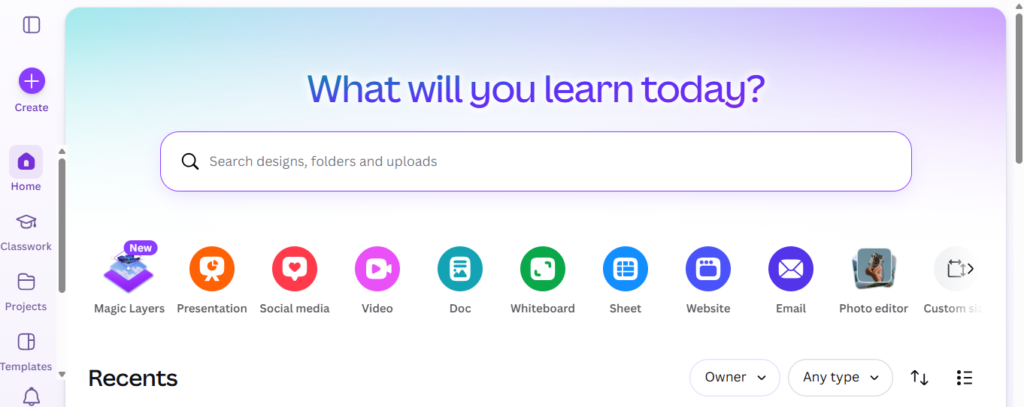
Canva was founded in 2013 and immediately gained popularity thanks to its extensive template collection and straightforward drag-and-drop editor. The platform now offers cutting-edge AI-powered tools for:
- Image generation
- AI writing
- Presentation creation
- Video editing
- Social media design
- Branding
- Marketing content
Canva offers mobile applications for iOS and Android in addition to being accessible straight through your browser.
The platform, which has millions of users globally, is frequently utilised for:
- Instagram posts
- YouTube thumbnails
- Business presentations
- Posters
- Logos
- Resumes
- Videos
- Marketing materials
In 2026, Canva stands out for its expanding array of AI tools that significantly cut down on creation time.
Canva AI Features
Canva’s ability to include AI capabilities right into the editor is one of its greatest advantages.
These are the most practical AI-powered features on the market right now.
Magic Design
Canva’s AI-powered design generator is called Magic Design. Canva automatically generates full design layouts when users upload photos or provide prompts.
For instance:
- “Make a modern Instagram post for a coffee shop.”
- “Create a business presentation for your marketing plan.”
- “Make a tech review YouTube thumbnail.”
In a matter of seconds, the AI creates several templates.
Why It’s Useful
- Saves design time
- Great for beginners
- Provides instant inspiration
- Helps non-designers create professional visuals
The capability greatly accelerates the development of material, even though the produced designs can occasionally need to be edited.
Magic Write
Additionally, Canva offers Magic Write, an AI writing assistance.
This tool assists in producing:
- Blog outlines
- Social media captions
- Product descriptions
- Presentation text
- Marketing copy
- Email drafts
Although it is built right within Canva’s workspace, it functions similarly to AI writing platforms.
This removes the need for marketers and content producers to go between several applications.
Also read: 24 Best AI Tools for Business to Marketing, & Customer help
AI Image Generator
With Canva’s text-to-image generator, users may use prompts to generate visualisations.
Example prompts:
- “Minimalist workspace illustration”
- “Cyberpunk city at night”
- “Modern business office”
The generated images can be inserted directly into projects.
| Pros | Cons |
|---|---|
| Fast generation | Not as advanced as dedicated AI art tools |
| Beginner friendly | Less detailed outputs compared to premium generators |
| Built into Canva editor |
Still, for general content creation, it performs very well.
Background Remover
The AI background remover is one of Canva Pro’s most well-liked features.
Users may eliminate image backgrounds with a single click for:
- Product photography
- Thumbnails
- Marketing materials
- Social posts
This feature works surprisingly well and saves users from using complicated editing software.
AI Presentation Generator
Slide decks may be automatically created from prompts using Canva’s AI presentation tool.
You just type:
“Create a startup pitch deck”
The AI creates:
- Slide layouts
- Headlines
- Graphics
- Design themes
This is extremely useful for:
- Students
- Businesses
- Sales teams
- Educators
Canva User Interface and Ease of Use
Canva’s simplicity is one factor contributing to its dominance in the novice design market.
The interface is simple, contemporary, and easy to use.
Users are able to:
- Drag and drop elements
- Resize designs easily
- Access templates quickly
- Collaborate with teams
- Export in multiple formats
In only a few minutes, even inexperienced users can produce images that appear professional.
Canva’s learning curve is far lower than that of conventional design applications.
One of the platform’s greatest advantages is its accessibility.
Canva Templates
One of the biggest template collections on the internet is provided by Canva.
Among the categories are:
- Social media posts
- Presentations
- Business cards
- Posters
- Flyers
- YouTube thumbnails
- Infographics
- Videos
- Resumes
Templates are expertly created and incredibly adaptable.
For many people, Canva is only worth using because of its template ecosystem.
Canva for Social Media Creators
Canva is particularly useful for content producers.
You can easily produce:
- Instagram carousels
- TikTok covers
- Pinterest pins
- Facebook ads
- LinkedIn graphics
- YouTube thumbnails
Additionally, the software offers social media posting scheduling capabilities.
Canva greatly increases workflow efficiency for artists who manage several platforms.
Canva for Businesses
Additionally, the software offers social media posting scheduling capabilities.
Canva greatly increases workflow efficiency for artists who manage several platforms.
- Create brand kits
- Maintain brand colors/fonts
- Collaborate in teams
- Build presentations
- Create ads quickly
Multiple users may collaborate on projects in real time using Canva Teams.
Canva is incredibly affordable for businesses without professional designers.
Canva Video Editing
A surprisingly powerful video editor is now part of Canva.
Users are able to:
- Edit short-form videos
- Add transitions
- Insert captions
- Use stock footage
- Add music
- Generate animated content
While it’s not as advanced as professional editing software, it works very well for:
- Social media videos
- YouTube intros
- Marketing clips
- Presentations
The AI tools also assist with video design and layout generation.
Canva Pricing
Canva offers several pricing tiers.
| Plan | Best For |
|---|---|
| Free | Casual users |
| Pro | Creators & freelancers |
| Teams | Businesses & collaboration |
Canva Free Plan
Included in the free edition are:
- Thousands of templates
- Basic editing tools
- Limited AI features
- Cloud storage
The free plan is quite generous for new users.
Canva Pro
Canva Pro unlocks:
- Premium templates
- Brand kits
- AI background remover
- Expanded AI tools
- More stock assets
For serious creators, Canva Pro delivers excellent value.
Canva Teams
Designed for organizations needing:
- Shared workspaces
- Team collaboration
- Brand consistency
- Workflow management
Real Testing Experience
To properly evaluate Canva, I tested the platform across several real-world tasks.
Test 1: YouTube Thumbnail Creation
I created multiple YouTube thumbnails using Canva templates and AI-generated elements.

Results
- Design process was extremely fast
- Templates looked professional
- AI suggestions helped improve layouts
- Export quality was excellent
The entire process took under 10 minutes.
Test 2: AI Presentation Generation
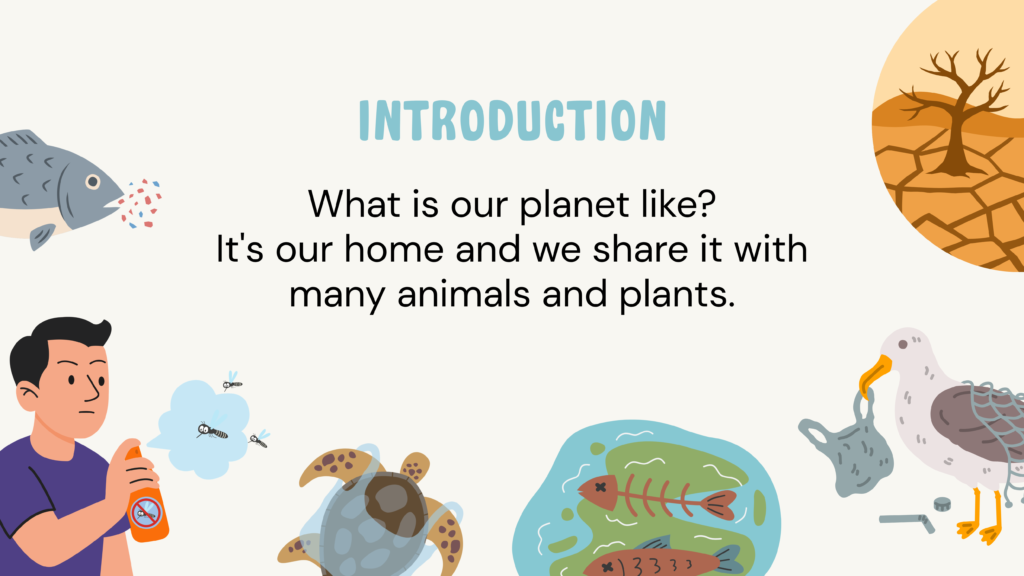
I used Canva AI to generate a startup presentation.
Results
- Slide structure was surprisingly good
- Visual consistency was strong
- Some text required manual editing
- Design quality exceeded expectations
For quick business presentations, Canva performs exceptionally well.
Test 3: Social Media Content
I tested Instagram carousel creation using Magic Design.
Results:
- AI generated attractive layouts quickly
- Brand customization was easy
- Export process was smooth
This is one of Canva’s strongest use cases.
Canva Pros & Cons
| Pros | Cons |
|---|---|
| Extremely Beginner Friendly | Limited Advanced Design Features |
| Huge Template Library | AI Outputs Sometimes Feel Generic |
| Excellent AI Integration | Free Plan Restrictions |
| Affordable Pricing | Internet Connection Required |
| All-in-One Platform |
Canva vs Competitors
Canva vs Adobe Express
Adobe has strong creative tools, while Canva is often simpler for novices.
| Feature | Canva | Adobe Express |
|---|---|---|
| Ease of Use | Excellent | Good |
| AI Tools | Strong | Strong |
| Templates | Massive Library | Smaller |
| Professional Editing | Moderate | Better |
| Learning Curve | Very Easy | Moderate |
Canva often prevails for novices and marketers.
Canva vs Figma
Figma is primarily concerned with collaborative product design and UI/UX design.
| Feature | Canva | Figma |
|---|---|---|
| Graphic Design | Excellent | Moderate |
| UI/UX Design | Limited | Excellent |
| Ease of Use | Very Easy | Moderate |
| Templates | Huge | Limited |
| AI Features | Extensive | Growing |
Canva is more useful for marketing graphics and social media.
Who Should Use Canva?
Canva is ideal for:
- Bloggers
- Small businesses
- Students
- Teachers
- Marketers
- YouTubers
- Freelancers
- Social media managers
However, advanced graphic designers working on complex projects may still prefer professional design suites.
Is Canva Good for SEO Content Creators?
Yes.
Many bloggers and SEO professionals use Canva to create:
- Featured images
- Pinterest graphics
- Infographics
- YouTube thumbnails
- Social media visuals
Visual content improves:
- Click-through rates
- Engagement
- Shareability
- Branding
Canva helps creators produce these assets quickly.
Canva Customer Support
Canva provides:
- Help center documentation
- Tutorials
- Community forums
- Email support
Pro users generally receive faster support responses.
The platform also includes many beginner-friendly educational resources.
Is Canva Worth It in 2026?
Canva remains one of the best AI-powered design platforms available today.
Its biggest strengths are:
- Simplicity
- Speed
- Templates
- AI tools
- Accessibility
For beginners and content creators, Canva delivers tremendous value.
The platform successfully combines graphic design, AI generation, presentations, branding, and video editing into one user-friendly ecosystem.
While advanced professionals may still require specialized software, Canva is more than powerful enough for the vast majority of users.
If you need a fast, affordable, and easy design platform powered by AI, Canva is absolutely worth trying.
Conclusion
The official Canva website is now much more than just a drag-and-drop editor. It is now a comprehensive AI-powered platform for content production that enables people and companies to produce expert images fast and effectively.
Canva offers one of the simplest and most accessible creative experiences available in 2026, whether you’re creating social media graphics, corporate presentations, movies, or marketing materials.
Frequently Asked Questions
Is Canva free?
Yes. Canva offers a free plan with many useful features, though advanced AI tools and premium templates require Canva Pro.
Is Canva good for beginners?
Absolutely. Canva is widely considered one of the easiest design tools available.
Can Canva generate AI images?
Yes. Canva includes an AI image generator that creates visuals from text prompts.
Is Canva better than Adobe Express?
For beginners and casual creators, Canva is generally easier and offers a larger template ecosystem.
Can Canva be used for business?
Yes. Many businesses use Canva for branding, presentations, social media marketing, and team collaboration.
Does Canva work on mobile devices?
Yes. Canva offers mobile apps for both Android and iOS devices.

4 Comments