

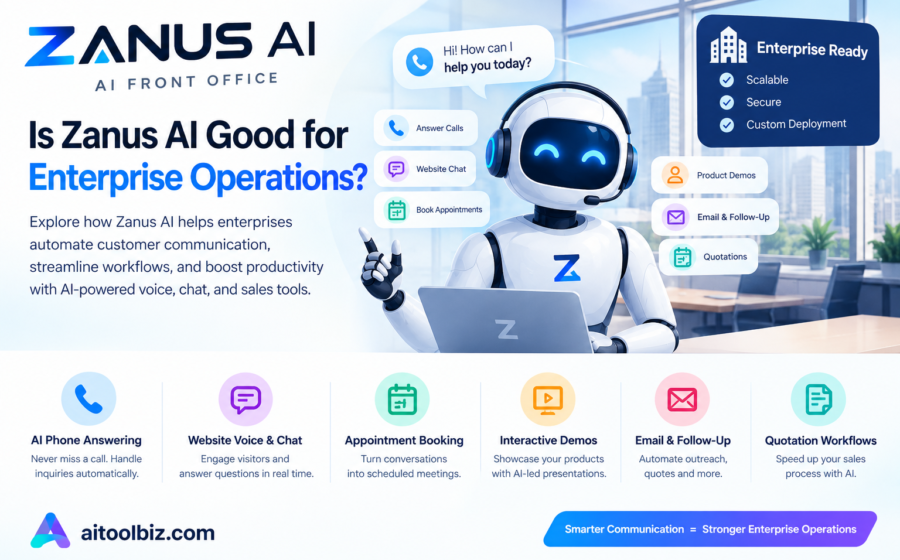
Is Zanus AI Good for Enterprise Operations
Enterprise businesses are constantly looking for ways to improve productivity, reduce repetitive work, manage customer inquiries, and streamline daily operations. Artificial intelligence is becoming an important part of this process, particularly for organizations that handle large volumes of customer interactions and sales activities.
One platform attracting attention in this space is Zanus AI. Its Front Office product is designed to automate customer-facing activities, including phone answering, website chat, appointment booking, sales demonstrations, email communication, and quotation workflows.
But is Zanus AI good for enterprise operations, and can it deliver enough value to justify its cost?
In this review, we examine Zanus AI’s enterprise capabilities, pricing, advantages, disadvantages, security considerations, and alternatives. We also explain which businesses may benefit from the platform and what organizations should verify before adopting it.
Table of Contents
What Is Zanus AI?
Zanus AI is an artificial intelligence platform focused on business automation. Its Front Office system is designed to help organizations automate customer-facing tasks that traditionally require employees to answer calls, respond to inquiries, provide product information, schedule appointments, and follow up with potential customers.
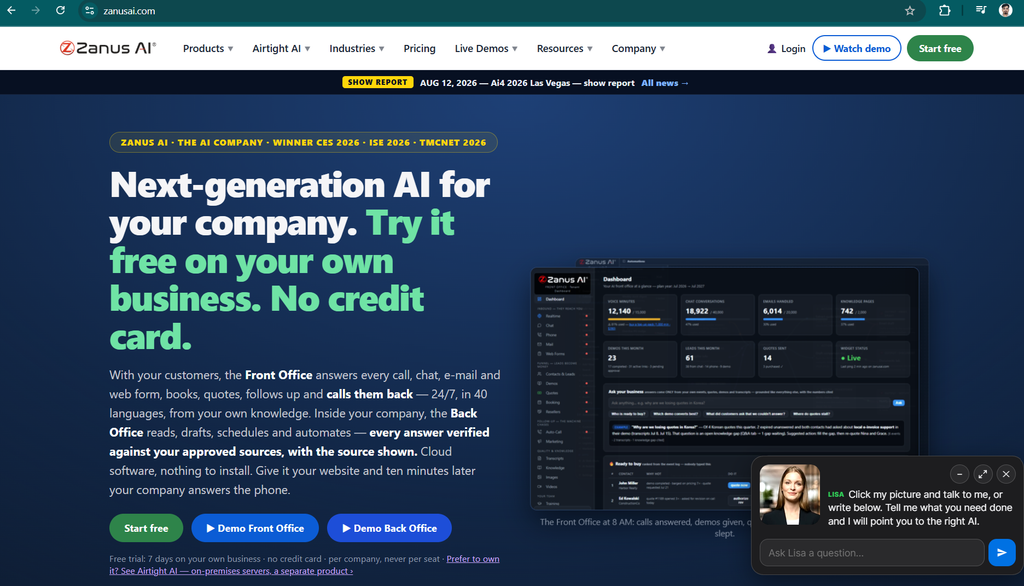
The platform combines several communication and workflow capabilities within one system.
Instead of using separate tools for every customer interaction, businesses can use Zanus AI to coordinate activities across supported communication channels.
According to its official Front Office website, the platform offers capabilities including:
- AI-powered phone answering.
- Website chat and voice interactions.
- Interactive product demonstrations.
- Appointment booking.
- Email automation.
- Quotation workflows.
- Customer support ticket handling.
- Employee training assistance.
- Enterprise-oriented deployment options.
These capabilities make Zanus AI worth evaluating for organizations that want to automate customer-facing operations.
However, enterprise suitability depends on more than the number of features. Businesses must also evaluate reliability, security, integrations, governance, scalability, and the total cost of ownership.
Is Zanus AI Good for Enterprise Operations?
Zanus AI may be a good fit for enterprises that want to automate customer communication, sales workflows, and repetitive front-office activities. Its strongest potential advantage is the combination of multiple customer-facing functions in a single platform.
For example, a company could use an AI agent to answer customer questions, provide product information, schedule a demonstration, and support subsequent sales follow-ups.
This could reduce repetitive work and allow employees to concentrate on complex customer issues and decisions requiring human judgment.
Zanus AI also advertises an enterprise-oriented SCALE offering, which includes higher-volume usage, dedicated onboarding, service-level agreement options, and a private or on-premises deployment path.
Nevertheless, businesses should not assume that every enterprise requirement is automatically covered. Integration depth, availability guarantees, data residency, regulatory compliance, and disaster recovery arrangements need to be confirmed directly with the vendor.
Quick Verdict
| Evaluation area | Assessment |
|---|---|
| Customer communication automation | Strong potential use case |
| Phone answering and website chat | Supported use cases |
| Sales and appointment workflows | Useful capabilities for relevant teams |
| Enterprise scalability | Enterprise plan is advertised; validate capacity |
| Integration flexibility | Confirm specific systems and API requirements |
| Security and governance | Review contractual and technical controls |
| Cost | Significant annual investment |
| Overall suitability | Worth evaluating for customer-facing automation |
This is a feature-based assessment, not a verified benchmark of enterprise performance. Actual results depend on implementation and the organization’s requirements.
Also Read: Zanus AI Automation Review 2026: Features, Pricing, Benefits & Alternatives
Key Zanus AI Features for Enterprise Operations
1. AI-Powered Customer Support
Customer support departments often spend considerable time answering the same questions about products, services, orders, policies, and business hours.
Zanus AI’s Front Office includes AI phone answering, website chat and voice, and support-ticket capabilities.
These tools may help enterprises handle routine inquiries without requiring an employee to respond to every interaction manually.
For example, a telecommunications company might configure an AI agent to answer basic questions about its services and direct customers toward the appropriate support channel.
A software company could use website chat to answer questions about subscription plans and product capabilities.
The primary benefit is the potential reduction in repetitive work. Employees can then spend more time on complex technical problems, complaints, and customer requests that require judgment.
However, enterprises should test the agent with realistic questions and establish clear rules for transferring conversations to human representatives.
2. Automated Phone Answering
Large organizations may receive hundreds or thousands of calls across sales, customer service, and other departments.
Traditional phone systems can route calls, but they do not necessarily understand natural-language questions or provide conversational assistance.
Zanus AI advertises an AI Phone Assistant designed to answer calls, handle interactive voice response workflows, provide after-hours responses, and support ticket creation.
This could help enterprises manage incoming calls during busy periods and outside standard business hours.
Potential use cases include:
- Answering frequently asked questions.
- Directing callers to appropriate departments.
- Capturing customer inquiries.
- Supporting after-hours communication.
- Helping sales teams respond to new leads.
Enterprises should evaluate call quality, response latency, concurrent-call capacity, transfer behavior, and fallback procedures before deploying the system broadly.
3. Website Chat and Voice Automation
Enterprise websites are often the first point of contact for prospective customers.
Visitors may want to learn about product specifications, compare services, understand pricing, or arrange a meeting with a sales representative.
Zanus AI supports website chat and voice interactions that can use configured business knowledge to answer customer questions.
This may help organizations provide assistance without requiring a human representative to respond immediately to every visitor.
For example, a business software provider could use an AI agent to explain the main functions of its products and guide visitors toward a product demonstration.
Organizations should test the accuracy of answers, the quality of the customer experience, accessibility, and how the system handles questions outside its knowledge base.
4. Interactive Product Demonstrations
One of Zanus AI’s relevant capabilities for enterprise sales is interactive AI product demonstrations.
Rather than relying entirely on a salesperson to deliver every introductory demonstration, a business can configure an AI-led presentation with spoken explanations and opportunities for customers to ask questions.
This may be useful for software companies, technology providers, manufacturers, and organizations with complex product portfolios.
Potential benefits include:
- Providing introductory demonstrations outside office hours.
- Giving prospective customers consistent product explanations.
- Answering common questions during a presentation.
- Reducing the time employees spend delivering repetitive demonstrations.
- Supporting follow-up after a demonstration.
However, AI-led demonstrations should use approved product information and avoid making unsupported promises about functionality, pricing, or contractual commitments.
5. Appointment Booking and Calendar Workflows
Scheduling meetings can create unnecessary administrative work when sales representatives and customers exchange messages to find a suitable time.
Zanus AI advertises appointment booking with calendar synchronization.
For enterprise sales teams, this could help connect customer conversations directly to meetings or demonstrations.
A potential workflow might look like this:
- A prospective customer asks about a product.
- The AI agent answers initial questions.
- The customer requests a demonstration.
- The system helps identify an available appointment.
- The appointment is scheduled through the configured calendar workflow.
The value depends on the quality of the calendar integration and the accuracy of availability information.
Before deployment, enterprises should test time zones, duplicate bookings, cancellations, rescheduling, and permissions for different teams.
6. Email and Quotation Automation
Enterprise operations frequently involve repetitive email responses, sales follow-ups, and quotation preparation.
Zanus AI’s CLOSE plan advertises email automation and quotation workflows in addition to the capabilities of its lower tiers.
These features may help businesses respond to common inquiries, follow up with prospective customers, and prepare quotations using configured business information.
For example, a sales team could use automation to follow up after a product demonstration or prepare a draft quotation based on approved pricing rules.
However, enterprises should implement approval controls where financial commitments, discounts, legal terms, or customer-specific pricing are involved.
AI-generated quotations should not automatically become binding commercial offers unless the organization has explicitly approved that workflow.
7. Shared Business Knowledge
AI systems are only as useful as the information available to them.
If an enterprise has outdated pricing, inconsistent product documentation, or unclear policies, an AI agent may provide inaccurate or conflicting responses.
Zanus AI describes a knowledge-based approach designed to ground responses in business information.
This may help organizations maintain consistent answers across phone, website, and sales interactions.
Enterprise teams should establish processes for:
- Updating product and service information.
- Reviewing pricing and policy changes.
- Restricting access to sensitive information.
- Testing responses against approved documentation.
- Identifying unanswered questions.
- Reviewing incorrect or incomplete responses.
A centralized knowledge process is particularly important when multiple departments share responsibility for customer communication.
8. Enterprise Deployment Options
Enterprise customers often need more control over how software is deployed, configured, and supported.
Zanus AI advertises a SCALE offering with enterprise-oriented features, including higher-volume usage, dedicated onboarding, service-level agreement options, and a private or on-premises deployment path.
Its Front Office materials also describe a private, isolated cloud environment for individual customers and a dedicated single-tenant environment for the SCALE offering.
These are relevant capabilities for businesses evaluating deployment flexibility.
However, an advertised private or on-premises path does not by itself establish that every security or regulatory requirement is satisfied.
Before signing a contract, enterprises should obtain written confirmation of the available architecture, data flows, encryption controls, access permissions, backup arrangements, recovery objectives, and contractual service commitments.
Also Read: AI Voice Agent Zanus Review 2026: Features, Pricing, Benefits & Alternatives
Zanus AI Pricing for Enterprise Businesses
Zanus AI offers several Front Office plans, with SCALE positioned for enterprise requirements.
The provider’s published pricing information includes annual subscriptions and one-time onboarding charges. Its public pricing pages also describe differences in included usage and enterprise service arrangements.
The following table summarizes the standard pricing displayed on its Front Office pricing page.
| Plan | Published annual price | One-time onboarding | Intended use |
|---|---|---|---|
| ANSWER | $4,900 | $990 | Basic front-office automation |
| SELL | $9,900 | $1,990 | Additional sales and booking workflows |
| CLOSE | $19,900 | $2,990 | Email and quotation automation |
| SCALE | From $49,900 on the published detailed pricing page | Dedicated onboarding; confirm quote | Enterprise capacity and deployment options |
Prices are in US dollars. The provider’s pricing pages may differ in how they present the plans and enterprise offering, so confirm the current quote, included capacity, and contract terms before purchasing.
ANSWER Plan
The ANSWER plan is designed around phone answering and website communication.
The published standard package lists 3,600 voice minutes per year, 6,000 chat conversations per year, and up to 200 knowledge pages, with one language included.
It may suit an organization that wants to begin automating customer inquiries before expanding into more extensive workflows.
SELL Plan
The SELL plan adds capabilities such as interactive demonstrations, appointment booking, demonstration follow-up, and staff training.
Its published package lists 7,200 voice minutes per year, 15,000 chat conversations, and up to 500 knowledge pages.
This may be more relevant for organizations whose customer communication is closely connected to sales activities.
CLOSE Plan
The CLOSE plan adds email and quotation automation.
Its published package lists 15,000 voice minutes per year, 40,000 chat conversations, email handling capacity, and up to 2,000 knowledge pages.
It may suit businesses that want to automate more of their sales communication rather than focusing only on answering calls.
SCALE Plan
SCALE is the offering most directly aimed at enterprise requirements.
The detailed pricing page lists an entry price from $49,900 annually, with dedicated onboarding and enterprise deployment options. Other provider pages describe SCALE as a custom-quote plan, so the current price and exact package should be confirmed directly.
Potentially relevant features include:
- Higher-volume AI usage.
- Dedicated onboarding.
- Service-level agreement options.
- A dedicated single-tenant environment.
- A private or on-premises deployment path.
- Enterprise-oriented customization options.
Enterprises should request a detailed proposal that specifies the included capacity, additional usage rates, support response times, uptime commitments, implementation responsibilities, and renewal conditions.
Is Zanus AI Expensive for Enterprises?
Zanus AI represents a meaningful investment, particularly when onboarding charges and additional usage are included.
However, subscription price alone does not determine whether the system is expensive.
A proper evaluation should compare the total annual cost with the value of the work automated.
For example, a business receiving large volumes of routine calls may find automation valuable if it improves response times and recovers sales opportunities.
An organization with low call volumes or complicated customer interactions may receive less value from the same subscription.
The best approach is to estimate the number of interactions, average handling time, cost of current processes, and expected improvement before selecting a plan.
Benefits of Using Zanus AI for Enterprise Operations
1. Reduced Repetitive Work
Automating routine calls, frequently asked questions, and administrative follow-ups may reduce the amount of repetitive work performed by employees.
This can allow staff to focus on more complex and valuable responsibilities.
2. Availability Outside Business Hours
An appropriately configured AI agent can support customers when the regular team is unavailable.
This may be particularly useful for international organizations serving customers across multiple time zones.
3. More Consistent Customer Communication
A shared knowledge base can help maintain consistent answers across different communication channels, provided the underlying information is accurate and well maintained.
4. Potentially Faster Lead Response
Automated responses and appointment workflows may help enterprises respond to prospective customers more quickly.
Faster responses can be valuable when a customer is comparing multiple suppliers or evaluating competing products.
5. Fewer Disconnected Workflows
Combining supported communication and sales capabilities in one platform may reduce the need to coordinate separate tools for every activity.
The actual integration benefit depends on the systems already used by the enterprise.
6. Potential Cost Predictability
The published plans use annual pricing rather than a standard per-seat subscription model.
For organizations with many employees, a flat workspace price can make budgeting easier. Nevertheless, included usage limits, extra capacity, implementation, and other charges must be considered.
7. Better Visibility Into Customer Interactions
Conversation records and related workflows may help teams review common questions, identify service problems, and improve their customer support processes.
Enterprises should establish appropriate access controls and retention policies for any stored recordings or transcripts.
Disadvantages and Limitations of Zanus AI
Although Zanus AI has several potentially useful capabilities, enterprises should consider its limitations before adopting it.
1. Significant Financial Commitment
The annual subscription and onboarding charges may be difficult to justify for organizations with low customer interaction volumes.
A pilot project can help determine whether the expected benefits justify the expense.
2. Integration Requirements Must Be Verified
Enterprises frequently rely on CRM platforms, ERP systems, identity providers, contact-center software, and internal databases.
The existence of an API or integration capability does not guarantee compatibility with every enterprise environment.
Ask the provider to demonstrate the exact integrations required by your organization, including authentication, data synchronization, error handling, and monitoring.
3. AI Responses May Be Incorrect
AI agents can misunderstand questions or produce incomplete answers.
Even a system designed to use approved knowledge needs testing and monitoring.
Enterprises should define what the agent may answer, when it should abstain, and when a human must take over.
4. Privacy and Regulatory Concerns
Customer calls, email messages, transcripts, and personal information may be subject to privacy and industry-specific requirements.
Before deployment, review the provider’s data-processing agreement, security documentation, data retention, deletion procedures, and any relevant regulatory obligations.
5. Vendor Dependency
A business that centralizes several communication workflows on one platform may become dependent on the provider’s availability, pricing, and product roadmap.
Review data export options, transition support, contractual termination provisions, and alternatives for critical workflows.
6. Change Management
Employees may need training to work effectively with AI systems.
Organizations should explain how the system affects job responsibilities, how to review its output, and when employees should override or escalate automated decisions.
7. Enterprise Performance Must Be Demonstrated
A product’s enterprise positioning does not independently prove that it can handle every workload.
Large organizations should test concurrent demand, peak periods, response latency, failure recovery, and service continuity using realistic scenarios.
Is Zanus AI Secure Enough for Enterprise Use?
Security is one of the most important considerations when evaluating any AI platform for enterprise operations.
Zanus AI describes private, isolated customer environments and enterprise deployment options in its Front Office materials.
These claims are relevant, but they should not replace an independent security review.
Before adopting Zanus AI, enterprise IT and security teams should ask the vendor the following questions:
- Where are customer data and backups stored?
- Is data encrypted in transit and at rest?
- What authentication and access-control options are supported?
- Can permissions be assigned according to employee roles?
- What information is retained in call recordings and transcripts?
- How are customer data and AI knowledge sources separated?
- What security audits, certifications, or independent assessments can the vendor provide?
- What are the procedures for security incidents and breach notification?
- Can the enterprise define data retention and deletion policies?
- What contractual guarantees cover availability, recovery, and support?
The enterprise should also determine whether the proposed deployment satisfies its specific legal and regulatory obligations.
Important: Do not treat private-cloud or on-premises availability as proof of compliance with a particular regulation. Compliance depends on the complete technical implementation, contractual arrangements, organizational controls, and applicable law.
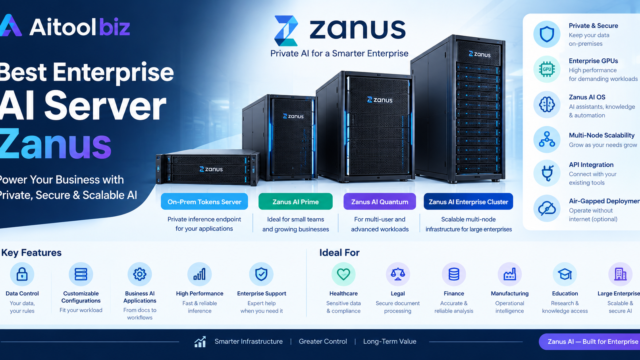
Also Read: 4 Best Enterprise AI Server Zanus in 2026: Features, Pricing, Benefits & Review
Practical Enterprise Use Cases for Zanus AI
Customer Service Departments
Customer service teams may use AI to handle routine inquiries and direct complicated requests to human representatives.
This is potentially valuable when the organization receives repetitive questions across several communication channels.
Software and Technology Companies
Technology companies can evaluate interactive product demonstrations, automated lead responses, appointment booking, and sales follow-ups.
These workflows may reduce the amount of time sales teams spend repeating introductory presentations.
E-Commerce Businesses
Online retailers may benefit from website chat and voice interactions that answer basic product questions and guide customers toward appropriate support.
Businesses should verify whether the required order-management and customer-service integrations are available.
Professional Services
Consulting firms, agencies, and other service providers may use appointment booking and automated inquiries to improve how prospective customers connect with their teams.
Human involvement remains important for requests involving complex requirements, confidential information, or customized proposals.
Distributed and International Teams
Organizations operating across time zones may benefit from automated customer communication outside local business hours.
Language availability should be tested for the actual customer population. Published language counts do not guarantee equal quality across every language.
Sales Operations
Sales teams may evaluate the combination of demonstrations, follow-ups, email automation, and quotations.
For best results, businesses should establish clear approval rules for pricing, discounts, contract terms, and other commercial commitments.
Zanus AI vs. Other Enterprise AI Platforms
Zanus AI is not the only option for organizations considering AI-powered customer communication.
Depending on existing systems and technical requirements, enterprises may also want to evaluate Retell AI, Vapi, Synthflow AI, and Bland AI.
| Platform | Primary area to evaluate | Potential fit |
|---|---|---|
| Zanus AI | Combined front-office communication and sales workflows | Organizations wanting multiple customer-facing functions |
| Retell AI | Conversational voice agents | Businesses building customized phone workflows |
| Vapi | Voice-agent infrastructure and integrations | Technical teams requiring implementation flexibility |
| Synthflow AI | Visual voice automation | Teams preferring a low-code workflow |
| Bland AI | Business phone automation | Organizations evaluating automated calling use cases |
These platforms are not identical, and this table is not a performance ranking.
Official websites:
- Zanus AI: https://zanusai.com/
- Retell AI: https://www.retellai.com/
- Vapi: https://vapi.ai/
- Synthflow AI: https://synthflow.ai/
- Bland AI: https://www.bland.ai/
Which Platform Should an Enterprise Choose?
Zanus AI may be worth evaluating if the organization wants customer communication and sales workflows in a broader front-office system.
Retell AI or Vapi may be more relevant when a company wants to develop customized voice applications or has a technical team responsible for integrating multiple systems.
Synthflow AI may appeal to organizations seeking a more visual approach to voice automation.
Bland AI is another option for businesses evaluating AI-powered phone workflows.
The final decision should depend on a controlled evaluation of pricing, integration requirements, accuracy, security, scalability, and operational support.
How to Evaluate Zanus AI Before Enterprise Deployment
A structured pilot is usually more informative than relying only on product demonstrations.
Step 1: Identify One Business Problem
Choose a measurable problem, such as unanswered calls, repetitive support questions, or time spent scheduling appointments.
Avoid trying to automate every department in the first phase.
Step 2: Define Success Metrics
Select metrics before the pilot begins.
Examples include:
- Percentage of calls answered.
- Percentage of inquiries resolved without escalation.
- Average response time.
- Appointment conversion rate.
- Customer satisfaction.
- Cost per resolved interaction.
- Number of incorrect or unsupported answers.
Step 3: Prepare Approved Business Information
Supply accurate documentation and define which topics the agent is authorized to discuss.
Sensitive topics and requests requiring human judgment should have explicit escalation rules.
Step 4: Test Required Integrations
Verify that the platform can exchange the necessary information with your CRM, calendars, helpdesk, and other business systems.
Test failures and recovery procedures, not just the ideal workflow.
Step 5: Conduct Security and Privacy Reviews
Have the appropriate IT, security, legal, and compliance stakeholders review the proposed deployment before live customer data is processed.
Step 6: Run a Limited Pilot
Start with a limited set of workflows and monitor performance closely.
Compare results against the existing process using the same measurement period and definitions.
Step 7: Calculate the Return on Investment
Estimate the value of time saved, additional leads handled, and administrative work reduced.
Deduct subscription costs, onboarding, usage charges, implementation, monitoring, and ongoing maintenance.
Step 8: Expand Only After Validation
If the pilot demonstrates acceptable performance and financial value, gradually extend the deployment to additional teams or workflows.
This approach reduces risk and helps the enterprise understand the system’s real operational impact.
Conclusion: Is Zanus AI Good for Enterprise Operations?
Zanus AI is a platform worth evaluating for enterprises that want to automate customer-facing activities through AI-powered voice, website communication, scheduling, demonstrations, and sales workflows.
Its main attraction is the ability to bring several front-office capabilities together instead of treating each interaction as a separate automation project.
For organizations with high volumes of repetitive inquiries or valuable sales opportunities, these capabilities may improve responsiveness and reduce administrative work.
However, enterprise adoption requires careful evaluation. Annual pricing, implementation requirements, integration compatibility, security, reliability, and human oversight all affect the final value.
The SCALE offering makes Zanus AI relevant to enterprise buyers, but an enterprise label alone is not proof that the platform meets every organization’s needs.
Our conclusion: Zanus AI may be a good choice for enterprises seeking integrated customer-facing automation, provided that a pilot demonstrates measurable value and the vendor satisfies the organization’s technical, security, and contractual requirements. Businesses with simpler needs should compare less expensive alternatives before committing.
Frequently Asked Questions
Is Zanus AI good for enterprise operations?
Zanus AI may be suitable for enterprises seeking to automate phone answering, website interactions, appointment booking, product demonstrations, and sales follow-ups. Its suitability depends on the organization’s requirements, budget, integrations, and security review.
Does Zanus AI have an enterprise plan?
Yes. Zanus AI advertises a SCALE plan intended for enterprise requirements, including higher-volume usage and additional deployment and service options. Confirm current pricing and availability with the provider.
How much does Zanus AI cost for enterprises?
The detailed public pricing page lists SCALE from $49,900 per year. Standard plans begin at $4,900 annually, with separate onboarding charges. Enterprise quotes and package details should be confirmed directly.
Can Zanus AI replace enterprise employees?
Zanus AI can potentially automate some repetitive customer-facing activities. It should not be assumed to replace employees who handle complex decisions, sensitive situations, or responsibilities requiring human judgment.
Does Zanus AI integrate with CRM and ERP systems?
Integration availability depends on the specific system and workflow. Ask the vendor to demonstrate the required CRM, ERP, helpdesk, identity, and data connections before signing a contract.
Is Zanus AI suitable for large companies?
It may be suitable for large companies with substantial customer communication and sales workloads. However, organizations should validate concurrent capacity, reliability, integration depth, data governance, and contractual support requirements.
Is Zanus AI better than traditional enterprise software?
Not necessarily. Zanus AI focuses on automating customer-facing work, while other enterprise systems may be designed for broader resource planning, data management, or specialized business processes. The best choice depends on the problem being solved.
What is the biggest disadvantage of Zanus AI?
The financial commitment is a major consideration, particularly for businesses that cannot justify the annual subscription and onboarding fees. Enterprises should also evaluate integration compatibility, AI accuracy, privacy, and vendor dependency.

2 Comments