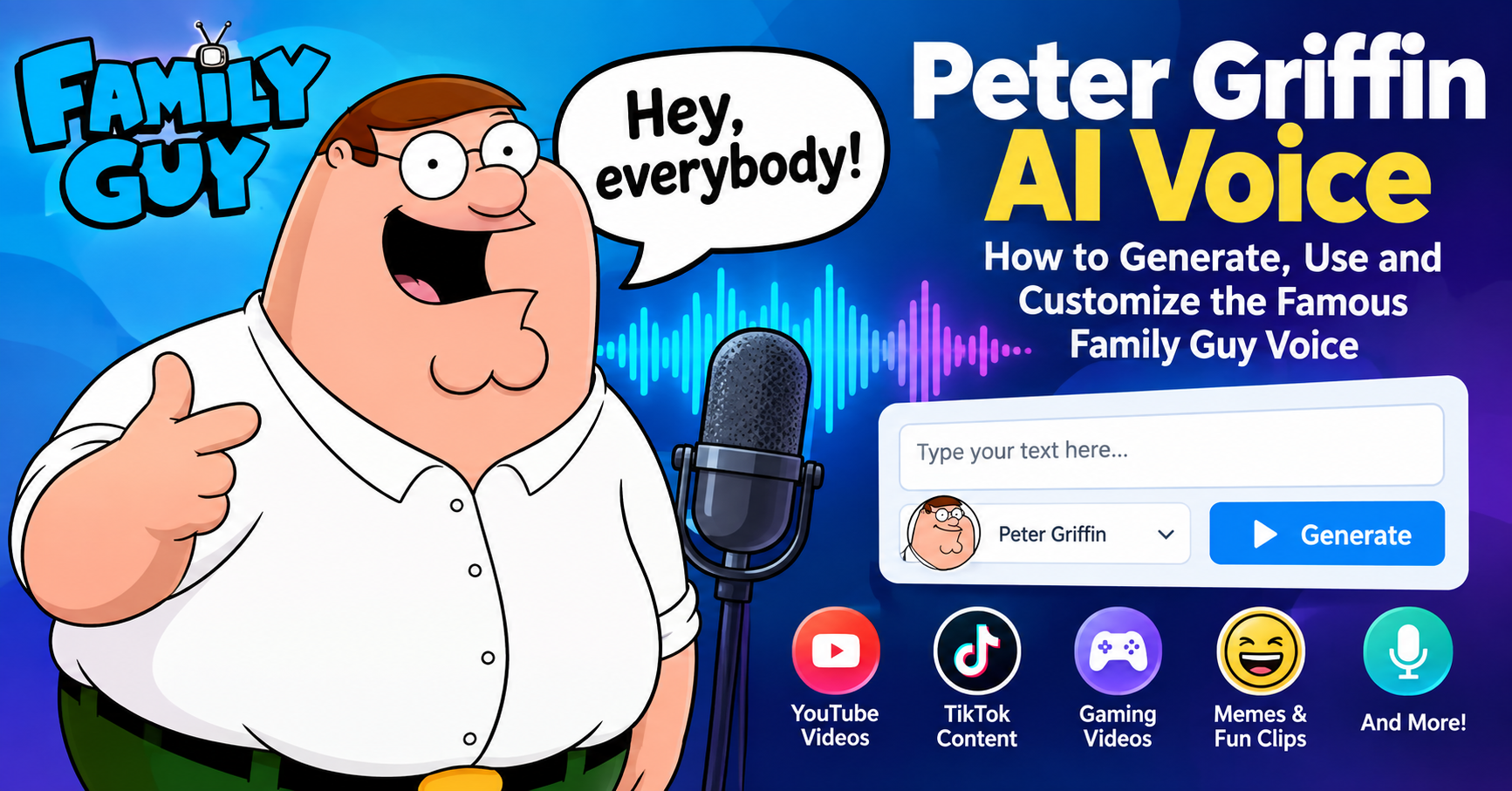
Peter Griffin AI Voice
Have you ever wanted to hear Peter Griffin narrate your favorite meme, explain a funny situation, or react to a gaming video? With the growing popularity of artificial intelligence, creating entertaining character-inspired voices has become easier than ever. The Peter Griffin AI voice is a popular choice among meme creators, YouTubers, gamers, and fans of animated comedy.
Peter Griffin is the main character of the animated television series Family Guy. Known for his distinctive voice, exaggerated expressions, unusual sense of humor, and unforgettable laugh, Peter has become a recognizable figure in internet culture. His voice is frequently associated with funny video edits, reaction clips, gaming commentary, and parody content.
An AI voice generator can transform written text into spoken audio, allowing creators to produce entertaining narration without recording every line themselves. Depending on the tool, users may be able to select a character-inspired voice, adjust the delivery, generate short audio clips, or experiment with voice conversion.
However, not every Peter Griffin AI voice generator offers the same features. Some tools provide text-to-speech functionality, while others focus on voice conversion or user-created voice models. Free access, download options, audio quality, and commercial-use permissions can also differ.
In this guide, we will explore what the Peter Griffin AI voice is, how AI voice generation works, which tools you can investigate, how to create your first audio clip, and how to use the results in memes, gaming videos, and other creative projects.
Whether you are a beginner or an experienced content creator, this article will help you understand the possibilities of Peter Griffin-inspired AI voices.
Table of Contents
What Is the Peter Griffin AI Voice?
The Peter Griffin AI voice is an AI-generated or digitally modified voice designed to resemble the recognizable vocal style associated with Peter Griffin from Family Guy.
Traditional voice acting requires a person to perform a character’s dialogue. An AI voice generator can instead produce speech from written text or transform an existing vocal recording, depending on its capabilities.
For example, imagine writing a short sentence such as, “Hey, everybody, today we’re playing a new game!” A compatible character-inspired text-to-speech tool could turn that sentence into an animated, comedic voice clip.
The resulting audio can be used in a personal video, a parody, a gaming edit, or a humorous narration.
There are several ways to create this type of audio:
- AI text-to-speech: Converts typed words into spoken audio using a selected synthetic voice.
- AI voice conversion: Changes the vocal characteristics of an existing recording.
- Voice effects: Uses audio filters to create a more exaggerated or cartoon-like sound.
- Custom voice models: Uses a model to generate or transform speech according to a particular vocal style, subject to the model’s permissions.
These approaches are different, and the results depend on the software, voice model, source recording, and settings.
It is also important to understand that a Peter Griffin-inspired AI voice is not necessarily the original character voice or an officially authorized reproduction of the performance. Some services explicitly describe their offerings as imitations created for parody.
Why Is Peter Griffin’s Voice So Recognizable?
Peter Griffin’s voice is one of the most recognizable elements of Family Guy. Its exaggerated delivery makes even ordinary sentences sound humorous.
Several vocal characteristics contribute to this recognizable style.
1. A Distinctive Nasal Tone
Peter’s voice has a prominent nasal quality. This gives his speech a particular resonance that separates it from a typical conversational voice.
AI voice tools may attempt to reproduce this quality through their underlying voice models or audio processing. However, simply making a voice more nasal does not guarantee an accurate character impression.
2. Exaggerated Vocal Delivery
Peter often speaks with an animated, expressive delivery. His voice can sound confident, confused, excited, frustrated, or surprised depending on the scene.
This exaggerated expression is part of what makes his dialogue suitable for memes and comedic narration.
3. A Recognizable Accent
The character’s speech has an American regional flavor associated with the show’s portrayal of Rhode Island. The accent, vowel sounds, and rhythm contribute to the overall impression.
A generic American AI voice may pronounce the same words differently, even if its pitch is adjusted.
4. Comic Timing
Comedy depends on more than the voice itself. Pauses, changes in emphasis, unexpected reactions, and the timing of a punchline can make a simple sentence much funnier.
When creating AI narration, it helps to write short sentences and use punctuation thoughtfully. Some text-to-speech systems respond to punctuation with pauses, although the exact behavior varies between tools.
5. The Famous Laugh
Peter’s laugh is another recognizable feature of the character. Creators often associate it with reaction memes and comedic edits.
If you want to include a laugh in your project, check whether the tool supports expressive vocalizations. A standard text-to-speech system may read written laughter as words rather than produce a natural laugh.
For an original project, you can record your own exaggerated laugh or use a sound effect that you have permission to use.
How Does a Peter Griffin AI Voice Generator Work?
AI voice generation generally involves machine-learning systems that process text or audio and produce a new speech signal.
A text-to-speech system receives written text, interprets its linguistic structure, and generates audio. Depending on the model, it may also use information about pronunciation, emphasis, pacing, and vocal expression.
Voice conversion works differently. It begins with an existing vocal recording and changes some of its vocal characteristics while attempting to preserve the words and timing.
A custom voice model may be trained or configured using suitable recordings, depending on the platform. The quality and legitimacy of those recordings matter.
For character-inspired audio, the process might involve selecting an available voice model, entering a script, generating the speech, and editing the resulting file.
The important point is that AI tools do not all work in the same way. A website advertising a Peter Griffin AI voice may offer only a community-created voice model, while another service may offer a general voice changer without any Peter Griffin-specific option.
Before using a service, confirm what it actually provides.
Peter Griffin AI Voice Generator Tools to Explore
Several online services advertise character-inspired voices or tools that may be useful for creating Peter Griffin-style content. Their availability, features, pricing, and permissions can change, so check the current product information before starting.
1. ClipGOAT Peter Griffin AI Voice Generator
ClipGOAT provides a dedicated page for a Peter Griffin-inspired AI voice generator.
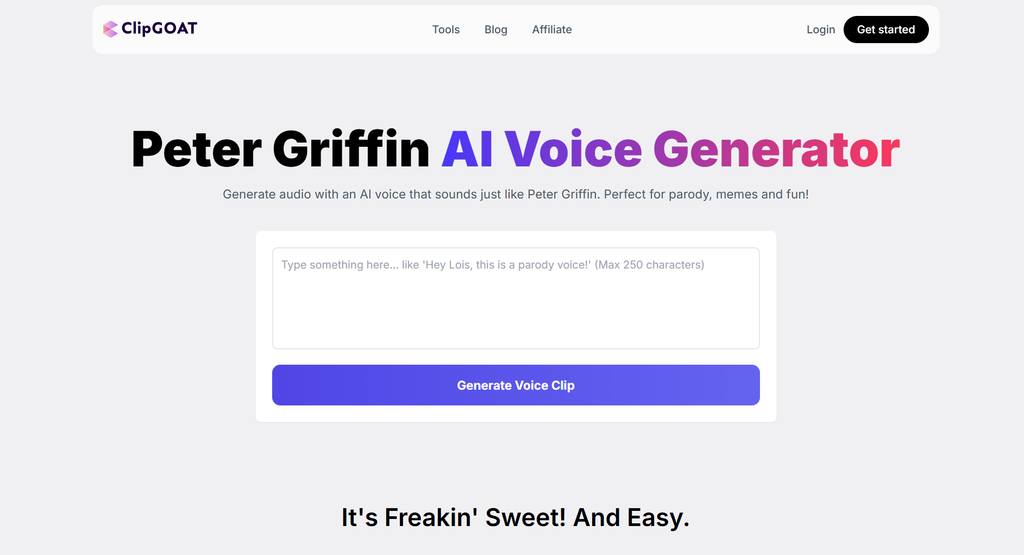
According to its product page, the workflow is designed around entering text, generating a voice clip, and downloading the resulting audio. The service describes its voice as an AI impression intended for parody rather than the actual voice of the character or actor.
This type of workflow may appeal to beginners who want to create short clips without installing desktop software.
Potential uses include:
- Short comedy narrations
- Meme audio
- Funny dialogue
- Reaction videos
- Personal creative projects
The website advertises limited free generation, with additional options associated with premium plans. Check the current limits and terms before relying on it for a large project.
Website: ClipGOAT Peter Griffin AI Voice Generator
2. Vocalize.fm
Vocalize.fm offers AI voice generation and voice-conversion features, including community-created voice models.
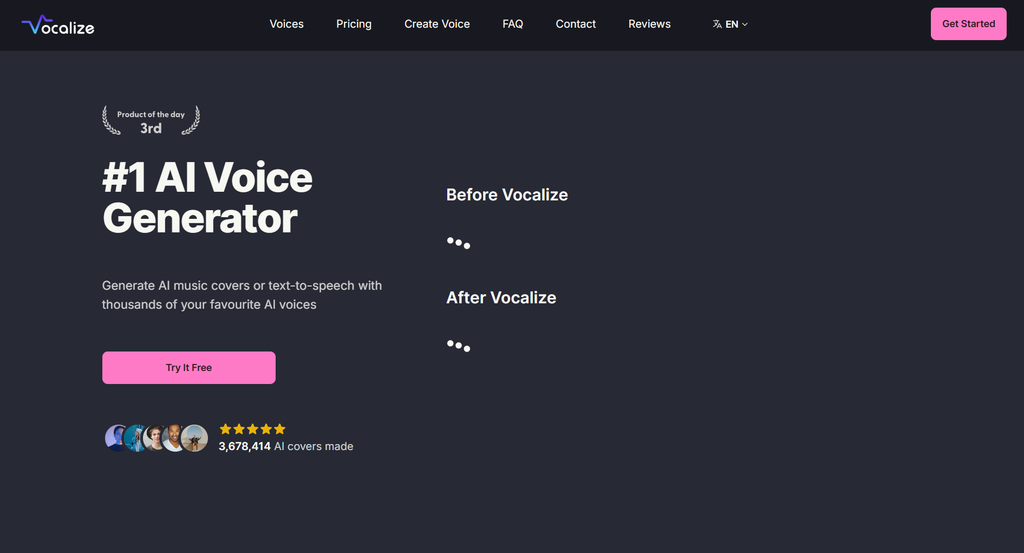
Its Peter Griffin-related page describes text-to-speech functionality as well as AI cover capabilities. The interface allows users to enter text and generate speech using an available voice model.
One important consideration is that community-uploaded models do not automatically come with permission to reproduce a character or use a voice commercially.
Before generating audio, review the model information, account requirements, available features, and applicable terms.
Website: Vocalize.fm
3. Lazybird
Lazybird has a page dedicated to a Peter Griffin AI voice generator and describes a browser-based text-to-speech workflow.
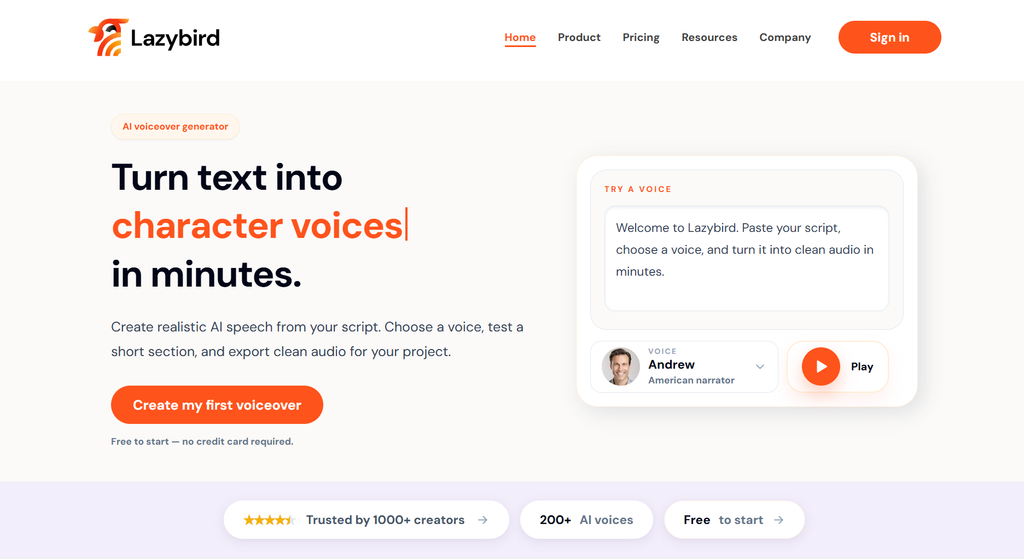
A browser-based service can be convenient if you prefer not to install a desktop application. Depending on the current offering, you may be able to enter text, select a voice, generate a sample, and evaluate the output.
Check whether the service allows audio downloads, how much text you can generate, and whether its free access is limited.
Website: Lazybird
4. Voice.ai
Voice.ai provides voice-related software and services. It may be relevant to creators interested in voice conversion or real-time voice effects.
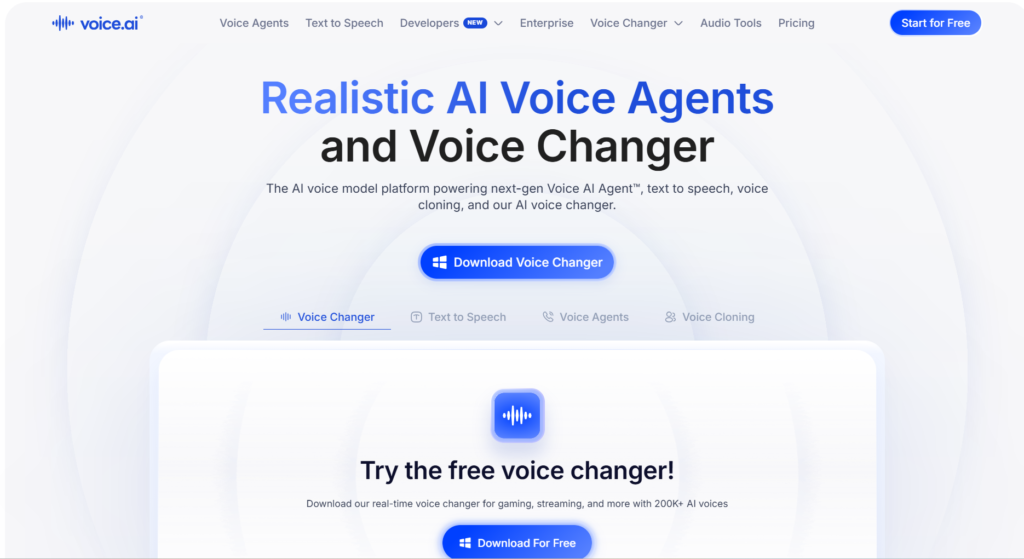
However, a general voice changer is not automatically a dedicated Peter Griffin text-to-speech generator. You should confirm whether a suitable voice model is available and whether the intended use is allowed.
Voice.ai’s terms address authorization and lawful use of voice assets. Public availability of a voice model does not, by itself, grant permission to reproduce, distribute, or commercialize that voice.
Website: Voice.ai
5. General AI Text-to-Speech Tools
You can also explore general text-to-speech platforms that provide expressive voices, adjustable delivery, and downloadable audio.
These tools may not offer an exact Peter Griffin voice. Nevertheless, they can help you create an original cartoon-inspired narrator with a humorous delivery.
This is a useful alternative if you want to develop a consistent voice for your channel without depending on a specific copyrighted character.
When comparing tools, look at voice selection, pronunciation quality, export formats, usage limits, privacy, and licensing.
Also Read: 8 best AI tools for centralizing Business data
How to Generate a Peter Griffin AI Voice Step by Step
Creating a short AI voice clip can be straightforward when you use a compatible online generator.
Here is a beginner-friendly workflow.
Step 1: Choose a Suitable Voice Generator
Start by selecting a tool that actually supports the voice or vocal style you want to use.
For example, you can investigate a dedicated character-inspired generator such as ClipGOAT or explore a community voice platform such as Vocalize.fm.
Open the official website and read the product description.
Check whether the tool supports text-to-speech, voice conversion, or both. These features serve different purposes.
If you only want to turn a written sentence into audio, text-to-speech is generally the simplest workflow.
Step 2: Review the Free Plan
If you are looking for a free Peter Griffin AI voice generator, check the limitations before creating your project.
A free plan might restrict the number of generations, the length of each script, the available voices, or the ability to download files.
Some services provide a limited number of free credits, while others require an account.
Do not assume that a free generator allows unlimited commercial use. Free access and commercial licensing are separate matters.
Step 3: Enter Your Script
Once you have selected a suitable tool, prepare the text you want the AI to speak.
For example:
“Hey, everybody! Welcome back to the channel. Today, we’re going to try something completely ridiculous!”
This is an original example of comedic dialogue, not a quotation from the television show.
Short scripts are easier to test and edit than long paragraphs. Begin with one or two sentences and check the result before generating a longer narration.
Step 4: Select the Voice
If the platform offers an appropriate character-inspired voice, select it from the available voice options.
Read any description attached to the model. It may identify the voice as a parody, an impression, or a community-created model.
If no authorized character-specific option is available, consider choosing a general comedic voice instead.
Step 5: Adjust the Delivery
Depending on the software, you may be able to adjust speaking speed, pitch, emphasis, or other voice characteristics.
For a cartoon-inspired performance, you might experiment with a lively delivery and slightly exaggerated emphasis.
Avoid changing too many settings at once. Make one adjustment, generate a sample, and compare the result.
Some services provide only preset voices and do not allow detailed controls.
Step 6: Generate the Audio
Press the generator’s create or generate button.
Wait for the service to process your text. The time required depends on the tool, script length, server demand, and selected model.
Listen to the result carefully.
Check whether the words are understandable, the pronunciation sounds natural, and the delivery matches your intended mood.
Step 7: Download or Export the File
If downloading is supported, save the generated audio to your device.
MP3 is convenient for many video-editing workflows because it is widely supported. WAV may be useful when you need an uncompressed audio file, although the original quality depends on the generation process.
Choose the format that works with your editing software.
Step 8: Add the Voice to Your Video
Import the audio into your video editor.
Place it on the timeline, synchronize it with the relevant scene, and adjust the volume.
You can add captions, background music, sound effects, and visual reactions to improve the final presentation.
Before publishing, listen to the complete video and check that the dialogue remains understandable.
How to Create a Peter Griffin-Style Voice Using Your Own Voice
Another approach is to record your own comedic performance and modify it using audio effects.
This method does not require you to train a model on recordings taken from the television series.
Start by recording a short line in your natural voice. Speak clearly and experiment with exaggerated expressions, deliberate pauses, and playful delivery.
Next, use an audio editor or voice-changing tool that you are permitted to use.
Depending on the software, you may be able to experiment with:
- Pitch adjustments
- Equalization
- Mild distortion
- Compression
- Resonance or formant effects
- Timing and pauses
A pitch shift alone will not reproduce a complete character voice. The sound also depends on resonance, pronunciation, vocal texture, and performance.
Avoid extreme processing that makes the dialogue difficult to understand.
If your editor supports separate effect layers, save the original recording and apply changes to a duplicate. This allows you to compare versions and reverse unwanted edits.
You can also experiment with an original cartoon voice that shares broad comedic characteristics without claiming to be the actual character.
Best Uses for Peter Griffin AI Voice
The popularity of character-inspired AI voices comes from their flexibility. A short voice clip can become part of a larger creative project.
1. YouTube Shorts
Short-form videos often rely on a clear opening, quick pacing, and a memorable punchline.
A humorous cartoon-style narrator can introduce a funny situation, react to a surprising moment, or provide commentary.
Keep the narration concise. A long introduction may cause viewers to lose interest before the main joke.
Use captions so viewers can follow the dialogue even when their audio is muted.
2. TikTok Videos
Creators can use comedic AI narration for skits, original jokes, reactions, and storytelling.
For example, you could create a video about the frustration of trying to fix a computer, with an exaggerated narrator describing each failed attempt.
The humor can come from the contrast between an ordinary situation and an overly dramatic delivery.
If you use a recognizable character imitation, make sure the context is clearly unofficial and review the platform’s rules.
3. Gaming Commentary
Gaming videos are another common use case for cartoon-inspired voices.
A creator might use a funny narrator to describe a difficult level, react to an unexpected defeat, or explain a chaotic multiplayer match.
For prerecorded videos, generated audio can be edited directly into the timeline.
For live gaming, a real-time voice changer may be more appropriate, provided it offers a suitable voice effect and acceptable latency.
A standard text-to-speech generator may not be suitable for spontaneous live conversation.
4. Meme Videos
Meme creators frequently combine narration with gameplay, reaction footage, captions, or simple animations.
A character-inspired voice can make an original joke more expressive.
However, remember that permission to use an AI voice does not automatically grant permission to use someone else’s video, music, artwork, or television footage.
Use original visuals or media that you are authorized to include.
5. Animated Comedy
If you create your own animations, AI-generated narration can help you test dialogue before recording a final performance.
You can experiment with different lines, adjust the timing, and decide which version works best.
For a recurring series, consider developing original characters and consistent voices. This gives your project a recognizable identity without relying entirely on an established television character.
6. Podcasts and Audio Sketches
Short AI-generated character voices can also be used in comedy sketches and fictional conversations.
For longer projects, pay attention to consistency. A voice that changes noticeably between clips may distract listeners.
Check pronunciation, volume, pacing, and audio quality across the entire episode.
Can You Use a Peter Griffin AI Voice for Free?
Yes, some websites advertise limited free access to Peter Griffin-inspired voice generation.
For example, ClipGOAT advertises a limited free option, while other services may provide trials, free credits, or restricted generation features.
However, free access can vary.
A free plan might allow only a few short clips. Longer scripts, higher-quality exports, or additional voice options may require payment.
You should also distinguish between three separate questions:
- Can you generate audio without paying?
- Can you download the generated audio?
- Are you allowed to publish or monetize the audio?
A service may answer these questions differently.
Before investing time in a project, review the current pricing page and terms of service.
Can You Use Peter Griffin AI Voice for YouTube Monetization?
Monetizing AI-generated character voices can involve several separate considerations.
First, the tool’s terms must permit your intended use. Some services restrict commercial use or impose conditions on particular voice models.
Second, you need to consider rights associated with the character, voice performance, and any other material used in the video.
Third, your content must comply with YouTube’s current rules, including applicable policies concerning copyright, impersonation, and synthetic content.
Simply generating a voice clip does not automatically make it eligible for monetization.
Similarly, adding AI narration to copyrighted footage does not automatically make the resulting video lawful or sufficiently original.
If you plan to build a commercial channel, consider using an original voice, obtaining the necessary permissions, and keeping records of the licenses that apply to your content.
For projects involving a recognizable character or voice, legal requirements can depend on the jurisdiction and specific circumstances. When significant commercial interests are involved, consider obtaining professional legal advice.
Is the Peter Griffin AI Voice Legal?
The answer depends on how the voice is created and used, the rights involved, and the applicable law.
Peter Griffin is a fictional character from Family Guy. The character and show involve intellectual property rights, while the recognizable performance is associated with voice actor Seth MacFarlane.
Different rights may apply to the character, recordings, artwork, music, and voice imitation.
In the United States, fair use is a legal doctrine that can apply to certain uses of copyrighted material. However, it is a case-specific analysis, not an automatic exemption for every parody, meme, or AI-generated voice.
Other countries have their own copyright, personality, and related laws.
A few practical principles can help you approach a project responsibly:
- Do not present an unofficial AI-generated clip as an official performance.
- Do not use a voice to deceive people about who is speaking.
- Check the permissions associated with the AI voice model.
- Avoid using unauthorized recordings to train a custom voice model.
- Review the rights attached to music, images, video footage, and other source material.
- Check the terms of the AI platform and the rules of the website where you plan to publish.
Parody and commentary may be relevant to a legal analysis, but labeling a video as parody does not automatically resolve every rights issue.
For more information about a particular tool, read its terms of service and the applicable rights guidance.
Tips for Getting Better AI Voice Results
A good AI voice clip requires more than selecting a voice and pressing a button.
These practical tips can help improve your results.
Write for Spoken Language
Write sentences that sound natural when spoken aloud.
Long, complicated sentences can be difficult for an AI voice to deliver convincingly.
Use shorter phrases, familiar words, and clear punctuation.
Test Pronunciation
Names, abbreviations, slang, and unusual words may be pronounced incorrectly.
Generate a short sample first. If the pronunciation is wrong, try a phonetic spelling or rewrite the sentence.
Keep in mind that phonetic spelling may affect how the final text appears in captions.
Use Pauses Carefully
Punctuation can help guide the rhythm of generated speech.
A comma may create a brief pause, while a full stop can separate two ideas.
Some tools provide explicit pause controls. If yours does, experiment with them.
Avoid Excessive Effects
A voice that is too distorted or too loud may become difficult to understand.
Make small adjustments and listen to the complete result rather than judging each effect separately.
Match the Audio to the Visuals
A reaction line should occur at the appropriate moment.
If the voice describes an event before it happens on screen, the joke may lose its impact.
Synchronize the audio with the action and allow enough time for viewers to understand the scene.
Use Captions
Captions improve accessibility and help viewers follow fast dialogue.
Check the spelling, punctuation, and timing of automatically generated captions before publishing.
Save Your Original Files
Keep copies of your original script, recordings, and edited audio.
This makes it easier to fix mistakes or produce a new version later.
Common Problems With Peter Griffin AI Voice Generators
Even a well-designed AI voice tool can produce imperfect results.
The Voice Does Not Sound Like Peter Griffin
Not every model has the same voice characteristics. Some may produce a generic cartoon voice rather than a recognizable character impression.
Try another available model or use a broader comedic style.
The Speech Sounds Robotic
Robotic delivery may result from the voice model, text structure, or limited expressive controls.
Shorten the script and test different punctuation.
If the service supports expressive settings, experiment with the available options.
The AI Mispronounces Words
AI systems can struggle with unusual names, abbreviations, and invented words.
Try rewriting the sentence or using a pronunciation guide if the tool supports one.
The Audio Has Background Noise
Noise may come from the original recording, the microphone, or the processing workflow.
For voice conversion, start with a clean recording and avoid unnecessary background sounds.
The Download Option Is Missing
Some websites limit downloads to registered users or paid plans.
Check the current account requirements and terms. Do not assume that every free generator supports exporting audio.
The Voice Changes Between Clips
Different settings, models, or generation sessions may produce inconsistent results.
Where possible, use the same model and settings throughout the project.
Privacy and Security Considerations
AI voice generation may involve uploading text, audio recordings, or other personal data to an online service.
Before uploading a recording, review the provider’s privacy policy and determine how your data may be stored or processed.
Consider the following questions:
- Does the service process audio locally or in the cloud?
- Does it retain uploaded recordings?
- Can uploaded audio be used to improve its models?
- Does the provider explain how to delete your data?
- Are there restrictions on the information you may upload?
Avoid uploading private conversations or recordings of other people without appropriate permission.
If privacy is especially important, investigate software that processes audio locally. Confirm that the particular application and its components actually operate offline before relying on that feature.
Also Read:
- Zanus AI Automation Review 2026: Features, Pricing, Benefits & Alternatives
- Grammarly for Windows Download 2026: How to Install Grammarly on PC for Free
- 8 Best Free Grammarly Alternatives in 2026
- Grammarly Review 2026: Features, Pricing, Pros, Cons & Alternatives
- 6 Best Claude Alternatives in 2026 (Free & Paid AI Tools)
Peter Griffin AI Voice vs. Traditional Voice Acting
AI voice generation and traditional voice acting serve different purposes.
AI tools can make it convenient to create draft narration, test dialogue, or generate short audio clips. A compatible service may produce results quickly without requiring a recording session for every line.
Traditional voice acting offers direct human interpretation, performance choices, and the ability to respond to creative direction.
| Feature | AI voice generation | Traditional voice acting |
|---|---|---|
| Production | Can generate audio from text or recordings | Requires a recorded performance |
| Editing | May allow repeated generation and processing | Can involve retakes and audio editing |
| Performance | Depends on the model and settings | Depends on the actor and direction |
| Consistency | Can vary between models and generations | Can be maintained through direction and retakes |
| Permissions | Depends on the model, service, and intended use | Depends on the performer agreement and other rights |
| Cost | May offer free or paid plans | Depends on the performer and production |
Neither approach guarantees a particular creative result. The right workflow depends on your project’s needs, available resources, and permissions.
Conclusion
The Peter Griffin AI voice is an entertaining example of how artificial intelligence can support modern content creation. From funny narrations and gaming commentary to meme videos and animated sketches, character-inspired voice generation gives creators new ways to experiment with dialogue and audio.
Getting started can be simple. Choose a suitable tool, prepare a short script, generate a sample, and listen carefully to the result. If you want more control, explore voice conversion, audio effects, and editing techniques.
Several services advertise Peter Griffin-inspired voice generation, including ClipGOAT, Vocalize.fm, and Lazybird. Their features and conditions differ, so review each service before choosing one. Free access does not necessarily include unlimited downloads or commercial permissions.
Most importantly, use AI voices responsibly. Be transparent about synthetic audio when appropriate, respect the rights associated with characters and voice performances, and avoid misleading audiences. For commercial projects, verify the necessary permissions before publishing.
If you are a beginner, start with a short, original comedy script and a small experiment. You can learn how text-to-speech works, discover which vocal characteristics you prefer, and gradually improve your editing skills.
With thoughtful writing, suitable tools, and careful editing, AI-generated cartoon-inspired narration can become a useful part of your creative workflow.
Final takeaway: A Peter Griffin AI voice generator can help you turn written jokes into entertaining audio, but the best workflow depends on your creative goals, the available features, and the permissions attached to the voice and content you use.
Frequently Asked Questions
What is a Peter Griffin AI voice?
A Peter Griffin AI voice is synthetic or digitally modified speech designed to resemble the vocal style of Peter Griffin from Family Guy. It can be used for parody, memes, narration, and other creative projects, depending on the tool’s permissions.
How can I make Peter Griffin say anything?
Use a compatible text-to-speech generator, enter your original script, select an available voice, and generate the audio. If the tool supports downloads, save the file and add it to your video.
Is there a free Peter Griffin AI voice generator?
Some websites advertise limited free access. ClipGOAT, for example, describes a limited free generation option. Check the current terms, generation limits, and download requirements before using it.
Can I use Peter Griffin AI voice without downloading software?
Yes, if you choose a browser-based generator. Some online services let you enter text and create speech directly on their websites.
Can I use the voice for YouTube Shorts?
You can create Shorts using AI-generated narration, subject to the relevant platform rules, tool terms, and rights associated with the voice and other media in your video.
Can I use a Peter Griffin AI voice in gaming videos?
A character-inspired AI voice can be used in gaming commentary or prerecorded gaming edits when the tool and applicable rights permit the intended use.
For live gaming, look for a compatible real-time voice changer rather than assuming a standard text-to-speech generator will work.
Can I use Peter Griffin AI voice for commercial projects?
Commercial use depends on the service’s terms, the permissions associated with the voice model, and the rights involved in your project.
Do not assume that a free voice generator provides commercial rights.
Is a Peter Griffin AI voice the real voice of Seth MacFarlane?
Not necessarily. AI-generated impressions are synthetic outputs and should not be represented as authentic recordings of Seth MacFarlane. Some services explicitly state that their character-inspired voice is an imitation rather than the original performance.
Can I create my own cartoon voice instead?
Yes. You can record your own performance and experiment with audio effects or use a general AI voice generator. Creating an original character voice can also help you develop a recognizable identity for your content.