Compare AI Voiceover Options in UGC Video Tools
User-generated content (UGC) has become an important part of modern digital marketing. Brands use UGC-style videos to showcase products, explain services, share customer experiences, and connect with audiences on platforms such as TikTok, Instagram Reels, YouTube Shorts, and Facebook.
Traditionally, creating these videos required a camera, a presenter, a script, recording equipment, and editing software. Although this approach can produce authentic content, it also requires time, planning, and a production budget. Artificial intelligence is changing this process by allowing creators and businesses to generate video scripts, create virtual presenters, produce voiceovers, and assemble social media advertisements with fewer manual steps.
AI voiceovers are particularly useful in UGC video production. They allow creators to turn written scripts into spoken narration without recording every sentence themselves. Some platforms offer built-in synthetic voices, while others support custom voice cloning, multilingual narration, or audio imported from external voice generators.
However, not every AI voiceover tool is designed for the same purpose. Some prioritize fast product advertisements, while others focus on realistic presenters, professional narration, or multilingual video production.
In this guide, we compare AI voiceover options in UGC video tools, examine their features, discuss their limitations, and explain how to choose a suitable solution for your content workflow.
Table of Contents
What Is an AI Voiceover in a UGC Video Tool?
An AI voiceover is digitally generated speech created from written text or an existing audio recording. A text-to-speech (TTS) system converts a script into spoken words using an artificial voice.
In a UGC video workflow, this narration can accompany product demonstrations, testimonials, tutorials, promotional videos, and short-form advertisements.
For example, an online store selling skincare products might write a script explaining a product’s ingredients and benefits. Instead of hiring a narrator to record the script, the business can use an AI voice generator to produce the narration and combine it with product footage or an AI-generated presenter.
Some platforms also synchronize generated speech with an AI avatar’s mouth movements. This creates a talking-head video in which a virtual presenter appears to deliver the script.
There are several common approaches:
- Built-in text-to-speech: Select a voice and convert a written script into audio.
- AI voice cloning: Create a synthetic voice based on an authorized recording of a real speaker.
- External voice generation: Generate narration with a specialist tool and import the audio into a video editor.
- Multilingual voiceovers: Translate or adapt a script and generate speech in another language.
- Audio-driven video: Upload an existing recording and use it to generate or animate a talking presenter.
Understanding these approaches makes it easier to compare tools based on your actual production needs.
Why AI Voiceovers Matter for UGC Videos
The voiceover influences how viewers experience a video. Even when the visuals are attractive, narration that sounds unnatural, rushed, or difficult to understand can make the content less engaging.
AI voiceovers provide several practical benefits.
1. Faster Content Production
Recording a traditional voiceover involves preparing a microphone, finding a quiet location, recording multiple takes, and editing mistakes. AI voice generation can reduce these steps.
A creator can prepare several scripts and generate different narrations for product advertisements, tutorials, and social media posts.
2. Consistent Brand Communication
Businesses often publish videos across multiple platforms. Using a consistent synthetic voice can help maintain a recognizable presentation style.
A brand might choose a friendly voice for product demonstrations or a professional voice for software tutorials.
3. Easier Script Revisions
When a product price, feature, or promotional message changes, an AI voiceover can be regenerated using the revised text.
This can be particularly useful for e-commerce businesses that frequently update advertisements.
4. Multilingual Content
AI voice generation can help businesses prepare content for audiences who speak different languages.
However, language availability alone does not guarantee accurate pronunciation, natural accents, or culturally appropriate wording. Every localized version should be reviewed before publication.
5. Lower Production Barriers
Independent creators and small businesses can experiment with different narration styles without purchasing professional recording equipment.
The overall cost still depends on subscriptions, generation credits, editing time, and commercial licensing.
Quick Comparison: AI Voiceover Options in UGC Video Tools
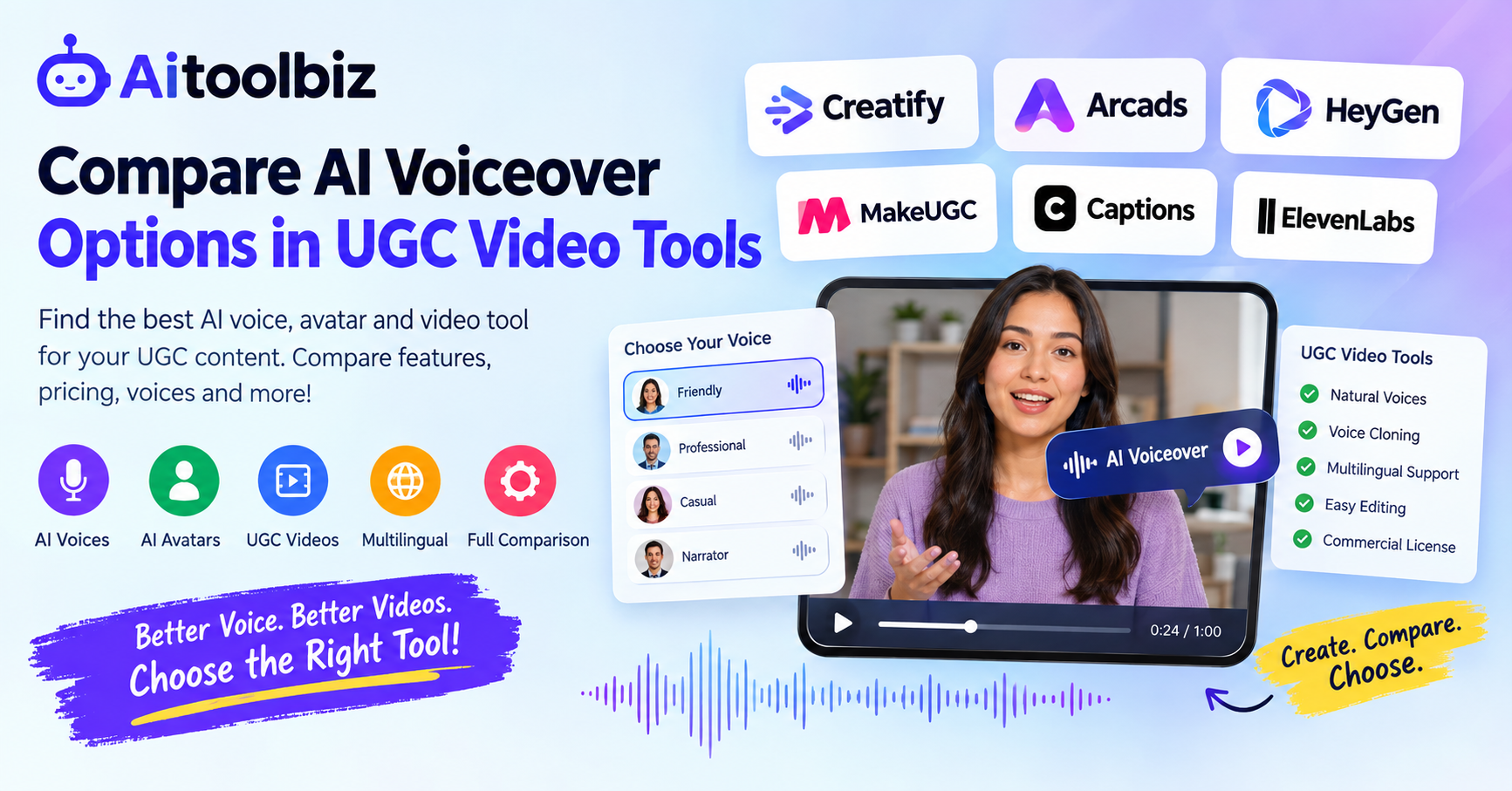
The following table summarizes the main differences between six commonly discussed platforms and voice generation solutions. Features and plan restrictions can change, so confirm current availability with each provider before purchasing.
| Tool | Main use | Voiceover approach | Key consideration |
|---|---|---|---|
| Creatify | Product-focused video advertisements | Built-in AI narration | Product URL-to-video workflow |
| Arcads | AI presenter advertisements | Integrated AI voice options | Voice library and cloning arrangements |
| HeyGen | Avatar videos and localization | Built-in voices, cloning, and dubbing features | Language and avatar requirements |
| MakeUGC | UGC-style promotional videos | Built-in AI voices | Available plans and generation limits |
| Captions | Short-form video creation and editing | AI speech and audio-driven workflows | Editing needs and supported features |
| ElevenLabs | Specialist AI voice generation | Text-to-speech and voice cloning | May require a separate video editor |
These tools are not direct substitutes in every situation. Creatify and Arcads emphasize advertising workflows, HeyGen focuses on avatar-based video and localization, and ElevenLabs can serve as a dedicated voice generation component in a broader editing process.
1. Creatify: AI Voiceovers for Product Advertisements
Creatify is an AI video platform designed to help businesses produce product-focused advertisements. Its workflow can use product information, images, and website URLs to assist with creating promotional videos.
For e-commerce sellers, this approach can reduce the amount of manual work required to turn a product listing into a video advertisement.
Voiceover Features
Creatify offers AI-generated narration as part of its video creation process. Depending on the available workflow, users can combine scripts, virtual presenters, product visuals, and spoken narration.
This integrated approach is useful when the objective is to create a complete advertisement rather than simply generate an audio file.
A seller could provide information about a pair of shoes, develop a short promotional script, and use an AI presenter to explain the product.
Advantages
- Combines product-oriented video creation and narration.
- Helps generate advertising variations.
- Reduces the need to record every script manually.
- Supports workflows designed for social media marketing.
- Can simplify the process of creating videos from product information.
Limitations
A product-focused workflow may offer less control over individual voice characteristics than a specialist voice generator.
The naturalness of the narration also depends on the selected voice, script, pronunciation, and delivery. Product details generated automatically should be checked for accuracy.
Before subscribing, verify the current voice selection, cloning availability, language support, export limits, and commercial usage terms.
Who Should Consider Creatify?
Creatify is worth evaluating for online stores, product marketers, and agencies that need to create multiple promotional video variations.
It is especially relevant when product information and advertisement generation are more important than detailed control over every vocal characteristic.
2. Arcads: AI Voices for UGC-Style Advertisements
Arcads is designed around AI-generated advertising content featuring virtual actors. Its workflow is intended to help marketers create presenter-led videos without arranging a traditional filming session for every advertisement.
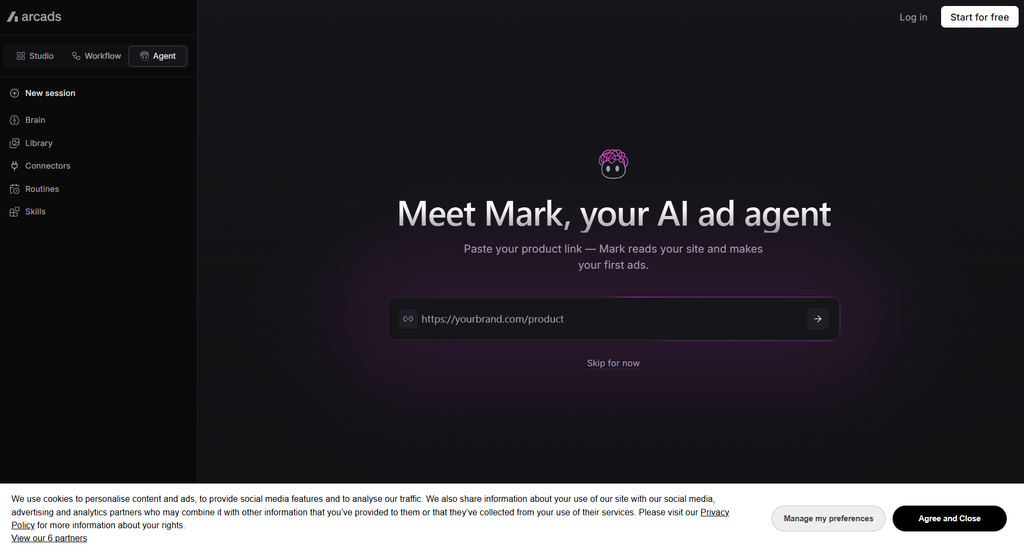
The platform is relevant to brands that want a person-like presenter delivering a prepared script.
Voiceover Features
Arcads combines virtual presenters with AI-generated speech. Published comparisons have also described an ElevenLabs-related voice workflow, although the exact integration and account requirements should be confirmed directly with the provider.
This distinction matters because using a voice engine through another service may introduce separate subscriptions, usage limits, or licensing requirements.
Advantages
- Designed for presenter-led promotional videos.
- Helps produce multiple script variations.
- Reduces the need for repeated filming sessions.
- Can support advertising workflows built around virtual actors.
- Offers an alternative to arranging a new human recording for each campaign.
Limitations
AI-generated speech and facial movements may not always look or sound completely natural.
The available voice selection, customization options, and cloning arrangements should be checked before committing to a plan. If an external voice service is required, include its cost in the overall budget.
Who Should Consider Arcads?
Arcads may suit advertising teams that already have scripts and want to test different virtual presenters.
It is worth evaluating when the combination of an AI actor, narration, and advertising workflow is more important than having a standalone audio production environment.
3. HeyGen: AI Voiceovers, Avatars, and Multilingual Videos
HeyGen is an AI video platform focused on virtual presenters, avatar-based communication, and multilingual video production.
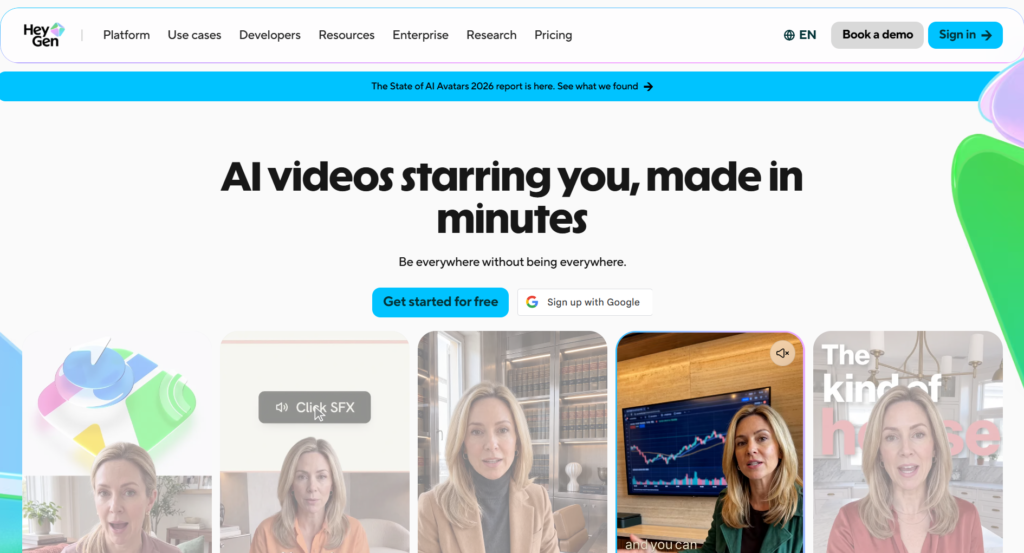
It can be useful for businesses that want a presenter to deliver information without recording a new video for every language or script revision.
Voiceover Features
HeyGen provides AI voices for avatar videos and offers voice-related features that can include voice cloning and multilingual dubbing, subject to the relevant plan and workflow.
The platform connects narration with a visual presenter, making it possible to create talking-head videos from written scripts.
For example, a software company could prepare an introductory video explaining its product. The company could then adapt the script for different markets and generate localized versions.
Advantages
- Combines AI narration and virtual presenters.
- Supports multilingual video workflows.
- Can reduce the need to reshoot content for script changes.
- Offers voice and avatar customization options.
- Can be used for explainers, presentations, and promotional content.
Limitations
An avatar-based video does not automatically look like genuine customer-generated content. The presentation style may feel more polished or formal than a casual smartphone recording.
Language counts also require careful interpretation. A platform’s supported speech languages, translation languages, and dubbing languages may differ.
Users should verify the specific language, voice, cloning, and export features included in their selected plan.
Who Should Consider HeyGen?
HeyGen is worth considering for creators and businesses producing presenter-led videos in multiple languages.
It can also suit organizations that need reusable digital presenters for product demonstrations, educational content, and marketing communication.
4. MakeUGC: AI Narration for Creator-Style Videos
MakeUGC is associated with AI-generated UGC-style advertising, including virtual presenters delivering scripts.
Its focus makes it relevant to marketers who want to create promotional videos in a creator-style format without coordinating every recording with a human presenter.
Voiceover Features
MakeUGC offers AI-generated speech as part of its video creation workflow. Depending on the available options, users can select narration for a script and combine it with a virtual actor.
The main benefit is the integration of voice generation with the video production process.
Rather than creating audio separately and importing it into another application, a user can work within the platform’s supported video workflow.
Advantages
- Designed for UGC-style promotional content.
- Combines narration and virtual presenters.
- Can simplify the production of script variations.
- Reduces dependence on traditional recording sessions.
- Supports repeatable advertising workflows.
Limitations
Voice quality can vary according to the selected speaker, language, script length, and delivery style.
Longer scripts may require additional editing to maintain a natural rhythm. Users should also check whether voice cloning, higher-volume generation, and particular export options require a more expensive plan.
Who Should Consider MakeUGC?
MakeUGC may be suitable for businesses and agencies producing recurring creator-style advertisements.
It is worth testing when a team wants a relatively integrated process for generating both a presenter and narration.
5. Captions: AI Voiceovers and Short-Form Video Editing
Captions is a video creation and editing platform aimed at creators who produce social media content.
Unlike tools that primarily generate advertisements from product information, Captions can be relevant to people who already have video footage and want to improve or transform it.
Voiceover Features
Captions offers AI-powered video workflows that can involve speech generation, dubbing, and audio-driven production. Specific features depend on the current product version and subscription.
One useful approach is to prepare a voiceover separately, then use compatible video editing or AI presenter features to build the final video.
This can be valuable for creators who want more flexibility over the source audio.
Advantages
- Focuses on short-form video production.
- Combines AI features with editing tools.
- Can support workflows involving existing footage.
- Helps creators prepare videos for social platforms.
- Offers alternatives to recording every narration from scratch.
Limitations
Not every audio workflow is identical. Some features may require an uploaded recording, while others may use generated speech or external voice tools.
Users should confirm whether their preferred cloning, narration, dubbing, and export features are included in the version they plan to use.
Who Should Consider Captions?
Captions is worth evaluating for social media creators who need narration alongside editing, captions, and other finishing tasks.
It may be especially relevant when the creator already has footage and wants to improve the overall production workflow.
6. ElevenLabs: Specialist AI Voice Generation
ElevenLabs is a dedicated AI audio platform offering text-to-speech and voice-related tools. Rather than functioning solely as a UGC video generator, it can provide the narration used in a separate video editor.
This separation gives creators another way to approach voiceover production.
Voiceover Features
ElevenLabs offers AI-generated speech, a range of voices, and voice cloning features subject to its applicable requirements and plans.
Creators can prepare a script, generate narration, review the output, and export audio for use in compatible video editing software.
For example, a creator producing a product review could generate a conversational voiceover and then synchronize it with product footage in a video editor.
Advantages
- Dedicated voice generation workflow.
- Offers voice selection and speech customization.
- Supports voice cloning under applicable conditions.
- Can be used with different video editing platforms.
- Provides flexibility for creators who want to manage audio separately.
Limitations
A standalone voice generator does not necessarily create the complete UGC video.
Users may need to import the audio, adjust timing, add captions, and synchronize it with footage or an avatar. These extra steps can increase production time.
Voice cloning also requires appropriate permission, and commercial use depends on the applicable subscription and licensing terms.
Who Should Consider ElevenLabs?
ElevenLabs is worth testing for creators who prioritize control over narration and are comfortable using a separate video editor.
It can also be useful when a particular voice or speech style is central to a brand’s identity.
AI Voiceover Comparison: Built-In Tools vs. External Generators
One of the main decisions when comparing AI voiceover options in UGC video tools is whether to use a built-in voice generator or a separate audio service.
Both approaches have practical advantages.
Built-In Voice Generation
A built-in generator creates narration within the same platform used to produce or edit the video.
The main benefit is convenience. Users can select a voice, generate the script, and continue working on the video without switching between multiple applications.
This approach is particularly useful for creators who prioritize speed and simplicity.
However, the voice selection or customization options may be more limited than those available through a dedicated audio service.
External Voice Generation
An external generator allows users to create narration independently and import it into a video editor.
This can provide greater flexibility when choosing a voice or adjusting the audio before it becomes part of the final video.
The trade-off is additional workflow complexity. Audio files must be transferred, synchronized, and revised when the script changes.
Also Read:
- Zanus AI Automation Review 2026: Features, Pricing, Benefits & Alternatives
- Grammarly for Windows Download 2026: How to Install Grammarly on PC for Free
- 8 Best Free Grammarly Alternatives in 2026
- Grammarly Review 2026: Features, Pricing, Pros, Cons & Alternatives
- 6 Best Claude Alternatives in 2026 (Free & Paid AI Tools)
Comparison Table
| Factor | Built-in AI voice | External AI voice |
|---|---|---|
| Ease of use | Usually simpler | Requires additional steps |
| Editing workflow | Integrated | Depends on file imports |
| Voice selection | Depends on platform | Depends on audio provider |
| Synchronization | Often integrated with video | May require manual adjustment |
| Revision process | Often straightforward | May involve multiple applications |
| Subscription costs | Usually part of a video plan | May require a separate subscription |
| Creative control | Varies by platform | Can offer more independent audio control |
Neither approach is automatically better. The right choice depends on the complexity of the video, the importance of voice customization, and the amount of editing required.
What Should You Compare Before Choosing an AI Voiceover Tool?
A useful comparison should go beyond the number of available voices.
1. Naturalness and Pronunciation
Listen to complete sentences rather than relying on short promotional demonstrations.
Check whether the voice pronounces product names, technical terms, abbreviations, and unfamiliar words correctly.
A voice that sounds convincing in a short sample may behave differently when reading a longer paragraph.
2. Language and Accent Support
If you publish content in multiple languages, verify that the tool supports the exact language and accent you need.
For Nepali creators, for example, it is important to test Nepali pronunciation, common English loanwords, names, and regional expressions.
A platform advertising extensive language support may not offer equally natural results in every language.
3. Voice Cloning
Voice cloning can help maintain a consistent voice across multiple videos.
However, cloning should only be performed with the speaker’s informed permission. The person providing the recording should understand how the voice will be used.
Check whether the feature is included in the subscription or requires a separate payment.
4. Script Editing and Retakes
Some tools make it easy to regenerate a sentence, while others may require the entire narration to be created again.
For frequent advertising updates, the ability to replace a single sentence can save time and generation credits.
5. Lip-Sync Quality
When a virtual presenter appears to speak, the mouth movements should align with the narration.
Test videos with natural pauses, longer sentences, and different speaking speeds. Check whether synchronization remains convincing throughout the clip.
6. Commercial Licensing
Commercial usage rights are especially important for businesses and creators earning money from their content.
Review the provider’s current terms for advertisements, sponsored posts, monetized videos, client work, and voice cloning.
Do not assume that a free plan automatically includes commercial rights.
7. Pricing and Usage Limits
Compare the total cost of the workflow, including video generation, audio generation, subscriptions, and additional credits.
A low monthly price may not cover the volume of videos you intend to produce.
8. Export Quality
Check whether the platform supports the video formats, audio quality, aspect ratios, and download options required for your publishing channels.
For TikTok, Reels, and Shorts, vertical video is often an important requirement.
How to Test AI Voiceover Quality Before Paying
A short, structured test can help you compare tools fairly.
First, write one script of approximately 100 to 150 words. Use the same script across every platform you are evaluating.
Include a product name, a number, a question, a short sentence, and a longer sentence. These elements can reveal differences in pronunciation and pacing.
Next, select comparable voice styles. For example, compare conversational voices with other conversational voices rather than comparing a casual narrator with a formal corporate announcer.
Generate the audio and evaluate the following factors:
- Pronunciation accuracy
- Natural pacing
- Sentence-level emphasis
- Clarity and intelligibility
- Consistency across sentences
- Emotional tone
- Background noise or audio artifacts
- Time required to correct mistakes
If you are testing AI presenters, also examine lip-sync quality and facial movement.
Finally, calculate the cost of producing a usable video rather than considering only the subscription price.
A tool that generates audio quickly may still require substantial editing. Another may take longer to configure but need fewer corrections.
For the most meaningful comparison, use the same script, similar voice settings, and the same quality criteria.
How to Create a UGC Video With an AI Voiceover
The following workflow can be adapted to most AI video tools.
Step 1: Define the Video’s Purpose
Decide whether you are creating a product advertisement, customer-style testimonial, tutorial, or promotional video.
The purpose determines the tone, script structure, and voice style.
Step 2: Write a Natural Script
Use short sentences and conversational language.
For a product advertisement, start with a relatable problem, introduce the product, explain its relevant features, and finish with a clear call to action.
Avoid exaggerated claims that cannot be substantiated.
Step 3: Select the Voice
Choose a voice that fits the audience and subject.
A friendly conversational voice may suit a casual product demonstration, while a measured narration may work better for an educational explainer.
Step 4: Generate the Narration
Convert the script into speech and listen to the complete recording.
Correct mispronunciations, unnatural pauses, and awkward emphasis before moving forward.
Step 5: Build the Video
Combine the voiceover with product footage, an AI presenter, screen recordings, or other relevant visuals.
If the video includes a talking avatar, verify that the speech and mouth movements remain synchronized.
Step 6: Add Captions
Captions can make social media videos easier to follow, particularly when viewers watch without sound.
Review automatically generated captions for spelling, punctuation, and timing.
Step 7: Review and Export
Check the entire video before publishing.
Confirm that the narration matches the visuals, product claims are accurate, audio levels are consistent, and the export meets the requirements of the intended platform.
Common Mistakes to Avoid
Choosing a Voice Only Because It Sounds Popular
A frequently used voice may be recognizable, but it may not match your brand or audience.
Test multiple voices instead of assuming that popularity guarantees suitability.
Ignoring the Script
Even a realistic synthetic voice can sound unnatural when reading poorly written text.
Use conversational wording, clear sentence structures, and punctuation that supports the intended delivery.
Overlooking Licensing
A voice that is available for personal experimentation may have different conditions for commercial use.
Review the current terms before using generated narration in paid advertisements or client projects.
Forgetting Localization
Direct translation does not always produce natural speech.
Have a fluent speaker review localized scripts, particularly when they contain cultural references, product claims, or regional expressions.
Publishing Without Listening
Always review the generated audio before uploading a video.
Check names, numbers, pronunciation, and sentence endings. A small error can make an otherwise polished video appear careless.
Which AI Voiceover Tool Fits Your Workflow?
The tools discussed in this guide support different production approaches. Your choice should depend on the type of video you need to make.
For product advertisements: Creatify offers a product-focused workflow that combines product information with AI-generated video and narration.
For virtual actor advertisements: Arcads and MakeUGC are worth evaluating if you want a presenter to deliver a prepared script.
For multilingual avatar videos: HeyGen provides an integrated approach to avatars, narration, and localization.
For short-form editing: Captions is relevant when your workflow includes existing footage, narration, and social media editing.
For dedicated voice generation: ElevenLabs is an option when you want to create audio separately and use it in a video editor.
These are workflow-based suggestions, not a ranking of voice quality. Actual results depend on the selected voice, language, script, subscription, and editing process.
Also Read: Adope Firefly Review
Conclusion
Comparing AI voiceover options in UGC video tools requires more than looking at advertised voice libraries or subscription prices. The most useful comparison considers the entire production process, from writing the script to generating narration, synchronizing visuals, editing the final video, and publishing it.
Creatify and Arcads offer workflows oriented toward AI-generated advertisements, while MakeUGC focuses on creator-style promotional content. HeyGen connects AI narration with avatar-based videos and multilingual workflows. Captions can be relevant to creators who need editing and audio features, while ElevenLabs provides a dedicated voice generation option that can be combined with external video software.
Each platform has different strengths, limitations, and plan requirements. The right choice depends on your content format, preferred language, production volume, budget, and desired level of control.
Before committing to a subscription, generate the same sample script with your shortlisted tools. Listen carefully, review the video synchronization, check commercial licensing, and calculate the cost of producing a finished video.
By evaluating these factors together, creators and businesses can make a more informed decision and build an AI voiceover workflow that supports their content goals in 2026.
Frequently Asked Questions
What is an AI voiceover tool for UGC videos?
An AI voiceover tool converts written text or authorized voice recordings into synthetic speech. In UGC video production, the audio can be combined with product footage, virtual presenters, or other visuals to create promotional and educational videos.
Can I use AI voiceovers for commercial videos?
Some platforms permit commercial use under specific paid plans or licensing terms. However, permissions vary by provider and feature. Review the current terms before using AI-generated speech in advertisements, sponsored posts, or client projects.
Which AI voiceover tools support voice cloning?
Tools such as ElevenLabs and HeyGen offer voice-related cloning capabilities, subject to their current requirements and plans. Other UGC platforms may provide native cloning or rely on an external service. Confirm the exact workflow before subscribing.
Can AI voiceovers speak Nepali?
Language support varies by platform and voice model. If you need Nepali narration, test a representative script before purchasing a subscription. Check pronunciation, naturalness, regional vocabulary, and the handling of English words commonly used in Nepali content.
Are built-in AI voices better than external voice generators?
Neither approach is universally better. Built-in voices simplify the production process, while external generators can provide additional flexibility in voice selection and audio preparation. Compare the actual output and editing requirements for your project.
Can I change the narration after creating a video?
Many workflows allow users to revise a script and regenerate the narration. Whether you can replace only one sentence or need to regenerate the entire recording depends on the platform.
Do AI voiceovers sound completely human?
AI speech can sound natural, but results vary. Pronunciation, pacing, emotion, and contextual emphasis can still reveal synthetic speech. Listening to the complete recording is essential.
Are free AI voiceover tools suitable for beginners?
Free plans and trials can help beginners explore different voices and workflows. However, generation limits, watermarks, export restrictions, and commercial licensing may differ. Check the current plan details before using free output for business purposes.
Can I use one AI voice across all my videos?
Yes, if the platform supports the workflow and its licensing terms permit your intended use. A consistent voice can help establish a recognizable brand identity. Keep the original voice recording and cloning permissions secure when applicable.
What is the most important factor when comparing AI voiceover options?
Start with the requirements of your actual content. Natural pronunciation, appropriate delivery, language support, commercial rights, editing convenience, and total cost all matter. Testing the same script across multiple tools is a practical way to identify differences.