

Grammarly Alternatives
Grammarly is a popular writing assistant that helps people correct grammar mistakes, improve sentence clarity, and write more professionally. However, its advanced writing features require a paid subscription, and some users want a simpler tool that does not require another monthly expense.
Fortunately, several free Grammarly alternatives are available in 2026. These tools can help you check spelling, fix punctuation, improve readability, rewrite sentences, and polish blog posts, emails, essays, and business documents.
Whether you are a student, blogger, freelancer, or professional writer, the right free grammar checker can make editing easier without adding another subscription to your budget.
In this guide, we compare the 8 best free Grammarly alternatives in 2026, including their main features, free-plan limitations, pros and cons, and ideal use cases.
If you are still deciding whether Grammarly itself is worth using, read our Grammarly Review 2026 for a closer look at its features.
Quick Comparison: Best Free Grammarly Alternatives in 2026
| Tool | Best For | Free Access | Main Advantage |
|---|---|---|---|
| LanguageTool | Grammar and multilingual proofreading | Yes, with limits | Supports multiple languages |
| QuillBot | Grammar checking and paraphrasing | Yes, with limits | Rewriting and summarization tools |
| Hemingway Editor | Readability improvement | Yes, online editor | Highlights complicated sentences |
| Microsoft Editor | Microsoft Word and browser users | Yes, basic features | Convenient writing assistance |
| ChatGPT | AI-powered proofreading | Yes, with usage limits | Flexible editing instructions |
| Wordtune | Sentence rewriting | Yes, with limits | Alternative wording suggestions |
| ProWritingAid | Long-form writing | Yes, with limits | Detailed writing reports |
| Slick Write | Basic writing analysis | Yes | Quick feedback on writing style |
Free-plan availability, usage restrictions, integrations, and features may change. Check each provider’s official website before relying on a specific feature.
Table of Contents
1. LanguageTool – Best Free Grammarly Alternative Overall
Best for: Students, bloggers, multilingual writers, and everyday proofreading.
LanguageTool is a grammar, spelling, punctuation, and style checker that helps users identify mistakes and improve their writing. It is one of the first tools worth trying if you want an alternative to Grammarly without immediately paying for a subscription.
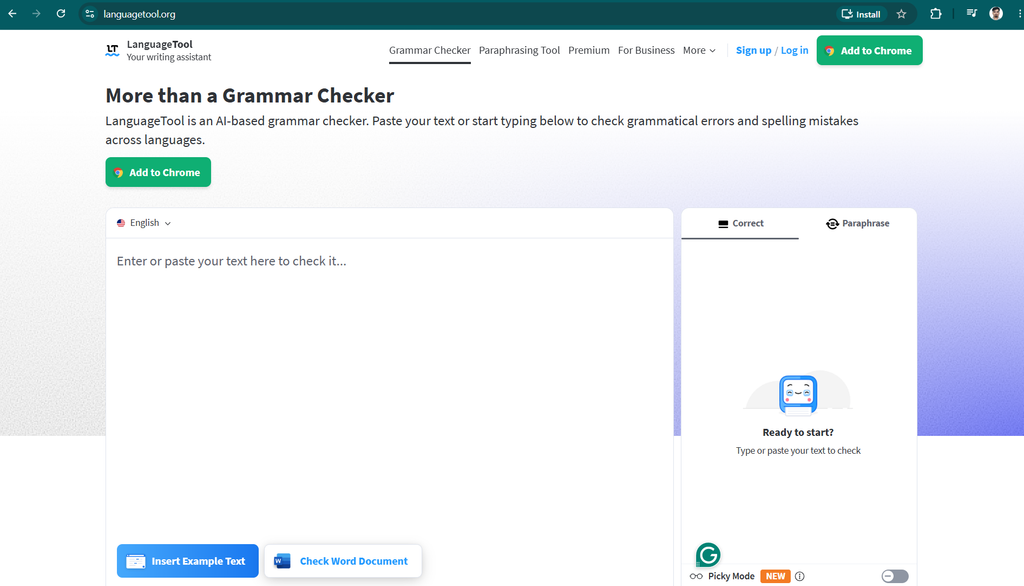
Its support for multiple languages makes it particularly useful for people who write in more than one language.
Key Features
- Grammar and spelling corrections.
- Punctuation checking.
- Style and clarity suggestions.
- Multilingual proofreading.
- Browser extensions and supported integrations.
- Free online text checking.
What Can You Do With the Free Version?
LanguageTool’s free version can help you identify common grammar and spelling errors before publishing an article, sending an email, or submitting an assignment.
For example, if you write a blog post with incorrect punctuation or a sentence containing a common grammatical mistake, LanguageTool can flag the problem and suggest a correction.
You can use it to proofread everyday writing without purchasing a premium subscription. However, the free version has restrictions, and advanced suggestions may require a paid plan.
Pros and Cons
| Pros | Cons |
|---|---|
| Free grammar-checking option | Some advanced suggestions require payment |
| Supports multiple languages | Accuracy varies by language |
| Useful for everyday proofreading | May miss context-specific mistakes |
| Offers browser integrations | Not primarily a content-generation tool |
Is LanguageTool Better Than Grammarly?
LanguageTool may be a better choice if you need multilingual proofreading or want to start with a free grammar checker.
Grammarly may be more suitable if you prefer its particular writing workflow and advanced editing features. Both tools can be useful, but the better choice depends on your requirements.
Verdict: LanguageTool is my first recommendation for anyone seeking a practical free Grammarly alternative for everyday proofreading.
2. QuillBot – Best Free Alternative for Grammar and Paraphrasing
Best for: Students, bloggers, researchers, and writers who frequently rewrite sentences.
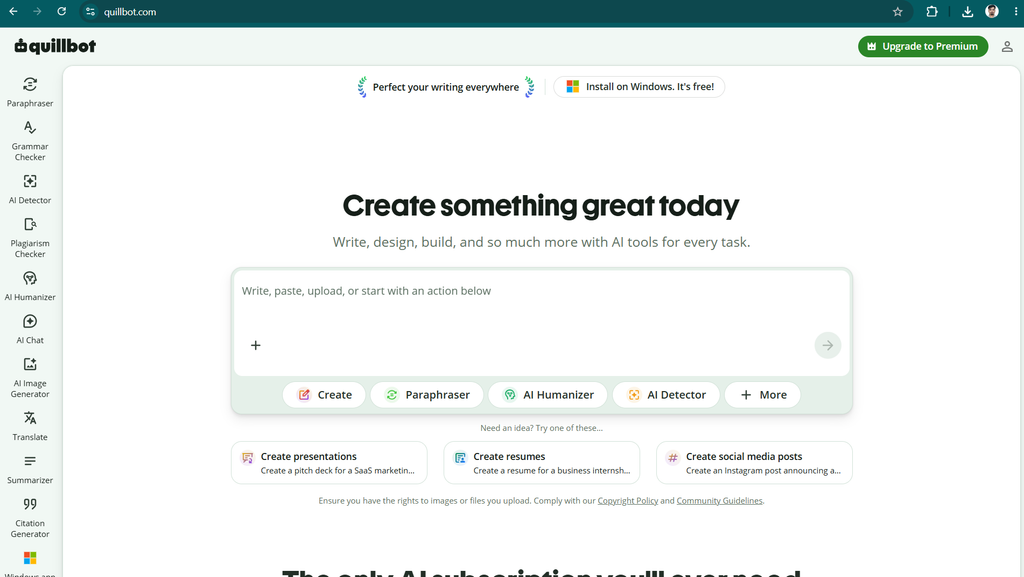
QuillBot is an AI writing platform known for paraphrasing and summarization. It also offers grammar-checking capabilities, making it a useful option for people who want more than basic proofreading.
Key Features
- Grammar checking.
- AI-powered paraphrasing.
- Sentence rewriting.
- Summarization.
- Citation-related writing tools.
- Additional features depending on the plan.
What Can You Do With the Free Version?
QuillBot can help you correct grammatical mistakes and explore alternative ways to express an idea.
For example, imagine you have written a sentence that sounds repetitive or awkward. Its paraphrasing tool can suggest another version that you can review and edit.
The free version provides access to selected features, but paraphrasing modes, usage limits, and other capabilities may be restricted.
If you regularly rewrite articles or summarize research, these limitations are worth considering before making QuillBot your primary writing assistant.
Pros and Cons
| Pros | Cons |
|---|---|
| Combines grammar checking and paraphrasing | Some features have usage limits |
| Useful for rewriting awkward sentences | Advanced options may require payment |
| Includes summarization tools | Rewriting can change the original meaning |
| Helpful for research and drafting | Does not replace fact-checking or citations |
Is QuillBot Completely Free?
QuillBot offers free access, but not every feature is available without restrictions. Check the current plan details to understand which paraphrasing and writing capabilities you can use at no cost.
Verdict: QuillBot is an excellent option if your writing workflow involves grammar correction, paraphrasing, and summarization.
3. Hemingway Editor – Best Free Tool for Readability
Best for: Bloggers, SEO writers, copywriters, and content creators.
Hemingway Editor focuses on making writing clear, direct, and easy to read. Unlike Grammarly, which provides broad grammar and writing assistance, Hemingway emphasizes readability.
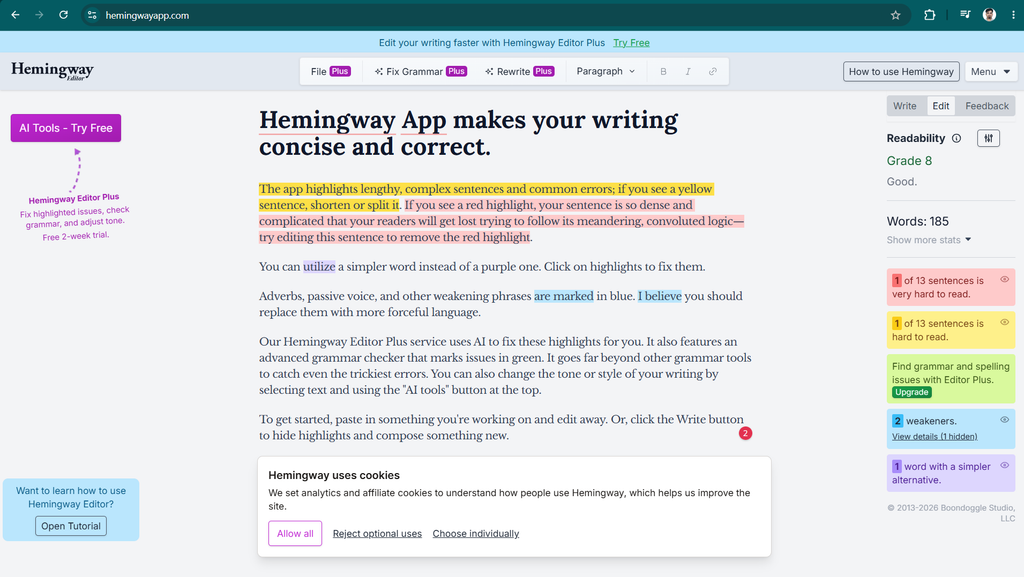
It is particularly useful when your content is grammatically correct but contains long sentences or complicated wording.
Key Features
- Readability analysis.
- Highlights for difficult sentences.
- Passive-voice identification.
- Warnings about excessive adverbs.
- Suggestions for simpler wording.
- An online editor for reviewing text.
What Can You Do With the Free Version?
You can paste a blog post, email, or article into the online editor and review the sections that may be difficult to understand.
For example, if you write a long sentence containing several ideas, Hemingway can highlight it so you can decide whether to split it into shorter sentences.
This is especially helpful for website content because readers often prefer information that is easy to scan and understand.
However, readability suggestions should not be followed blindly. Technical articles, academic writing, and detailed explanations sometimes require longer sentences or specialized vocabulary.
Pros and Cons
| Pros | Cons |
|---|---|
| Free online editing option | Not a comprehensive grammar checker |
| Makes difficult sentences easy to identify | May encourage oversimplification |
| Useful for SEO articles and blog posts | Some additional capabilities are paid |
| Simple and visual interface | Does not focus on paraphrasing |
Is Hemingway Editor Better Than Grammarly?
Hemingway may be better if your primary goal is improving readability. Grammarly is more suitable when you want broader grammar correction and writing suggestions.
Many writers can benefit from using both: one for grammar checking and the other for readability.
Verdict: Hemingway Editor is one of the best free Grammarly alternatives for bloggers who want concise, reader-friendly content.
4. Microsoft Editor – Best Free Alternative for Microsoft Word Users
Best for: Students, office workers, professionals, and Microsoft users.
Microsoft Editor is a writing assistant available through supported Microsoft products and other compatible environments.
It can help you check spelling, identify grammar mistakes, and improve certain aspects of writing clarity.
Key Features
- Spelling corrections.
- Grammar suggestions.
- Writing clarity assistance.
- Word choice and conciseness suggestions where supported.
- Integration with compatible Microsoft applications.
- Browser-based writing assistance through supported products.
What Can You Do With the Free Version?
Microsoft Editor is worth trying if you already use Microsoft Word or other supported Microsoft tools.
Instead of moving between different websites to proofread your work, you can use the writing assistance available in your existing workflow.
For example, a student preparing an assignment in Word can review spelling and grammar suggestions while editing the document.
The exact features available depend on the application, platform, account, and subscription.
Pros and Cons
| Pros | Cons |
|---|---|
| Convenient for Microsoft users | Features vary across applications |
| Basic writing assistance is available | Some capabilities require a subscription |
| Fits into an existing document workflow | Less specialized for paraphrasing |
| Useful for assignments and reports | May not match Grammarly’s integrations |
Is Microsoft Editor Free?
Microsoft provides some writing-assistance features without requiring a separate paid Editor subscription. Other capabilities may depend on an eligible Microsoft 365 plan.
Check the current feature list before deciding whether you need a paid subscription.
Verdict: Microsoft Editor is a sensible free Grammarly alternative for people who already work in Microsoft’s software ecosystem.
5. ChatGPT – Best Free Alternative for AI-Powered Editing
Best for: Bloggers, students, freelancers, marketers, and general content creators.
ChatGPT is an AI assistant that can proofread, rewrite, explain grammar rules, and improve writing according to your instructions.
Unlike a conventional grammar checker, ChatGPT allows you to describe exactly what you want changed.
Key Features
- Grammar and punctuation correction.
- Sentence rewriting.
- Tone and style adjustments.
- Explanations of grammar mistakes.
- Paragraph restructuring.
- Summarization and brainstorming.
- Article editing and improvement.
How to Use ChatGPT as a Free Grammar Checker
You can paste your writing into ChatGPT and use a prompt such as:
“Correct the grammar, spelling, and punctuation in this text. Preserve my original meaning and writing style. Use simple English, and explain the most important corrections after the edited version.”
This approach is useful because you can request an explanation instead of accepting corrections without understanding them.
ChatGPT can also help you improve introductions, remove repetition, simplify paragraphs, and make emails sound more professional.
However, it does not necessarily provide the same automatic, always-on proofreading experience as Grammarly. Free usage is also subject to limits, and its suggestions may occasionally introduce mistakes or alter your meaning.
Pros and Cons
| Pros | Cons |
|---|---|
| Flexible editing instructions | Usually requires a prompt or conversation |
| Can explain grammar mistakes | May introduce factual errors |
| Useful for long-form content | Free usage is limited |
| Helps with rewriting and structure | Not identical to an automatic grammar checker |
Is ChatGPT a Good Free Grammarly Alternative?
Yes, if you want flexible editing and explanations of how to improve your writing.
For automatic corrections while typing, a dedicated grammar checker may be more convenient. For broader editing, ChatGPT can be particularly useful.
Verdict: ChatGPT is one of the most versatile free options for writers who want more control over how their content is edited.
6. Wordtune – Best Free Alternative for Sentence Rewriting
Best for: Professionals, bloggers, English learners, and people who struggle with wording.
Wordtune is a writing assistant that focuses on rewriting sentences and expressing ideas more naturally.
It can help when a sentence is technically correct but sounds awkward, repetitive, or too formal.
Key Features
- Sentence rewriting.
- Alternative phrasing suggestions.
- Tone adjustments.
- Summarization capabilities.
- Writing assistance in supported workflows.
- Free access with restrictions.
What Can You Do With the Free Version?
Wordtune can suggest alternative versions of sentences so you can choose the wording that best fits your message.
For example, you might write a formal email and want it to sound friendlier. Alternatively, you may want to make a blog paragraph shorter and more direct.
The tool can provide rewriting suggestions, but the number of available uses and additional features depends on its current free plan.
Pros and Cons
| Pros | Cons |
|---|---|
| Useful for rewriting sentences | Free usage is restricted |
| Suggests alternative expressions | Not every suggestion sounds natural |
| Helps improve sentence flow | Advanced features may require payment |
| Suitable for emails and blog posts | Can change meaning if edits are not reviewed |
Is Wordtune Free?
Wordtune offers free access with restrictions. Check the current plan details for its available rewriting and other features.
Verdict: Wordtune is worth considering if your biggest problem is finding the right words rather than correcting basic grammar mistakes.
7. ProWritingAid – Best Free Grammarly Alternative for Long Articles
Best for: Bloggers, authors, fiction writers, and people who work with long documents.
ProWritingAid is a writing assistant that provides grammar corrections alongside detailed feedback on writing style and structure.
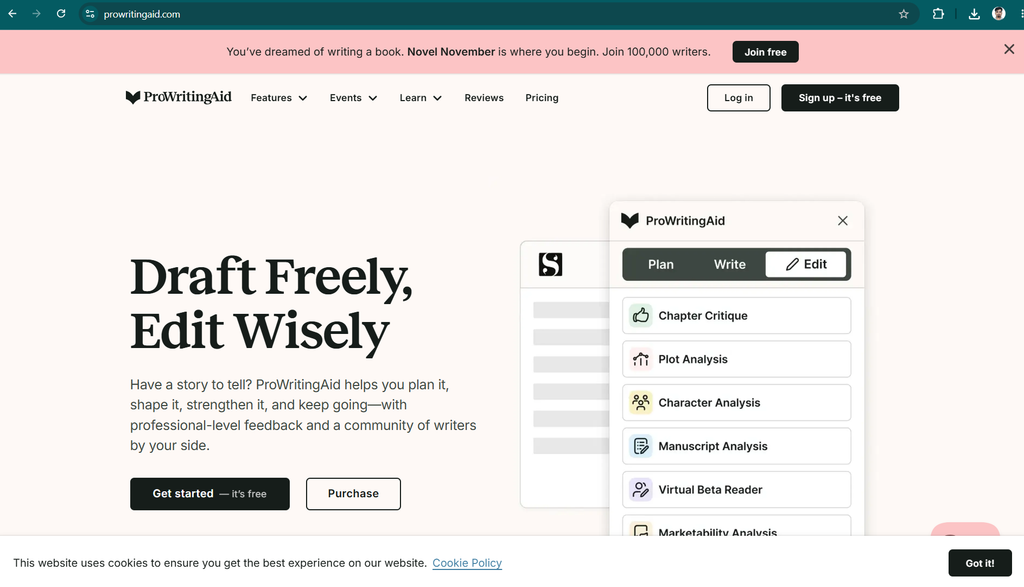
It is particularly useful for people who want to understand repeated writing problems rather than simply correct individual mistakes.
Key Features
- Grammar and spelling checks.
- Sentence-structure analysis.
- Readability feedback.
- Identification of repeated words and phrases.
- Style reports.
- Writing analysis for long-form content.
What Can You Do With the Free Version?
ProWritingAid offers free access with limitations. Depending on the current plan, you can try its writing checks and selected reports to identify areas that need improvement.
For example, if your article repeatedly uses the same words or contains awkward sentence structures, writing analysis can help you identify patterns that deserve attention.
However, some advanced reports, longer-document capabilities, and additional features require a paid subscription.
Pros and Cons
| Pros | Cons |
|---|---|
| Detailed feedback on writing style | Free access has restrictions |
| Useful for long-form editing | May feel complicated to beginners |
| Highlights repeated words and phrases | Some reports require payment |
| Helps develop better writing habits | Not every suggestion is necessary |
Is ProWritingAid Better Than Grammarly?
ProWritingAid may be a better fit for writers who want detailed style analysis, particularly when editing long articles or manuscripts.
Grammarly may be more convenient for everyday proofreading across supported applications.
Verdict: ProWritingAid is a good free option to test if you want deeper feedback on your writing, although frequent long-form users may eventually need a paid plan.
8. Slick Write – Best Free Tool for Basic Writing Analysis
Best for: Students, bloggers, and writers who want quick feedback without a complicated workflow.
Slick Write is an online writing-analysis tool that helps users review grammar, sentence structure, and writing style.
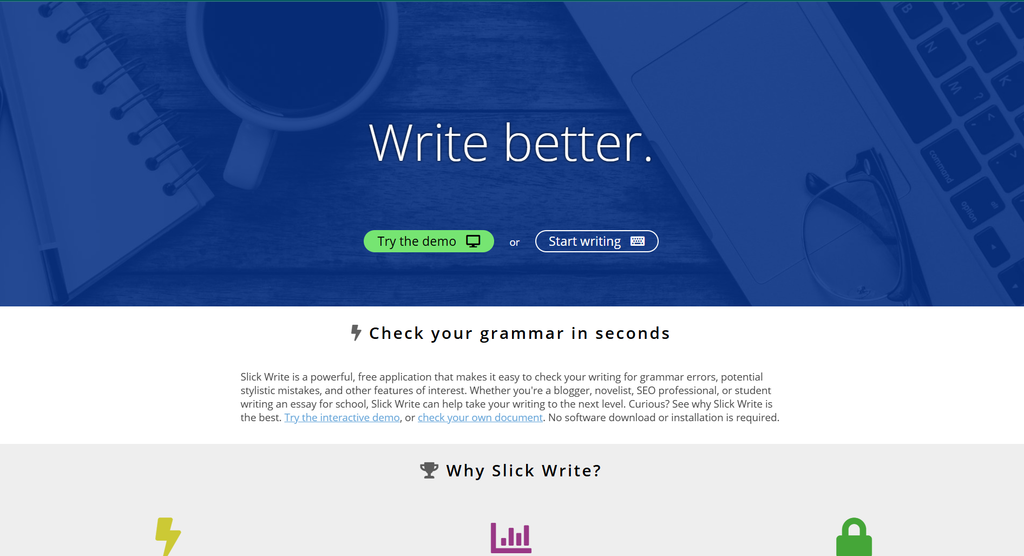
It is worth considering if you want a straightforward way to inspect your text without immediately subscribing to a premium writing assistant.
Key Features
- Grammar and writing checks.
- Sentence-structure analysis.
- Feedback on word usage.
- Readability-related insights.
- Writing-style analysis.
- Online text review.
What Can You Do With Slick Write?
Slick Write can help you identify writing patterns that may affect the clarity and flow of your content.
For example, you can review an article and look for repetitive wording, unnecessary complexity, or sentence structures that could be improved.
It is not designed to replace every feature found in a modern AI writing assistant. Instead, it offers a more focused way to examine your writing.
Pros and Cons
| Pros | Cons |
|---|---|
| Free online writing analysis | Interface may feel dated |
| Useful for reviewing writing style | Not as comprehensive as some paid editors |
| Suitable for basic proofreading tasks | May not provide advanced AI rewriting |
| Straightforward editing workflow | Integrations and features are limited |
Is Slick Write Completely Free?
Slick Write has offered its writing-analysis service free of charge. Check the website for current availability and review its privacy information before submitting sensitive material.
Verdict: Slick Write is worth trying if you want a free way to examine grammar and writing style without paying for a premium assistant.
Which Free Grammarly Alternative Is Best for You?
The right tool depends on what you want to improve. Here is a quick guide to choosing the best option for your needs.
| Your Main Need | Best Tool to Try | Why |
|---|---|---|
| Everyday grammar checking | LanguageTool | Practical proofreading and multilingual support |
| Paraphrasing | QuillBot | Dedicated rewriting features |
| Readability improvement | Hemingway Editor | Highlights difficult sentences |
| Microsoft Word editing | Microsoft Editor | Convenient Microsoft integration |
| AI-powered proofreading | ChatGPT | Custom instructions and explanations |
| Sentence rewriting | Wordtune | Alternative phrasing |
| Detailed writing feedback | ProWritingAid | Style and structure analysis |
| Basic writing analysis | Slick Write | Free online feedback |
These recommendations are based on each tool’s main purpose, not a claim that every tool has been independently tested against the others under identical conditions.
Are Free Grammarly Alternatives Good Enough for Bloggers?
For many bloggers, free grammar checkers are sufficient for everyday editing.
A typical article-writing workflow includes drafting the content, correcting grammar, improving readability, checking facts, and preparing the final version for publication.
You can use free tools at different stages:
- Draft your article: Write the first version in your preferred editor.
- Check grammar: Use LanguageTool or Microsoft Editor to identify common mistakes.
- Improve readability: Review difficult sentences using Hemingway Editor.
- Rewrite awkward sections: Use ChatGPT, QuillBot, or Wordtune where appropriate.
- Review the final article: Check factual accuracy, spelling, headings, links, and formatting.
You do not need to use all eight tools. Choose one grammar checker and add another tool only when it provides a clear benefit.
For SEO content, remember that correct grammar alone does not guarantee higher rankings. Helpful information, originality, accurate facts, search intent, and a good reader experience are also important.
Conclusion: Which Free Grammarly Alternative Should You Choose?
You do not need to pay for Grammarly to improve your writing. Several free alternatives can help you correct mistakes, improve clarity, and produce more professional content.
Here are my final recommendations:
- Best overall starting point: LanguageTool for everyday grammar checking.
- Best for paraphrasing: QuillBot for rewriting and summarization.
- Best for readability: Hemingway Editor for clearer, more direct sentences.
- Best for Microsoft users: Microsoft Editor for convenient proofreading.
- Best for flexible AI editing: ChatGPT for grammar explanations and content improvement.
- Best for sentence rewriting: Wordtune for alternative expressions.
- Best for detailed writing feedback: ProWritingAid for style and structure analysis.
- Best for free writing analysis: Slick Write for basic grammar and style feedback.
My recommendation is to start with LanguageTool and Hemingway Editor. Use ChatGPT when you need more detailed editing, and add QuillBot if paraphrasing is an important part of your workflow.
Test the free versions with your actual writing before committing to a subscription. Pay for a tool only when its extra features save enough time or improve your work enough to justify the cost.
Ultimately, the best Grammarly alternative is the one that helps you write clearly, accurately, and confidently while fitting your budget.
Frequently Asked Questions
What is the best free Grammarly alternative in 2026?
LanguageTool is a strong starting point for general grammar checking. QuillBot is useful for paraphrasing, Hemingway Editor helps with readability, and ChatGPT provides flexible editing instructions. The best option depends on your needs.
Is there a completely free alternative to Grammarly?
Yes. Slick Write offers free writing analysis, and Hemingway Editor provides a free online editor. LanguageTool, Microsoft Editor, ChatGPT, and other tools also offer free access, although some have usage restrictions or paid features.
Which free grammar checker is best for students?
LanguageTool and Microsoft Editor are good options for checking everyday writing. ChatGPT can also explain grammar mistakes, while QuillBot can assist with paraphrasing and summarization. Students should follow their institution’s rules regarding AI assistance.
Which Grammarly alternative is best for bloggers?
LanguageTool is useful for grammar checking, Hemingway Editor for readability, and ProWritingAid for detailed writing feedback. ChatGPT can also help revise article structure and improve explanations.
Can ChatGPT replace Grammarly for free?
ChatGPT can perform proofreading, rewriting, and grammar explanations. However, it may not offer the same automatic editing experience across supported applications. A dedicated grammar checker can be more convenient for real-time corrections.
Is LanguageTool better than Grammarly?
LanguageTool may be preferable if multilingual proofreading is important. Grammarly may be better suited to users who prefer its specific writing workflow and broader combination of writing features. Compare the free versions before choosing.
Can I use free Grammarly alternatives on Windows?
Yes. Many of these tools can be accessed through a web browser, and some offer compatible desktop applications or browser extensions. Check each provider’s official website for Windows support and installation requirements.
Where can I download Grammarly for Windows?
You can find the official Windows application on the Grammarly for Windows download page. Grammarly offers a free plan, although some advanced writing features require a paid subscription.
If you specifically want a free alternative instead of Grammarly, try LanguageTool, Microsoft Editor, or a browser-based writing tool that supports your workflow.
Can I buy Grammarly stock in 2026?
Grammarly has historically been a privately held company, so it has not been available as an ordinary publicly traded stock. Check current company announcements and reliable financial sources before making assumptions about its listing status. Private-market share estimates, where available, are not the same as a publicly traded stock price.
Do free Grammarly alternatives improve SEO?
They can help you correct errors and improve readability, making your content easier to understand. However, a grammar checker cannot guarantee higher search rankings. SEO also depends on content usefulness, originality, search intent, technical performance, and other factors.

1 Comment