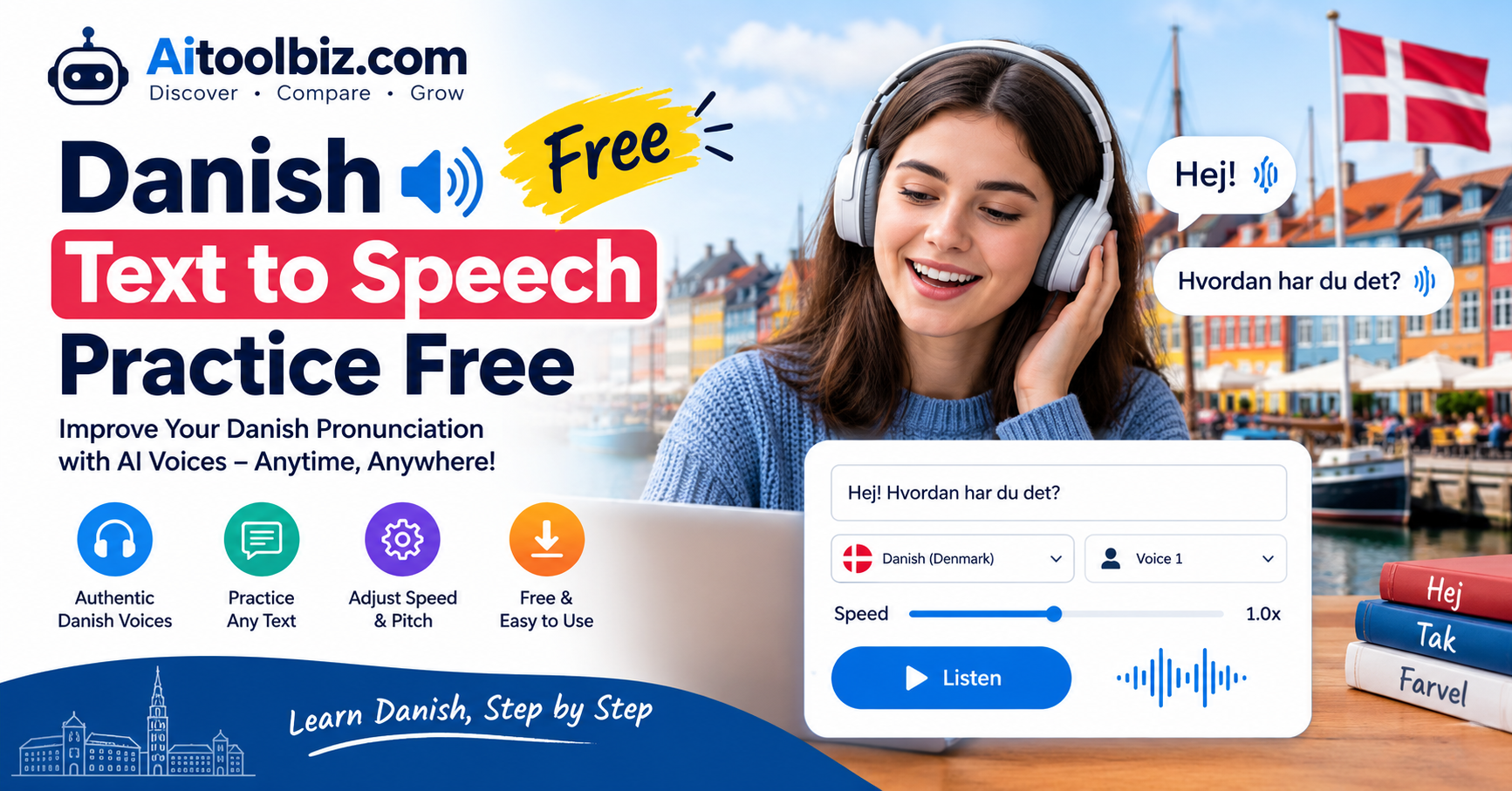
Danish Text to Speech Practice Free
Learning a new language becomes much easier when you can connect written words with their actual pronunciation. Danish is a fascinating language, but its pronunciation can be challenging for beginners. Some words sound quite different from how they appear on the page, and understanding native Danish speakers can take time. Fortunately, free Danish text to speech practice tools make it easier to listen to Danish words, repeat sentences, and develop better listening and speaking skills from home.
Danish text to speech practice free tools allow learners to convert written Danish into spoken audio. Instead of relying only on textbooks, vocabulary lists, or classroom lessons, you can type a Danish word, sentence, or paragraph and hear a digital voice read it aloud. You can repeat the audio, slow down your practice, and focus on sounds that are difficult to understand.
Whether you are a complete beginner, a student preparing for a Danish examination, a traveler planning to visit Denmark, or someone learning Danish for professional reasons, text to speech technology can become a useful part of your daily language routine.
Many online tools provide free access to Danish speech generation, although their features, usage limits, available voices, and download options vary. Some services allow you to listen directly in your browser, while others offer downloadable audio or additional pronunciation features.
In this guide, you will learn how free Danish text to speech practice works, how to choose a suitable tool, how to improve your pronunciation, and how to build a practical Danish listening routine without spending money.
Table of Contents
What Is Danish Text to Speech Practice Free?
Danish text to speech practice free refers to using free text to speech technology to turn written Danish into spoken audio. These tools use speech synthesis to produce a digital voice that reads the text you provide.
For example, you can enter a simple Danish greeting such as:
“Hej! Hvordan har du det?”
The tool converts the sentence into speech, allowing you to hear how the words sound together. You can listen while reading the text, repeat the sentence aloud, and practise until you feel more comfortable saying it yourself.
Text to speech technology is available through websites, mobile applications, operating system accessibility features, and dedicated AI voice generators.
For language learners, the main advantage is flexibility. You can create audio practice material from almost any Danish text you are studying. This might include vocabulary from a textbook, messages you want to understand, short stories, travel phrases, or sentences you have written yourself.
Instead of searching for a recording of every word or sentence, you can generate speech whenever you need another example.
Free Danish text to speech tools may also help people who prefer auditory learning, learners who have difficulty reading long passages, and anyone who wants to practise Danish independently.
However, text to speech is a learning aid rather than a complete language course. It can help you hear pronunciation, but it cannot automatically teach you every grammatical rule or guarantee that your own pronunciation is correct.
Why Is Danish Pronunciation Difficult for Beginners?
Danish pronunciation can be challenging because the relationship between spelling and speech is not always straightforward.
A learner might recognise a written Danish word but struggle to understand it when hearing it in conversation. Similarly, reading a Danish sentence aloud using the pronunciation rules of another language may produce a result that sounds unfamiliar to Danish speakers.
Several characteristics contribute to this challenge.
1. Danish Vowel Sounds
Danish has a rich vowel system, including distinctions that may not exist in your first language. Some vowels can sound similar to beginners, making it difficult to identify the correct sound.
The Danish letters æ, ø, and å are especially important.
- Æ is a distinct Danish vowel.
- Ø represents a vowel that may be unfamiliar to English speakers.
- Å represents another distinct vowel sound.
These letters are not simply decorative variations of English letters. They represent sounds that learners should become familiar with through listening and speaking practice.
For example, practise words such as “æble” (apple), “øl” (beer), and “år” (year). Listen carefully to the vowel in each word and repeat it several times.
A Danish text to speech tool can provide a convenient way to hear these words whenever you want to practise.
2. Silent or Reduced Sounds
Some Danish words contain letters or syllables that are not pronounced as a beginner might expect.
In everyday speech, sounds may also become less distinct, particularly when words appear together in a sentence.
This can make Danish listening comprehension difficult. A sentence that looks simple on paper may sound unfamiliar when spoken naturally.
Regularly listening to complete sentences helps you become more familiar with these patterns.
3. Connected Speech
When people speak naturally, they do not pronounce every word as an isolated item. Sounds flow together, and some parts of a sentence may be reduced.
This is common across languages, but it can be particularly noticeable to learners of Danish.
Text to speech practice allows you to hear individual words and complete sentences. Start with isolated vocabulary, then gradually move to longer phrases and conversations.
4. Stød
Stød is a distinctive feature of Danish pronunciation. It is often described as a brief interruption, tightening, or creaky quality in the voice within certain stressed syllables.
It does not appear as a separate written letter, and its use depends on the word.
Listening to Danish speakers can help you become familiar with this feature. However, a basic text to speech voice may not always demonstrate it in a way that is easy for beginners to recognise.
For that reason, combine synthetic speech with recordings of real Danish speakers whenever possible.
Best Ways to Practise Danish Text to Speech for Free
You do not need expensive language-learning software to begin practising Danish pronunciation. Several free online options can help you turn written text into spoken Danish.
The following tools offer different approaches, so the right choice depends on whether you need quick listening practice, downloadable audio, or additional pronunciation support.
1. Toolversal Danish Text to Speech Practice Free
Toolversal offers a dedicated Danish text to speech practice page designed for learners who want to hear written Danish spoken aloud.
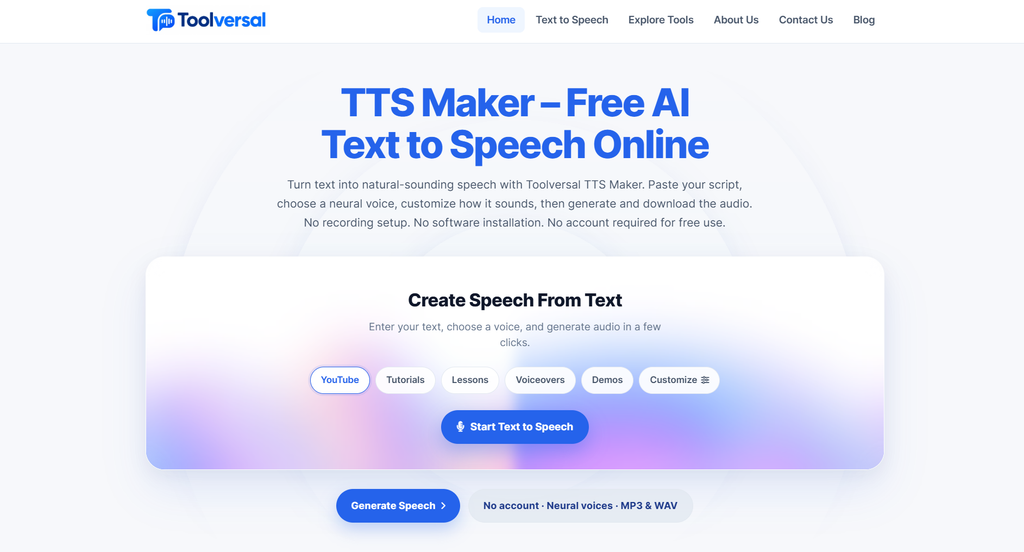
You can enter a word, sentence, dialogue, or short passage and generate Danish audio. The tool also provides controls for speech speed and pitch.
According to its available interface, the Danish option is labelled Danish (Denmark), with the language code da-DK. The page lists two Danish speakers and supports text input of up to 800 characters per generation.
This makes it suitable for practising short sentences, everyday expressions, and small sections of reading material.
How to use Toolversal:
- Open the Danish text to speech practice page.
- Enter a Danish word or sentence.
- Confirm that Danish (Denmark) is selected.
- Choose a voice if multiple options are available.
- Adjust the speed if necessary.
- Generate the speech and listen carefully.
- Repeat the sentence aloud.
The short input limit encourages learners to divide longer passages into smaller sections.
Visit: Toolversal Danish Text to Speech Practice Free
2. Quick TTS Danish Text to Speech
Quick TTS provides a browser-based approach to Danish speech generation.
Its Danish page describes support through the Web Speech API, which can use Danish voices available on your device or operating system.
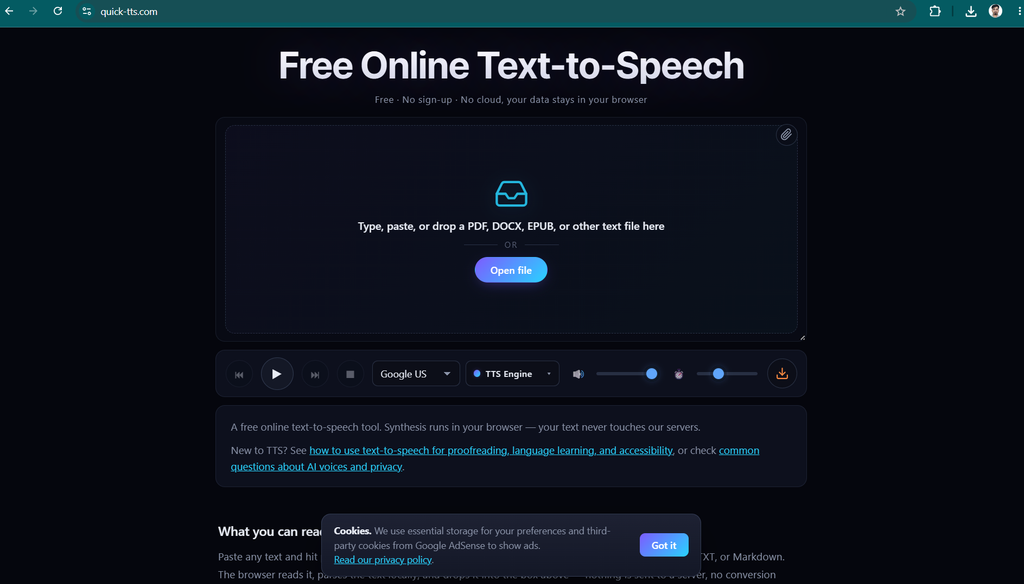
This means the available voice may depend on your browser, operating system, and installed speech resources. The voice selection and pronunciation quality may therefore differ between devices.
Quick TTS can be useful if you want to experiment with Danish text without installing a dedicated desktop application.
How to use Quick TTS:
- Open the Danish text to speech page.
- Enter or paste your Danish text.
- Select a Danish voice if one is available.
- Start playback.
- Listen to the sentence and repeat it aloud.
Check that the selected voice actually speaks Danish. A voice intended for another language may pronounce Danish words incorrectly.
Visit: Quick TTS Danish Text to Speech
3. Subformer Free Danish Text to Speech
Subformer offers a free Danish text to speech tool that runs in the browser.
Its website explains that the voice model is downloaded to the browser for local processing. The initial model download is approximately 60 MB, after which speech generation can run locally.
The service also states that users can play generated audio and save it as a WAV file.
Local processing can be useful for people who prefer to keep the text they enter on their own device. However, the initial download still requires an internet connection, and the model needs compatible browser resources.
How to use Subformer:
- Open its Danish text to speech page.
- Type or paste your Danish text.
- Allow the voice model to download if this is your first visit.
- Generate the speech.
- Listen to the audio.
- Save the WAV file if you want to practise offline.
Visit: Subformer Free Danish Text to Speech
4. Speecher Danish Text to Speech
Speecher offers Danish text to speech with additional features intended to support pronunciation practice.
Its Danish page describes phonetic transcription using the International Phonetic Alphabet (IPA), along with word highlighting in its karaoke-style display.
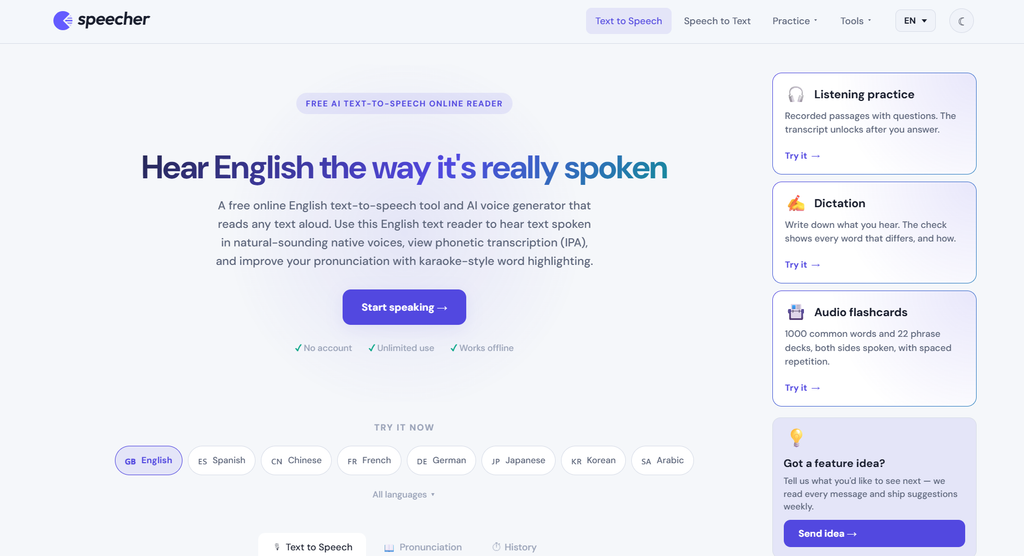
These features can help learners connect written words with spoken sounds. The IPA display may be particularly useful when you want to investigate why a Danish word sounds different from its spelling.
The service also describes audio export and speech-to-text functionality. Availability of particular options may depend on the current interface and selected voice.
How to use Speecher:
- Open the Danish language page.
- Enter a Danish sentence.
- Generate or play the speech.
- Follow the highlighted words while listening.
- Use phonetic information if available.
- Repeat the sentence and focus on difficult sounds.
Visit: Speecher Danish Text to Speech
5. FreeTTS Danish Text to Speech
FreeTTS provides several ways to generate or play Danish speech.
Its available options include device-based speech, local AI speech, and cloud-based AI speech. Depending on the mode, you may be able to adjust speed, pitch, volume, and pauses.
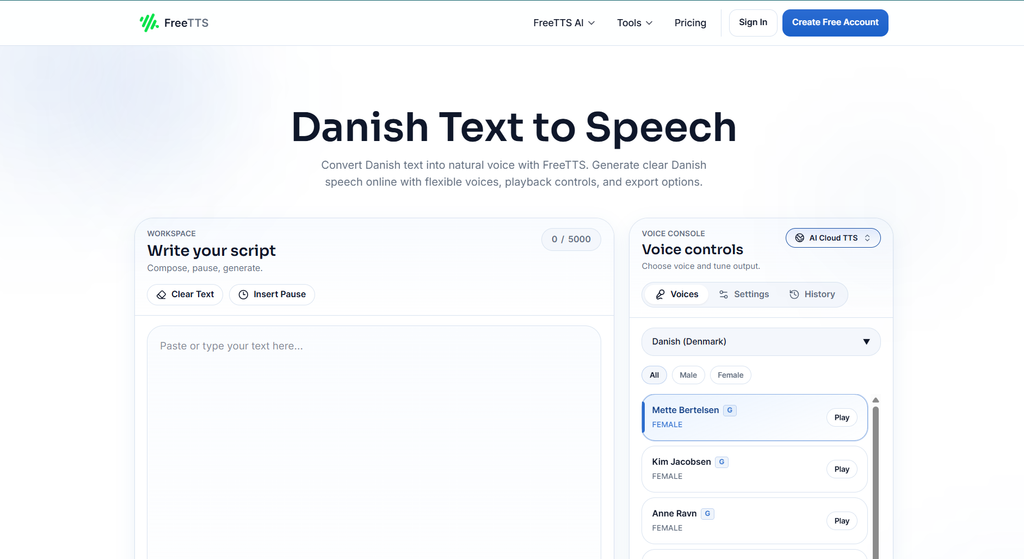
This flexibility can be useful when you want to practise the same sentence at different speeds.
For example, you could listen to a Danish sentence slowly, repeat it, and then listen at a more natural pace.
How to use FreeTTS:
- Open the Danish text to speech page.
- Enter your Danish text.
- Select an available speech mode.
- Choose a Danish voice.
- Adjust the playback settings.
- Generate or play the audio.
- Repeat the sentence aloud.
Visit: FreeTTS Danish Text to Speech
Free access and downloadable audio options may vary by mode, so check the current terms before relying on a particular feature.
Also Read: Ai tool for Business
How to Practise Danish Pronunciation Step by Step
Having access to a text to speech tool is only the beginning. To improve your Danish pronunciation, you need a repeatable method that combines listening, reading, and speaking.
Here is a simple process that beginners can follow.
Step 1: Start With Short Danish Words
Choose five to ten Danish words that you want to learn.
For example:
- Hej — Hello
- Tak — Thank you
- Ja — Yes
- Nej — No
- Vand — Water
- Bog — Book
- Hus — House
- Mad — Food
Enter the words into your chosen text to speech tool.
Listen to each word carefully. Then say it aloud.
At this stage, focus on recognising the sounds rather than speaking quickly.
Step 2: Practise Everyday Sentences
Once you become familiar with individual words, move to short sentences.
Try these examples:
“Hej, jeg hedder Anna.” — Hello, my name is Anna.
“Jeg taler lidt dansk.” — I speak a little Danish.
“Hvordan går det?” — How are you?
“Jeg vil gerne have vand.” — I would like some water.
“Tak for hjælpen.” — Thank you for the help.
Generate each sentence and listen to it several times.
Pay attention to how the words sound together. Try to reproduce the complete sentence rather than saying every word with a separate pause.
Step 3: Listen Before Reading Along
For an effective listening exercise, play the sentence once without looking at the text.
Try to identify the words you recognise.
Then read the sentence while listening again.
This method encourages you to develop your listening skills instead of depending entirely on written clues.
If the sentence is too difficult, shorten it or choose simpler vocabulary.
Step 4: Repeat the Sentence Aloud
After listening, pause the audio and repeat the sentence yourself.
Try to match the general rhythm, vowel sounds, and word connections.
You do not need to reproduce every detail perfectly. Focus on one pronunciation feature at a time.
For example, during one repetition, focus on a difficult vowel. During the next, focus on the rhythm of the sentence.
Step 5: Record Your Own Voice
If you are comfortable doing so, use a phone or computer to record yourself speaking Danish.
Listen to your recording and compare it with the text to speech version.
Notice which words are difficult to pronounce and which parts of the sentence sound different.
A text to speech tool cannot reliably judge every detail of your pronunciation, but comparing recordings can help you identify areas for further practice.
Step 6: Practise Again the Next Day
Repeat the same words and sentences the following day.
Then introduce a few new examples.
Revisiting material over several days helps you build familiarity without needing to memorise a large vocabulary list in one sitting.
Danish Text to Speech Practice for Beginners
Beginners should focus on simple vocabulary, common expressions, and short sentences.
Trying to understand a long Danish news article on the first day can be frustrating. A better approach is to begin with language you can understand and gradually increase the difficulty.
Practise Greetings
Greetings are useful because they appear frequently in everyday conversation.
Start with:
“Hej!” — Hello!
“Godmorgen.” — Good morning.
“Goddag.” — Good day.
“God aften.” — Good evening.
“Farvel.” — Goodbye.
Listen to each greeting and repeat it.
Next, combine two expressions into a short dialogue.
Person A: Hej! Hvordan går det?
Person B: Det går godt, tak. Og dig?
Person A: Også godt, tak.
Generate the dialogue in short sections if your tool has a character limit.
Practise Introducing Yourself
Self-introductions are useful for learners preparing to meet Danish speakers.
Try these sentences:
“Jeg hedder Maria.” — My name is Maria.
“Jeg kommer fra Nepal.” — I come from Nepal.
“Jeg lærer dansk.” — I am learning Danish.
“Jeg bor i København.” — I live in Copenhagen.
Change the names and locations to create sentences that are relevant to your life.
Listen to each sentence, repeat it, and then try to say it without reading the text.
Practise Numbers and Time
Numbers are useful for shopping, travel, appointments, and everyday conversations.
Start with a small group of numbers and gradually expand your practice.
You can also practise asking and answering questions about the time.
For example:
“Hvad er klokken?” — What time is it?
“Klokken er tre.” — It is three o’clock.
“Hvornår starter toget?” — When does the train leave?
Listen carefully to the pronunciation of the numbers and repeat them separately before practising the complete sentences.
How to Improve Danish Listening Comprehension
Listening comprehension is an important part of learning Danish.
You may understand a word when reading it but fail to recognise it when someone says it quickly. Regular audio practice can help you become more familiar with the sound of Danish.
Use the Same Sentence at Different Speeds
If your tool offers a speed control, begin with a slower setting.
Listen to the sentence and identify the words.
Then increase the speed toward a more natural pace.
Slower playback is useful for studying unfamiliar sounds, but normal-speed listening is also essential. You eventually need to recognise Danish without depending on artificially slow speech.
Practise With Questions and Answers
Create short question-and-answer pairs.
For example:
Question: “Hvad hedder du?”
Answer: “Jeg hedder Peter.”
Question: “Hvor bor du?”
Answer: “Jeg bor i Aarhus.”
Question: “Taler du dansk?”
Answer: “Ja, jeg taler lidt dansk.”
Listen to the question, pause, and try to answer before playing the response.
This turns a simple text to speech exercise into a listening and speaking activity.
Use Short Dialogues
Once you feel comfortable with individual sentences, practise a short conversation.
Imagine ordering a drink at a café.
Customer: “Hej, jeg vil gerne have en kop kaffe.”
Server: “Ja, selvfølgelig.”
Customer: “Hvad koster det?”
Server: “Det koster tredive kroner.”
Customer: “Tak.”
Generate each line separately if necessary. Listen to the complete exchange and repeat both sides of the conversation.
You can also practise changing the details, such as ordering tea instead of coffee.
Combine Synthetic Speech With Real Danish Audio
AI-generated voices are useful, but they should not be your only listening resource.
Different text to speech systems can pronounce words differently. Some may sound natural, while others may have unusual rhythm or pronunciation.
Real Danish conversations, interviews, podcasts, and educational recordings expose you to natural speaking styles and a wider range of voices.
Use text to speech to practise specific vocabulary and sentences. Then listen to real Danish speakers to understand how similar words sound in everyday conversation.
Danish Text to Speech Practice for Students
Students can use free Danish text to speech tools to support classroom learning and exam preparation.
One useful approach is to turn written study material into short listening exercises.
For example, if you are learning vocabulary related to food, create a list of Danish food words and generate audio for each one.
Next, use the words in sentences.
Finally, listen to a short paragraph that includes the same vocabulary.
This approach connects individual words with their use in context.
Create a Personal Listening Library
If your selected tool allows audio downloads, you can save short recordings for later practice.
Organise the files by topic, such as greetings, numbers, food, travel, or work.
You can then listen to the recordings while reviewing your notes.
Before downloading or sharing audio, check the tool’s terms and any restrictions that apply to your intended use.
Prepare for Danish Listening Tests
If you are preparing for an examination, use text to speech to familiarise yourself with vocabulary and sentence structures that appear in your lessons.
However, do not assume that generated audio will reproduce the exact style, accent, speed, or difficulty of an official examination.
Use practice tools alongside your course materials and authentic listening exercises.
Danish Text to Speech for Travel and Everyday Life
Free Danish text to speech can also help travellers prepare for everyday situations in Denmark.
Learning a few useful phrases before a trip can make common interactions easier.
At a Restaurant
Practise these phrases:
“Et bord til to, tak.” — A table for two, please.
“Jeg vil gerne bestille.” — I would like to order.
“Kan jeg få menuen?” — Can I have the menu?
“Regningen, tak.” — The bill, please.
Listen to the phrases and repeat them until you can say them without reading.
Asking for Directions
Try these examples:
“Undskyld, hvor er stationen?” — Excuse me, where is the station?
“Hvordan kommer jeg til centrum?” — How do I get to the city centre?
“Er det langt herfra?” — Is it far from here?
Practise both the questions and possible responses.
Shopping
Useful shopping expressions include:
“Hvad koster den?” — How much does it cost?
“Har I denne i en anden størrelse?” — Do you have this in another size?
“Kan jeg betale med kort?” — Can I pay by card?
These examples give you a practical starting point for learning Danish vocabulary and sentence patterns.
Free Danish Text to Speech vs. Paid AI Voice Tools
Free and paid text to speech tools can both support language learning. The main differences usually involve usage limits, voice selection, audio export, and additional controls.
Free tools are often sufficient for short daily practice sessions. You may be able to generate common phrases, listen to vocabulary, and practise pronunciation without creating an account.
Paid services may offer additional voices, longer text limits, more generation credits, or advanced audio controls.
The following comparison can help you decide what you actually need.
| Feature | Free Tools | Paid Tools |
|---|---|---|
| Basic Danish speech | Often available | Usually available |
| Short pronunciation exercises | Suitable for many learners | Suitable |
| Voice selection | May be limited | May offer more choices |
| Long passages | Limits may apply | Often higher limits |
| Audio downloads | Depends on the tool | Commonly available |
| Advanced voice controls | Varies | May include additional options |
| Cost | Free within the stated limits | Subscription or usage fees may apply |
You do not need to pay for a premium service simply to begin learning Danish pronunciation.
Start with a free tool and evaluate whether its voice quality, language support, and usage limits meet your needs.
If you later need longer recordings or more advanced features, compare the available plans before upgrading.
Common Mistakes to Avoid When Using Danish Text to Speech
Text to speech practice is most useful when you use it actively. Avoid the following common mistakes.
1. Listening Without Repeating
Listening helps you become familiar with Danish sounds, but speaking practice is also important.
After hearing a sentence, repeat it aloud. This gives you an opportunity to practise producing the sounds yourself.
2. Starting With Long Paragraphs
Long passages can overwhelm beginners.
Start with a word or short sentence. Increase the length gradually as your listening skills improve.
3. Ignoring Difficult Vowels
Do not skip unfamiliar sounds simply because they seem difficult.
Spend extra time listening to Danish vowels, including æ, ø, and å.
Practise them in different words and sentences.
4. Expecting Every AI Voice to Be Perfect
Speech synthesis systems differ in quality, pronunciation, and naturalness.
If a word sounds unusual, compare it with a reliable Danish dictionary or a recording from a fluent speaker.
5. Depending Only on Slow Audio
Slower audio can make individual sounds easier to notice, but normal-speed listening is important for everyday communication.
Use both speeds when available.
6. Studying Without a Routine
Occasional practice can help, but a consistent schedule makes it easier to build a habit.
Even a short daily session can give you repeated exposure to Danish pronunciation.
A Simple 7-Day Danish Text to Speech Practice Plan
If you are unsure where to begin, follow this beginner-friendly seven-day schedule.
Day 1: Basic greetings
Practise five greetings and repeat each one several times.
Day 2: Introducing yourself
Learn your name, nationality, location, and a few sentences about yourself in Danish.
Day 3: Numbers
Practise numbers and short sentences involving prices, time, and quantities.
Day 4: Everyday questions
Listen to common questions and practise answering them aloud.
Day 5: Travel phrases
Practise phrases for restaurants, directions, transport, and shopping.
Day 6: Short dialogues
Combine familiar sentences into a conversation. Listen to both speakers and repeat their lines.
Day 7: Review and self-recording
Revisit the words and sentences from the previous six days. Record yourself speaking and compare your pronunciation with the generated audio.
At the end of the week, identify the sounds and expressions that still feel difficult. Use those as the focus of your next practice cycle.
Also Read:
- Zanus AI Automation Review 2026: Features, Pricing, Benefits & Alternatives
- Grammarly for Windows Download 2026: How to Install Grammarly on PC for Free
- 8 Best Free Grammarly Alternatives in 2026
- Grammarly Review 2026: Features, Pricing, Pros, Cons & Alternatives
- 6 Best Claude Alternatives in 2026 (Free & Paid AI Tools)
Final Thoughts: Start Danish Text to Speech Practice for Free
Learning Danish pronunciation does not have to be expensive or complicated. Free Danish text to speech practice tools give you a convenient way to hear written words, practise everyday expressions, and develop your listening skills at your own pace.
The most effective approach is to begin with simple material and gradually increase the difficulty. Start with greetings and common vocabulary, move on to complete sentences, and then practise short dialogues.
Tools such as Toolversal, Quick TTS, Subformer, Speecher, and FreeTTS offer different ways to turn Danish text into speech. Some focus on quick playback, while others provide audio downloads, adjustable settings, or additional pronunciation features.
Choose a tool that supports Danish properly and fits your learning routine.
Remember that listening alone is not enough to develop confident speaking skills. Repeat the sentences aloud, record your voice when possible, and compare your results with reliable examples of Danish speech.
Most importantly, practise regularly. You do not need to master every Danish sound in a single session. By learning a few words each day, reviewing familiar sentences, and gradually working toward longer conversations, you can build a stronger connection between written and spoken Danish.
Start with a simple Danish sentence today, listen carefully, and say it aloud. With consistent practice and the right resources, free Danish text to speech can become a valuable part of your language-learning journey.
Frequently Asked Questions
Is Danish Text to Speech Practice Free?
Yes. Several websites offer free Danish text to speech features. Toolversal, Quick TTS, Subformer, Speecher, and FreeTTS provide different options for generating or playing Danish speech.
However, free usage limits, download features, and voice availability vary by service. Check the current terms of your chosen tool.
Can I Learn Danish Pronunciation With Text to Speech?
Yes. Text to speech can help you connect written Danish with spoken sounds. You can listen to words, repeat sentences, and become more familiar with Danish pronunciation.
For better results, combine synthetic speech with recordings of real Danish speakers.
Which Free Danish Text to Speech Tool Should Beginners Try?
A beginner can start with a simple browser-based tool that supports Danish and lets them play short sentences.
Toolversal is one option for short practice passages. Subformer may suit learners who want browser-based generation and WAV downloads. Speecher offers additional pronunciation-oriented features, including phonetic information as described on its website.
Choose based on the features you need rather than assuming that every tool will work identically.
Can I Use Danish Text to Speech Without Signing Up?
Some services advertise browser-based Danish speech generation without registration. For example, Subformer and Quick TTS describe browser-based options.
Requirements can change, so check the current website before using it.
Can I Download Danish Text to Speech Audio for Free?
Some tools provide audio downloads, while others focus on playback.
Subformer describes WAV downloads, and Speecher describes MP3 export. FreeTTS also provides export options for certain modes.
Confirm the current feature availability and usage conditions before relying on a particular format.
Can I Use Danish Text to Speech on My Phone?
Many browser-based tools work on smartphones as well as desktop computers.
Open the website in your mobile browser, enter your Danish text, and start playback. The experience may depend on your device, browser, and available voice resources.
Is AI Danish Pronunciation the Same as Native Danish Pronunciation?
Not necessarily. AI voices can provide useful pronunciation examples, but their accuracy and naturalness vary.
They may not reproduce every regional feature or conversational detail. Use authentic Danish recordings to develop a broader understanding of spoken Danish.
What Is the Best Way to Practise Danish Every Day?
Start with a few minutes of focused practice.
Listen to a short sentence, read it, repeat it aloud, and listen again. Review the same material the next day before adding new sentences.
Consistency is more important than trying to learn too much at once.
Can Danish Text to Speech Help With Listening Comprehension?
Yes. Listening to generated Danish can help you become more familiar with words, sentence patterns, and spoken sounds.
For broader listening skills, gradually introduce authentic conversations, podcasts, and other recordings featuring Danish speakers.
Do I Need to Understand IPA to Learn Danish Pronunciation?
No. The International Phonetic Alphabet can be useful, but it is not essential for beginners.
You can begin by listening and repeating. If you later want a more detailed explanation of a particular sound, phonetic transcription can provide additional information.